Biometric Authentication on Mobile Devices: The 2026 Enterprise Reference
Mobile biometric authentication has quietly become the primary phishing-resistant credential class for enterprise workforce authentication. The 2026 enterprise reference on what's actually happening on modern mobile devices, how platform passkeys and biometric unlock compose into FIDO2 authentication, and where mobile biometric MFA still needs step-up to a hardware key or deviceless credential.
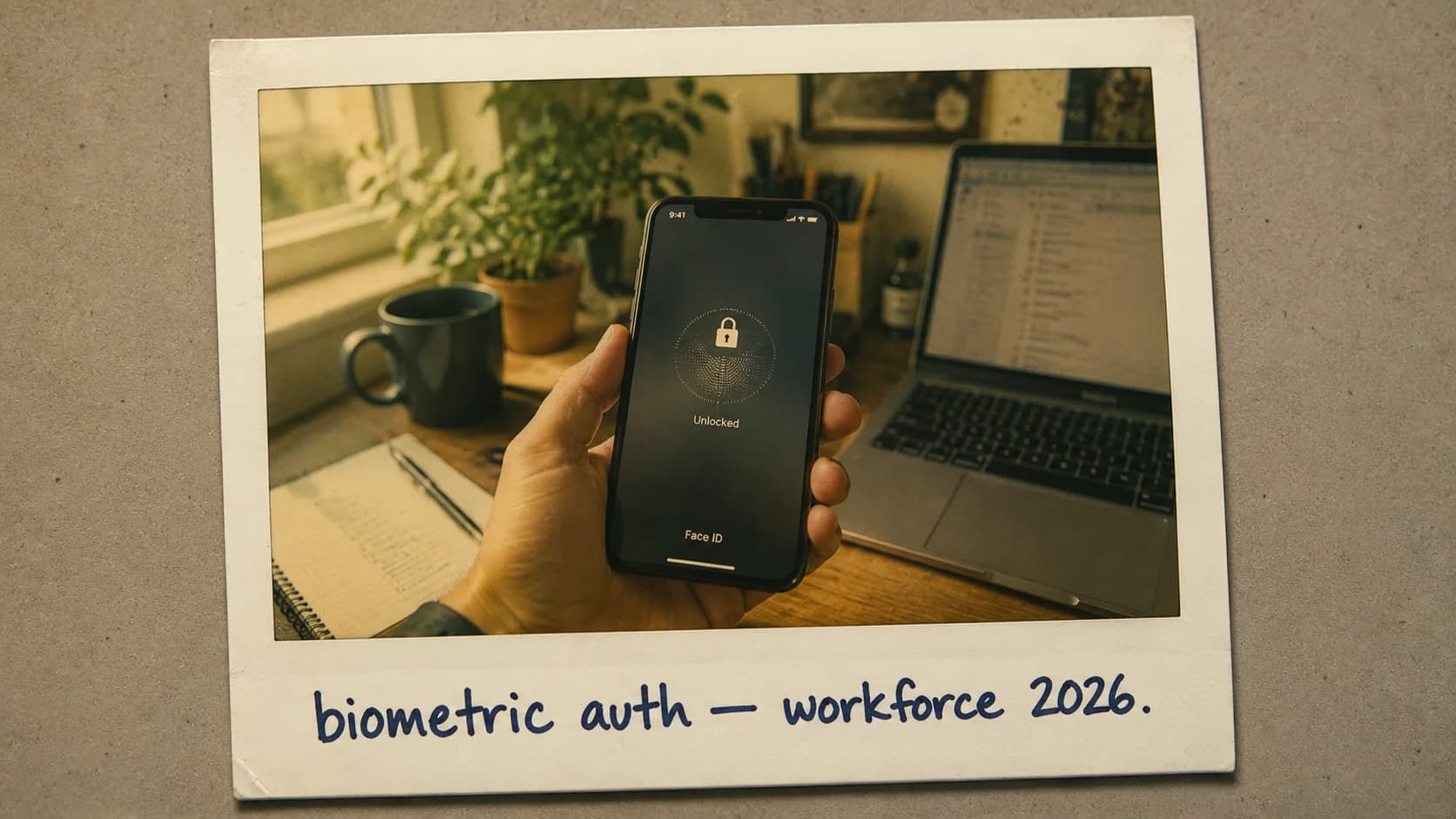
Mobile biometric authentication has quietly become the primary phishing-resistant credential class for enterprise workforce authentication. The 2026 enterprise reference on what's actually happening on modern mobile devices, how platform passkeys and biometric unlock compose into FIDO2 authentication, and where mobile biometric MFA still needs step-up to a hardware key or deviceless credential.
- Mobile biometric authentication has quietly become the primary phishing-resistant credential class for most enterprise workforces in 2026 — Face ID and Touch ID on iOS, Windows Hello for Business on Windows, Android biometric authentication (fingerprint, face, iris) on Android. The biometric doesn't leave the device's secure enclave; the authentication event uses cryptographic assertion, not the biometric itself.
- The FIDO2 authentication ceremony composes platform biometric unlock (the user proves possession of the device by unlocking it) with cryptographic assertion (the device's secure enclave signs a challenge with a device-bound private key that never leaves the enclave). The result is phishing-resistant MFA that beats SMS OTP by orders of magnitude on both security and user experience.
- Platform passkeys are the 2026 mainstream implementation — syncable passkeys (via iCloud Keychain, Google Password Manager, 1Password, Bitwarden, others) that follow the user across their personal device fleet, or device-bound passkeys that stay pinned to a specific device. Both use platform biometric unlock as the local user-verification factor.
- Where mobile biometric MFA needs step-up: highly privileged operations (require hardware FIDO2 key), high-assurance workflows (require additional MFA factor), regulated environments where the platform biometric doesn't meet the assurance requirement (require FIDO2-certified authenticator), and shared or unmanaged devices where the biometric doesn't reliably identify the individual (require deviceless FIDO2 credential like the Avatier Identity Challenge Card).
- The enterprise-deployment pattern is universal phishing-resistant baseline via platform passkeys + biometric, with hardware key step-up for administrative and high-privilege operations, plus deviceless FIDO2 (Identity Challenge Card) for workforce segments where smartphones aren't operationally available (healthcare bedside, manufacturing floor, contact center shared workstations, defense classified environments).
- NIST 800-63B Rev. 4 assurance mapping matters operationally — Apple Touch ID / Face ID with Secure Enclave attestation, Microsoft Windows Hello for Business with TPM attestation, and Android Biometric Strong (Class 3) all map to AAL2-equivalent when composed with the WebAuthn ceremony. Elevated-assurance workflows follow the hardware-bound + secret-validator pattern NIST specifies for AAL3 via hardware FIDO2 + PIN or Identity Challenge Card + PIN.
- Four operational pitfalls distinguish mature deployments from naive ones — false rejection rate at scale (1-3% produces meaningful help desk volume across large workforces), sensor failure / biometric drift (fallback infrastructure required), enrollment governance (the enrollment ceremony has to be itself trusted), and cross-platform interop gaps (Apple-ecosystem passkeys don't propagate to Android cleanly without third-party credential managers).
Mobile biometric authentication has quietly become the primary phishing-resistant credential class for most enterprise workforces in 2026. Face ID and Touch ID on iOS. Windows Hello for Business on Windows. Android biometric authentication on Android. The user unlocks their phone or laptop with a fingerprint or a glance at the camera; the device signs an authentication challenge with a hardware-protected cryptographic key; the service sees phishing-resistant MFA without the user ever entering a code or approving a prompt. It's dramatically better than SMS OTP on both security and user experience, and the enterprise deployment is far enough along that most workforce-authentication conversations are now about how to universalize platform passkeys, not whether to deploy them.
But mobile biometric MFA isn't universally sufficient. Deviceless workforce segments can't use it (Challenge 3 from the Unexpected IAM Challenges piece). Highly privileged operations need hardware key step-up above the base mobile biometric. Regulated environments sometimes require FIDO2-certified authenticators that platform biometrics don't hold. Jailbroken and rooted devices compromise the platform's security guarantees. This piece is the 2026 enterprise reference on what mobile biometric authentication actually does under the hood, how it composes into phishing-resistant MFA, where it works, and where it needs step-up.
The companion pieces cover adjacent territory. The Phishing-Resistant MFA piece covers the full credential-class taxonomy including hardware keys and the Avatier Identity Challenge Card for deviceless segments. The Adaptive Authentication piece covers the risk-based composition that decides when step-up is required. The Continuous Authentication piece covers post-sign-in assurance re-evaluation. The Best Multi-Factor Authentication Solutions piece covers the buyer-guide layer.
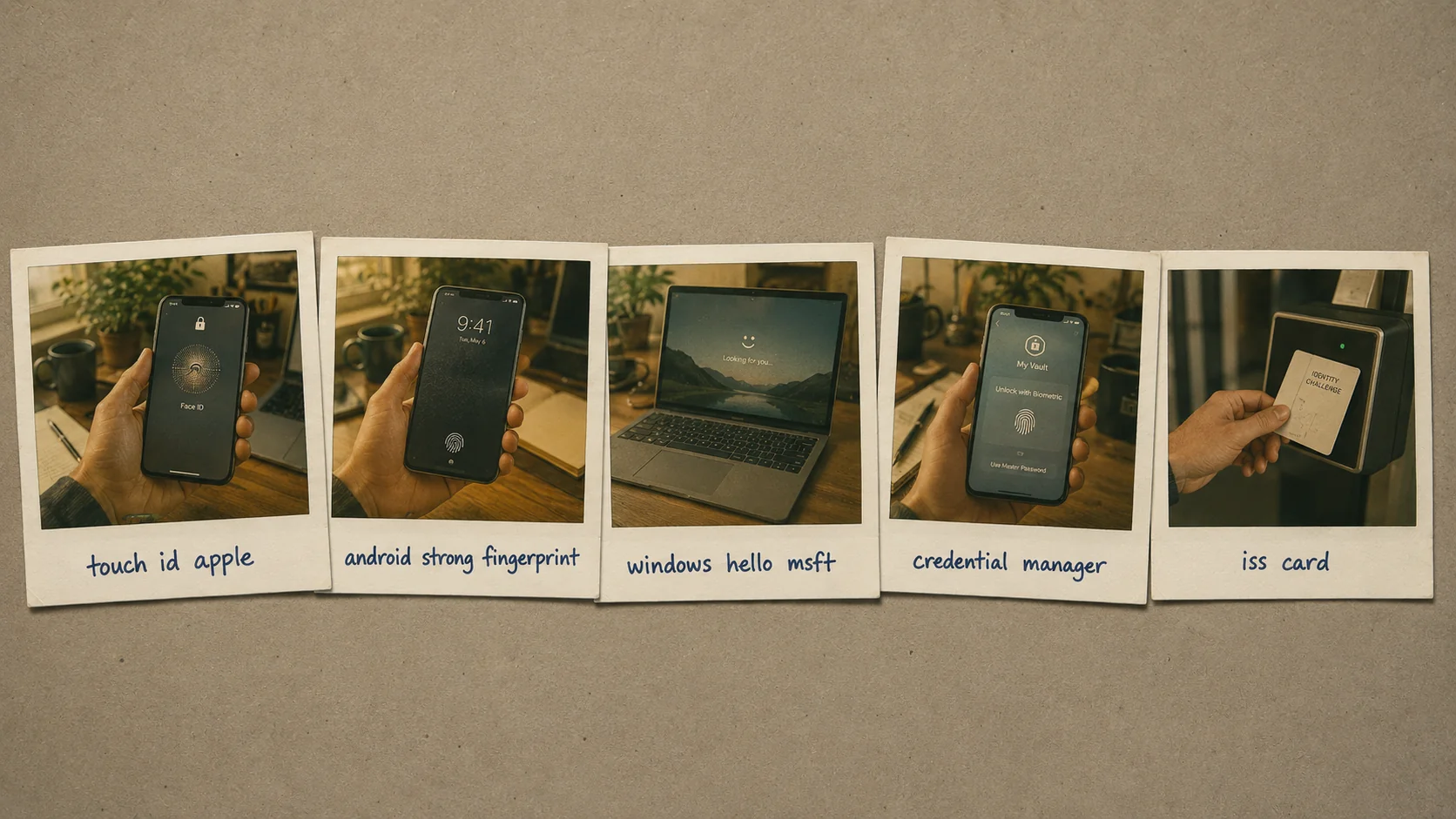 The FIDO2 ceremony under the hood, across all five platform-biometric classes. The biometric unlocks the device; the device signs the challenge. The biometric never leaves the device.
What actually happens under the hood
Mobile biometric authentication is easy to think about wrong. The tempting mental model — "the phone reads my fingerprint and sends it to the service" — is completely inaccurate and would be a catastrophic security architecture if it were true. What actually happens is more subtle and much more secure.
Step 1: The biometric never leaves the device. When you set up Face ID or Touch ID or Windows Hello or Android biometric, the biometric template is stored in the device's secure enclave (Apple Secure Enclave, Android Trusted Execution Environment, Windows Trusted Platform Module — hardware-isolated storage that even the device's operating system cannot access directly). The template is encrypted with hardware-derived keys. It cannot be exfiltrated even by malware running on the device.
Step 2: Biometric unlock is local. When you unlock the device with a fingerprint or facial recognition, the biometric sensor captures the sample, the secure enclave compares it locally to the stored template, and returns a binary decision (match / no-match) to the operating system. The comparison happens in the secure enclave hardware; the operating system sees only "yes" or "no."
Step 3: The device holds cryptographic credentials. When you authenticate to a service using platform biometrics + passkey, the device stores a device-bound private key (or a syncable private key if you're using a syncing passkey via iCloud Keychain, Google Password Manager, or a third-party manager) in the same secure enclave. The private key never leaves the enclave.
Step 4: The authentication event is a cryptographic assertion. The service being authenticated to sends a challenge (a random string). The device — having verified the user via biometric unlock in Step 2 — uses the private key in the secure enclave to sign the challenge. The signed response goes to the service. The service verifies the signature using the corresponding public key it registered when the passkey was created.
Step 5: The biometric was the authorization to sign, not the authentication factor. The service being authenticated to never sees the biometric. It sees the cryptographic assertion, which proves possession of the device's private key. The biometric proved to the device that the user is the one authorized to trigger the signing operation. Together, this is FIDO2 phishing-resistant authentication.
The critical implication: phishing attacks that trick the user into entering biometric information on a phishing site don't work because there's no biometric information to enter. The FIDO2 protocol binds the authentication to the specific service domain — a phishing site with a different domain will fail the FIDO2 challenge because the browser or platform won't sign a challenge for a domain other than the one that registered the passkey.
The credential taxonomy: what's on a modern mobile device
The mobile authentication landscape in 2026 has several credential classes coexisting on the same device. Understanding what's available operationally matters for both users and enterprise deployment planning.
Platform passkeys — the mainstream 2026 credential. iCloud Keychain, Google Password Manager, Microsoft Authenticator, and third-party password managers (1Password, Bitwarden, others) all support passkeys as first-class citizens. The passkey is either syncable (follows the user across their personal device fleet through the manager's sync) or device-bound (pinned to a specific device). Platform biometric unlock (Face ID, Touch ID, Windows Hello for Business, Android biometric) provides the user-verification factor.
Hardware FIDO2 keys. YubiKey, Feitian, Google Titan, others. Physical devices that the user carries and taps against the phone (via NFC) or plugs in (via USB-C or Lightning). Hardware keys don't require the phone's biometric; the key has its own tap-to-authenticate mechanism. The 2026 pattern uses hardware keys for step-up above platform biometric MFA — admin operations, high-privilege workflows, high-assurance requirements.
Traditional MFA remnants. SMS OTP, TOTP apps (Google Authenticator, Microsoft Authenticator's OTP mode, Authy), push notification MFA. These credential classes still exist on many devices and in many enterprise environments; the 2026 direction is to retire them because they're not phishing-resistant.
| Credential class | Phishing-resistant | Deployment lift | 2026 status |
|---|---|---|---|
| SMS OTP | ✗ (SIM swap, real-time phishing kits) | Very low | Retire — never appropriate for enterprise |
| TOTP apps | ✗ (real-time phishing) | Low | Retire for phishing-risky use cases |
| Push notification MFA | ✗ (push-bombing attacks) | Low | Retire or add number matching |
| Platform passkey + biometric | ✓ | Medium (universal enrollment) | Deploy universally |
| Hardware FIDO2 key | ✓ | Medium (key distribution) | Deploy for privileged operations |
| Deviceless FIDO2 (Avatier Identity Challenge Card) | ✓ | Low-medium | Deploy for smartphone-unavailable segments |
The 2026 direction is universal phishing-resistant baseline via platform passkeys + biometric, hardware key step-up for privileged operations, and deviceless FIDO2 for smartphone-unavailable segments. Traditional MFA remnants exit progressively.
The Face ID / Touch ID / Windows Hello / Android biometric landscape
The specific platform biometrics deployed on mobile devices in 2026 have converged on similar patterns but retain platform-specific characteristics.
Face ID (iOS). Structured-light IR sensor projects thousands of dots on the user's face; the depth map + IR image are compared to the stored template in the Secure Enclave. Works in the dark. Requires deliberate user attention (the phone confirms the user is looking at it). Cannot be spoofed with photos or masks in typical operational conditions.
Touch ID (iOS, some Mac models). Capacitive fingerprint sensor. Compares the fingerprint pattern to the stored template in the Secure Enclave. Fast and reliable. Doesn't work with wet fingers, gloves, or heavily calloused fingertips.
Windows Hello for Business. Enterprise-managed version of Windows Hello. Supports facial recognition (with IR camera), fingerprint (with capacitive sensor), and PIN (fallback). The credential is bound to the TPM (Trusted Platform Module). Windows Hello for Business is the passwordless authentication path Microsoft has invested in for enterprise Windows workforces.
Android biometric authentication. Fingerprint (most Android devices), facial recognition (with camera + varying levels of security depending on the manufacturer's implementation), iris recognition (rare, some Samsung high-end devices). The BiometricPrompt API standardizes the developer-facing interface; the actual biometric quality varies by device. Enterprise deployments typically require devices that meet specific certification bars for high-assurance operations.
Windows Hello (non-enterprise). Consumer version. Less enterprise-manageable. Enterprise deployments typically require Windows Hello for Business.
All five modalities use the same architectural pattern under the hood — biometric unlock authorizes the device to perform cryptographic operations with a hardware-protected credential. The user-facing experience differs; the underlying security model is uniform.
Assurance level mapping under NIST 800-63B Rev. 4
NIST 800-63B Revision 4 (finalized 2025, operationally normative through 2026) defines authentication assurance levels AAL1, AAL2, and AAL3. Mobile biometric platforms map to these levels in specific ways when the biometric unlock is composed with the WebAuthn cryptographic ceremony.
| Platform | Assurance level when properly deployed | Notes |
|---|---|---|
| Apple Touch ID + Secure Enclave + WebAuthn | AAL2-equivalent | Secure Enclave attestation chains to Apple's root; biometric class assertion is implicit in iOS device-class identity |
| Apple Face ID + Secure Enclave + WebAuthn | AAL2-equivalent | Same architectural pattern as Touch ID; TrueDepth depth-sensing adds spoof resistance |
| Microsoft Windows Hello for Business + TPM 2.0 + WebAuthn | AAL2-equivalent | TPM attestation chains to Microsoft Hello attestation infrastructure |
| Android Biometric Strong (Class 3) + StrongBox + WebAuthn | AAL2-equivalent | Class 3 designation means the biometric has a False Acceptance Rate (FAR) below 1 in 50,000 and includes Presentation Attack Detection (PAD) capability |
| Android Biometric Class 2 | Lower than AAL2 | "Convenience biometric" tier; not appropriate as sole factor for high-impact authentication |
| Consumer Windows Hello (unattested) | Lower than AAL2 | Personal Windows devices without TPM attestation infrastructure |
| Hardware FIDO2 key + PIN | Follows the hardware-bound + secret-validator pattern NIST specifies for AAL3 | See our Hardware FIDO2 vs Passkeys piece for the credential-class comparison |
| Identity Challenge Card + PIN | Follows the hardware-bound + secret-validator pattern NIST specifies for AAL3 | Deviceless equivalent of hardware FIDO2 + PIN; suited for workforce segments where smartphones aren't operationally available |
The implication for enterprise deployments: most routine workforce authentication at AAL2 can run on mobile biometrics + WebAuthn. Workflows with elevated assurance requirements (privileged operators, defense workforces, high-value financial back-office) require the hardware-bound + secret-validator pattern — hardware FIDO2 key + PIN, smart card + PIN, or the Identity Challenge Card + PIN for smartphone-unavailable segments. The mature enterprise composes both — mobile biometric MFA universally, with hardware-key or Identity Challenge Card step-up for higher-assurance workflows. The composition is what the "when it needs step-up" section below unpacks.
When mobile biometric MFA needs step-up
Mobile biometric MFA is the mainstream phishing-resistant credential class for enterprise workforce authentication. It's not universally sufficient. Four scenarios need step-up.
Scenario 1: Highly privileged operations. Administrative access to production infrastructure, privileged financial transactions, changes to critical security controls. The 2026 pattern requires hardware FIDO2 key step-up for these operations even when the base user authentication was mobile biometric MFA. The admin proves possession of the phone (base auth) AND presents the physical hardware key (step-up). The hardware key can't be lost, stolen, or coerced through remote attacks the way the phone can be, and the physical presentation is an audit-trail signal that matters for privileged actions.
Scenario 2: Regulated high-assurance workflows. Some federal control frameworks, financial regulations, and industry-specific requirements specify authenticator certification bars that platform biometrics don't hold. FIDO2-certified hardware authenticators (specific YubiKey models, Feitian models, and others that hold current certifications) meet these bars; platform biometrics generally don't hold the specific certifications required for high-assurance regulated workflows. When the workflow's assurance requirement demands a certified authenticator, deploy hardware keys for that workflow.
Scenario 3: Incident response and break-glass. Emergency access scenarios where audit-trail evidence needs to include physical token presentation. Break-glass credentials should require hardware key presentation so the emergency-access event has physical evidence in the audit trail. The PAM piece covers break-glass architecture.
Scenario 4: Shared or unmanaged devices. A shared workstation in a clinical environment, a manufacturing floor terminal, a contact-center kiosk, a defense classified-environment workstation. The mobile biometric doesn't reliably identify the individual at these stations because the mobile is either not available (deviceless segment) or shared across users (not personal-device-bound authentication). For this scenario, the Avatier Identity Challenge Card provides deviceless FIDO2 authentication that works at shared stations with tap-and-go and doesn't require smartphone availability. The Phishing-Resistant MFA piece covers the deviceless credential architecture.
The four step-up scenarios cover most enterprise environments in some volume. The mature 2026 pattern deploys the base mobile biometric MFA universally and layers the step-up credentials on top for the scenarios that need them.
Jailbreak, root, and device posture
Platform biometric security depends on the secure enclave's isolation from the operating system. Jailbreak (iOS) or root (Android) compromises that isolation and makes the security guarantees unreliable.
The 2026 enterprise pattern uses device-posture signals from MDM platforms (Intune, Jamf, Workspace ONE) to detect jailbroken or rooted devices and either block authentication from them or require step-up to a hardware key or deviceless credential. The device-posture signal is one of the five signal classes covered in the Adaptive Authentication piece — device compliance state feeds the adaptive risk score, and non-compliant devices trigger different authentication requirements.
Enterprises with high-security requirements should treat jailbroken/rooted devices as unmanaged. Users of such devices don't authenticate to enterprise resources from those devices; they use hardware keys or the Identity Challenge Card for access from other devices instead.
Where mobile biometric authentication breaks operationally
Four operational pitfalls recur in 2026 enterprise deployments. Each is addressable; each is also common when teams deploy biometrics as a technology without the surrounding operational discipline.
False rejection rate at scale. Mobile biometric sensors have specified false rejection rates (FRR) — the rate at which the legitimate user's biometric fails to verify even though it should succeed. For Apple Touch ID and Face ID, published FRR is approximately 1 in 50 (2%) under typical conditions. For Android Biometric Strong (Class 3), FRR varies by device but typically 1-3%. The pattern multiplies at scale — a 5,000-employee enterprise with mobile-biometric authentication produces roughly 100-150 daily false-rejection events that cascade into authentication retries, help desk tickets, and operational friction. The mitigation is workflow design that handles false rejection gracefully: allow a few retries before escalating to fallback authentication; route fallback through a defined path rather than an ad-hoc bypass.
Sensor failure and biometric drift. Mobile biometric sensors can degrade or fail. Touch ID sensors wear on devices that see heavy use. Face ID can fail if the TrueDepth camera or sensor array is damaged. Cracked screens can interfere with under-display fingerprint sensors. Biometric templates can drift over time (especially fingerprint, less so face). The mitigation is fallback infrastructure — every mobile-biometric user has a backup authentication path enrolled (a hardware FIDO2 key kept in a desk drawer, the Identity Challenge Card kept in a wallet, a workflow-verified recovery procedure documented in the Temporary Password Best Practices piece).
Enrollment governance. The biometric is only as trustworthy as the initial enrollment ceremony. If an attacker can enroll their biometric on a device that subsequently authenticates as the legitimate user, the entire architecture is compromised. The mitigation is enrollment-ceremony integrity: biometric enrollment happens through MDM-controlled flows on managed devices, through documented in-person identity-verification ceremonies on BYOD, and never through an unattended self-service path that could be exploited by an attacker with momentary physical access. The Identity Maturity Model piece on CGov covers the broader operational discipline this fits within.
Cross-platform interop gaps. Apple-ecosystem passkeys don't propagate to Android or Windows cleanly without third-party credential managers. Android passkeys don't propagate to iPhone cleanly without third-party credential managers. Workforce users with mixed-ecosystem devices (an iPhone, a Windows laptop, an Android tablet) sometimes hit friction when a passkey they expected to be available on one device is actually only on another. The mitigation is either ecosystem-standardization at the enterprise level (everyone gets Apple, or everyone gets Microsoft, or everyone gets Google) or deployment of third-party credential managers (1Password Business, Bitwarden Enterprise) that bridge cross-ecosystem.
The four pitfalls compound. False rejection produces help desk tickets that look like authentication problems but are actually expected biometric-system behavior. Sensor failure produces user lockouts that need fallback paths set up in advance. Enrollment governance gaps produce attack surface that's invisible until exploited. Cross-platform interop gaps produce user-experience friction that drives workforce frustration. The mitigations have to layer — fixing one pattern without the others leaves cumulative operational drag.
The enterprise deployment pattern
The 2026 mainstream deployment pattern for phishing-resistant workforce authentication:
Universal baseline: platform passkeys + biometric on user-managed devices. Every enterprise user has passkeys enrolled at the IdP. Platform biometric unlock authorizes the device to sign FIDO2 authentication challenges. Coverage extends across the personal-device fleet the user works from.
Hardware key step-up: for administrative operations, high-privilege workflows, and regulated high-assurance requirements. Users with these operational needs carry hardware FIDO2 keys in addition to their platform passkeys. Authentication for the specific operations requires the hardware key.
Deviceless FIDO2 for smartphone-unavailable segments: healthcare clinicians at bedside, manufacturing floor operators, contact center shared workstations, defense classified environments. The Avatier Identity Challenge Card provides tap-and-go FIDO2 authentication that satisfies phishing-resistant MFA requirements without smartphone dependency. Full detail in the Phishing-Resistant MFA piece.
Adaptive composition: device posture, geographic context, behavioral signals, identity context, and threat intelligence feed the risk evaluation (Adaptive Authentication piece). Low-risk sessions authenticate with base credentials; elevated-risk sessions trigger step-up.
Continuous evaluation for high-risk workforces: the assurance evaluation extends beyond session establishment into ongoing session monitoring (Continuous Authentication piece). PAM-elevated accounts, financial-system operators, executive accounts, and defense workloads get continuous re-evaluation.
The composition produces universal phishing-resistant MFA across the enterprise workforce with appropriate step-up for privileged and regulated operations.
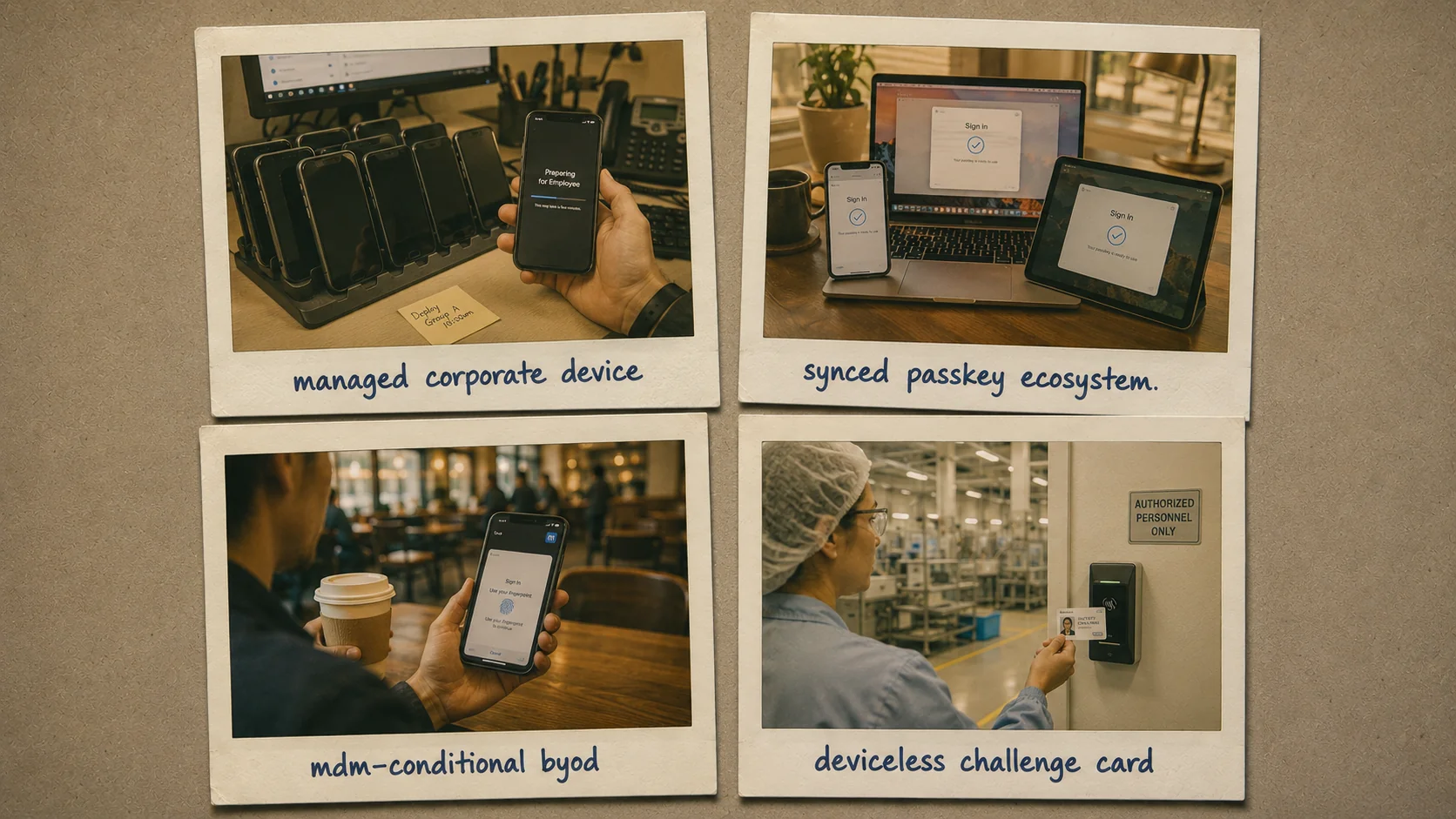 Four patterns compose into one enterprise architecture. Universal baseline, hardware key step-up for privileged operations, deviceless FIDO2 for smartphone-unavailable segments, and adaptive composition for context-aware step-up.
The 2026 reference path
Deploy platform passkeys + biometric as the universal baseline. Face ID, Touch ID, Windows Hello for Business, Android biometric — all four platform biometrics support the same FIDO2 architecture under the hood. Enroll passkeys at the IdP. Retire SMS OTP and traditional MFA remnants as the passkey enrollment coverage expands.
Layer hardware key step-up on the privileged surface. Administrative operations, high-privilege workflows, and regulated high-assurance requirements need step-up above the base mobile biometric MFA. Distribute hardware keys to the affected roles and configure the IdP policy to require step-up for the operations.
Deploy deviceless FIDO2 for smartphone-unavailable segments. The Avatier Identity Challenge Card supports the same tap-and-go FIDO2 authentication as hardware keys without requiring smartphone availability. Healthcare, manufacturing, contact center, and defense segments get the same phishing-resistant baseline as smartphone-enabled segments.
Compose with adaptive and continuous authentication. Device posture drives risk-based step-up decisions. Behavioral analytics catch anomalies post-authentication. The composition produces defensible posture across the full workforce and the full session lifecycle.
Point auditors at the Trust Center for Avatier's own posture. The Avatier Trust Center with the SecurityScorecard grade view — SOC 2 Type II with zero exceptions, ISO/IEC 27001:2022, PCI DSS v4.0.1, CSA STAR Level 1, NIST 800-53 Rev. 5 aligned, CISA Secure-by-Design Pledge signatory.
Mobile biometric authentication is now the mainstream phishing-resistant MFA class for enterprise workforces in 2026. The technology is mature, the deployment is broad, the operational patterns are settled. The remaining work is universalizing coverage across the workforce and layering the step-up credentials the operational scenarios require. Both are achievable with current 2026 tooling and known enterprise deployment patterns.
About the author
More from MFA & Authentication
How Cybercriminals Exploit Weak OTP: The Attacker Playbook (2026)
Weak OTP fails at four specific points — SIM swap, real-time phishing relay, SS7 interception, and MFA fatigue — and every one of them is a known, repeatable attacker technique in 2026.
Advanced MFA in 2026: What Actually Counts as a Factor
Multi-factor authentication only works when the factors are genuinely different — this 2026 reference clears up what counts as a real factor and what advanced MFA actually means.
Does OTP Prevent Breaches? The Attacks It Actually Stops in 2026
OTP does not stop every attack, but it reliably defeats credential stuffing, password-spray, basic brute force, and stolen-password reuse from unrelated breaches. The 2026 breach-prevention case for OTP — the attack chains it breaks, the ones it doesn't, and how to deploy it so the prevention benefit actually lands.