Passkey Deployment Playbook for Enterprises in 2026
Passkeys are the strongest workforce authenticator most enterprises can deploy in 2026. The playbook covers what passkeys actually are, where they break in production, and the phased deployment that survives contact with enterprise reality.
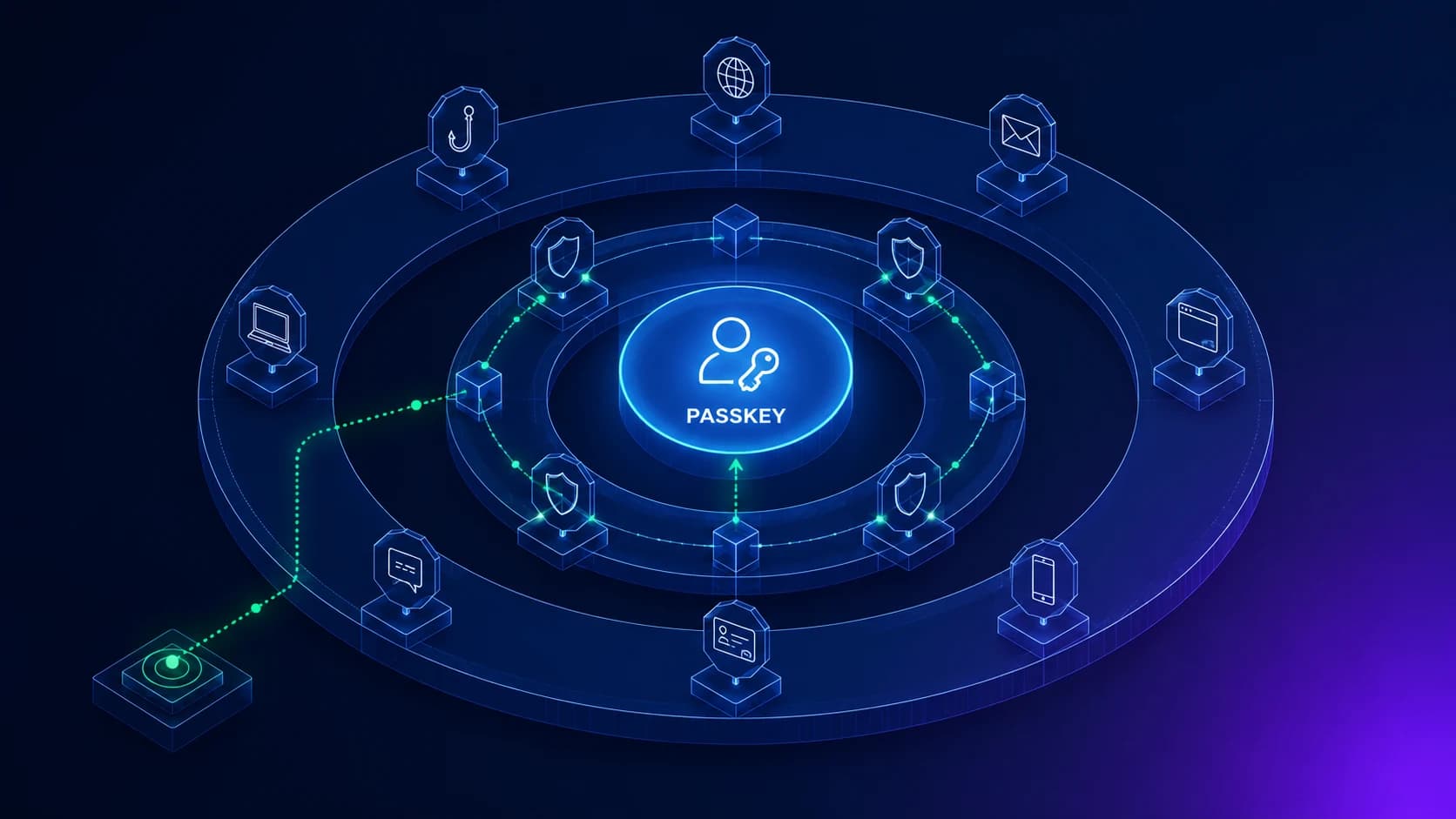
Passkeys are the strongest workforce authenticator most enterprises can deploy in 2026. The playbook covers what passkeys actually are, where they break in production, and the phased deployment that survives contact with enterprise reality.
Passkeys are the strongest workforce authenticator most enterprises can deploy in 2026. The combination of phishing-resistance, broad platform support (Windows, macOS, iOS, Android, Chrome OS), and user-friendly enrollment makes them the leading candidate for the next-generation primary authentication factor. The competitive landscape has moved fast — Apple, Google, Microsoft, and every major identity provider now support passkeys natively, and the FIDO Alliance specifications have stabilized enough that enterprise integration is no longer experimental.
The question for an enterprise IAM team in 2026 is not whether to deploy passkeys. It is how to deploy them across a mixed workforce — desk workers, frontline staff, contractors, executives, mainframe operators, shared-workstation users — without ending up in a situation where the architecture works beautifully for some segments and not at all for others. That's what this playbook covers.
The companion guides on the ICC blog handle the adjacent decisions: Beyond Foundational MFA covers the recovery channel architecture that passkey deployments still need; Best Passwordless Solutions covers the vendor-by-vendor landscape; Best MFA Solutions covers the broader authentication-vendor comparison. This piece is the deployment-architect playbook that runs on top.
Why passkeys are different from "another MFA option"
Most enterprise IAM teams have deployed multiple generations of MFA — SMS OTP, hardware OTP tokens, push notifications with number matching, software TOTP authenticator apps. The natural framing is to treat passkeys as the next item on that list. That framing is wrong in a load-bearing way.
Passkeys replace the password as the primary authentication factor. They are not a second factor that gets layered on top of a password. The user signs into their corporate account by presenting the passkey credential and unlocking it locally (with biometrics or device PIN) — there is no password in the flow. This is what passwordless authentication actually means in production.
The security architecture is fundamentally different from password-plus-MFA. The credential never leaves the device (or the cloud sync provider, for syncable passkeys). The cryptographic ceremony binds to the origin domain. An adversary-in-the-middle proxy cannot replay the response. A credential-stuffing attack against the corporate IdP cannot succeed because there is no password to stuff. A phishing attack that captures the user's typed credentials cannot succeed because the user does not type credentials.
The operational architecture is different too. The enrollment ceremony asks the user to register a new credential on the device they're signing in from — not type a password from memory. The recovery ceremony asks the user to enroll a new credential on a new device, with workflow verification — not reset a password through an email link or knowledge-based questions. The lifecycle integration ties new credentials to the joiner workflow and revokes credentials on the leaver workflow.
The strategic point is that passkey deployment is an authentication architecture change, not an authentication feature add. The IAM team that approaches it as "we'll add passkey support" usually ends up with a hybrid environment where some users have passkeys and some still have passwords, with the worst security and user-experience properties of both. The deployment pattern that works is treating the project as a phased migration away from passwords for the segments that can support it.
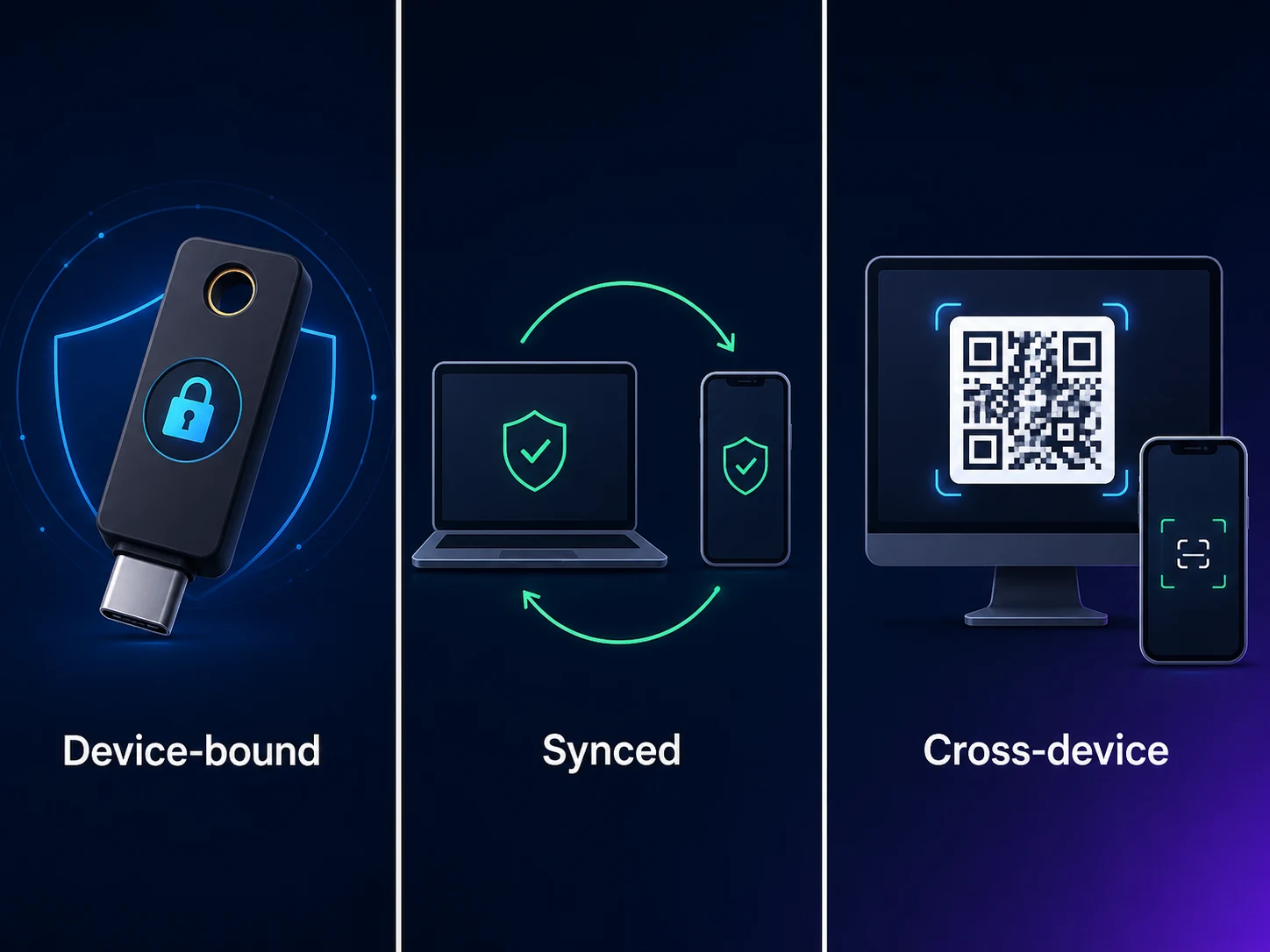 Three flavors, three deployment envelopes. The architecture decision is which flavor goes to which workforce segment — and where the segments overlap.
The three flavors of passkey and what each is good for
The FIDO2/WebAuthn specification allows several credential-storage strategies. In 2026 production, three flavors matter.
Platform passkeys are bound to a single device. The credential lives in the device's secure enclave (TPM on Windows, Secure Enclave on Apple devices, StrongBox on Android, TPM on Chrome OS). The user enrolls the passkey by completing the WebAuthn ceremony on the device — typically by approving a system prompt and unlocking with biometrics or PIN. The credential is high-security because it never leaves the device's secure enclave; the deployment limitation is that if the device is lost, the credential is gone and must be re-enrolled on a new device.
Platform passkeys fit well for managed-desk-worker segments where the device-management platform (Intune, Jamf, Workspace ONE) handles device lifecycle reliably. The enrollment process is fast (10-15 seconds), the user experience is excellent (biometric unlock), and the security posture is strong. The recovery flow needs to be ready for device loss/replacement events, which is a steady-state lifecycle event in enterprise device populations.
Syncable passkeys sync the credential across the user's devices through a cloud sync provider. Apple's iCloud Keychain, Google's Password Manager, and third-party sync providers (1Password, Dashlane, Bitwarden) are the major options. The credential is recoverable if the user gets a new device — they sign into the sync provider on the new device, and the passkey is available. The security posture inherits the security of the sync provider; the trust dependency is broader than platform passkeys but narrower than passwords.
Syncable passkeys fit well for knowledge-worker segments where users have multiple personal devices (work laptop, personal phone, work tablet) and want seamless authentication across all of them. The deployment consideration is which sync provider the enterprise trusts — Apple's ecosystem is fully integrated for Apple-shop enterprises, Google's for Google-shop, third-party providers for mixed-platform environments.
Hardware-bound passkeys are tied to a physical FIDO2 security key — YubiKey, Feitian, Token2, Google Titan, and similar devices. The credential lives on the hardware key and never leaves it. The user inserts the key into the device's USB port (or taps NFC), unlocks the credential with a touch or PIN, and the WebAuthn ceremony completes. The security posture is the strongest available; the deployment limitation is that the user must carry the physical key.
Hardware-bound passkeys fit well for privileged accounts — domain admins, financial-system operators, security tools, executives. The cost-per-key is bounded (typically $25-80 per key), the security improvement is substantial, and the user population is small enough that the key-management overhead is manageable.
Most enterprise deployments mix all three. Privileged accounts get hardware keys with no SMS fallback. Desk workers get platform passkeys with syncable backup. Mobile-heavy users get syncable passkeys across their device fleet. The deployment architecture decides which flavor goes to which segment.
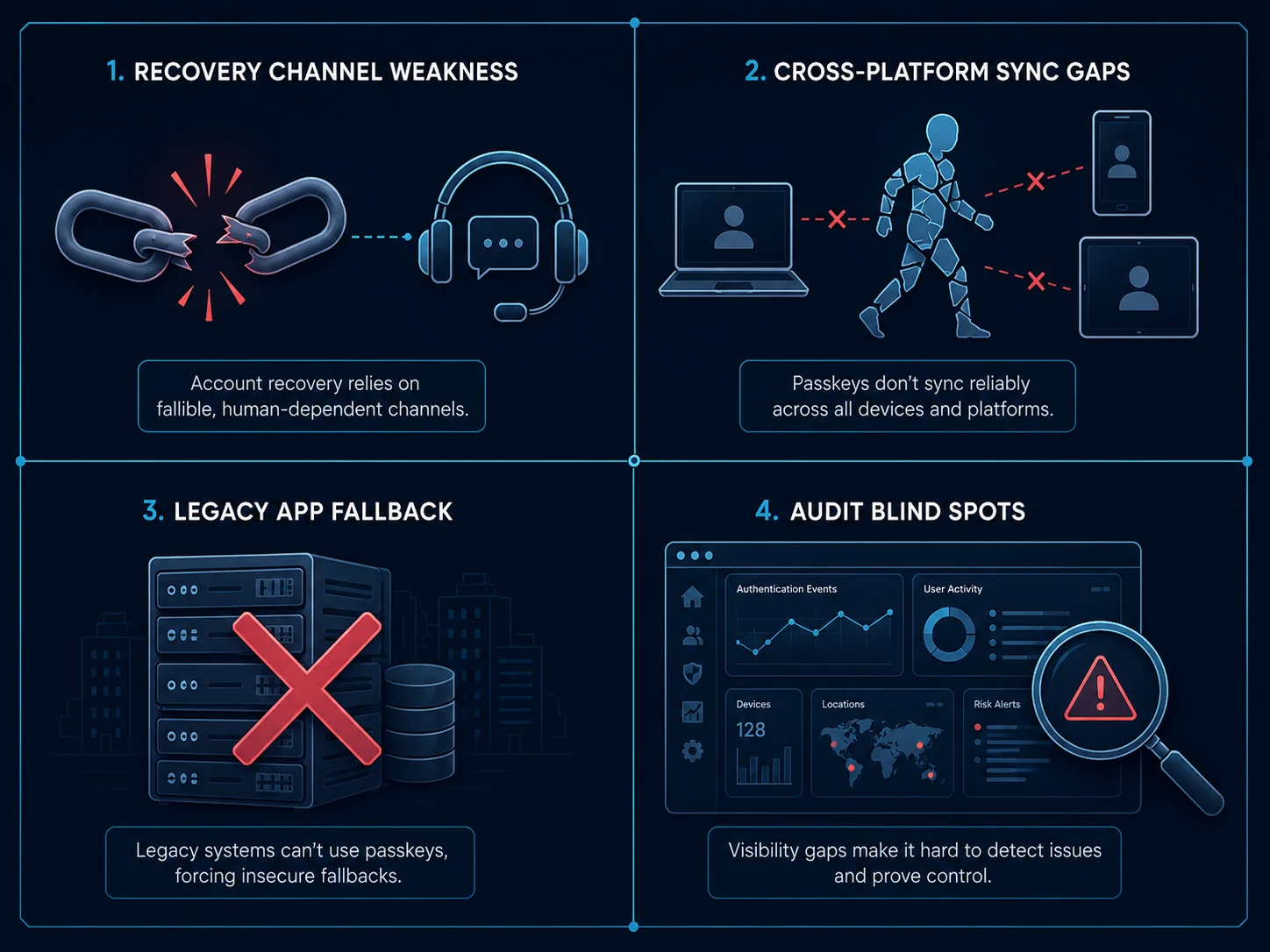 Passkey deployments work cleanly for the segments they fit and break in predictable ways for the segments they don't. The architecture decisions are about the breakage cases.
Where passkeys break in production
Enterprise passkey deployments work cleanly for the segments they fit and break in predictable ways for the segments they don't. The architectural decisions are about the breakage cases.
Frontline and shared-workstation workforces are the most common breakage case. Passkeys assume the user has a personal device (for platform or syncable passkeys) or carries a personal hardware key. A frontline worker on a manufacturing floor that prohibits phones, or a clinical worker at a shared healthcare workstation, or a contractor with no managed device — none of these segments can satisfy the platform/syncable assumption. The deployment pattern for these segments is deviceless: the Avatier Identity Challenge Card pattern, where authentication happens via a physical card the worker carries and a card reader at the shared workstation. The card is FIDO2-compatible — it does the same cryptographic ceremony as a passkey — but the user doesn't need a phone or password.
Mainframe and legacy-application access is the second predictable breakage case. Mainframe environments (RACF, ACF2, Top Secret), AS400/iSeries systems, and legacy applications that predate WebAuthn don't speak FIDO2 natively. The deployment pattern is to put the passkey at the entry point — the IdP that issues the session — and let the IdP federate identity into the legacy systems via their native protocols (SAML, OAuth, Kerberos, or directly via the IdP's connector library). The user signs in with a passkey to the IdP; the IdP issues a session credential the legacy system accepts.
Recovery channel attacks are the third predictable breakage. The Storm-2949 pattern documented by Microsoft Threat Intelligence works exactly as well against passkey-protected accounts as it does against password-plus-MFA accounts — the attacker initiates a recovery flow, social-engineers the user into approving a new credential enrollment, and takes over the account with their own passkey on their own device. The mitigation is workflow-tied verification at every recovery event, covered in detail in our Beyond Foundational MFA piece. The architectural point is that deploying passkeys does not by itself fix the recovery channel.
Lifecycle integration gaps are the fourth breakage. The passkey lives on a device or in a sync provider; the corporate IdP knows about the user. If the user leaves the company, the passkey credential needs to be revoked at the IdP (so the next authentication attempt fails) and ideally also removed from the sync provider. The integration between the joiner/mover/leaver lifecycle platform and the passkey authentication platform needs to be bidirectional and timely. Our Best ILM Solutions guide covers the lifecycle layer architecture this depends on.
Cross-IdP migration is the fifth and most operationally complex breakage. An enterprise that has passkeys deployed on Okta and decides to migrate to Microsoft Entra ID (or vice-versa) faces a re-enrollment problem — the passkey credentials are bound to the original IdP's relying-party identifier and don't transfer. The mitigation is to plan the migration as a re-enrollment event for the workforce, with parallel-running IdPs during the transition. There is no silver bullet here.
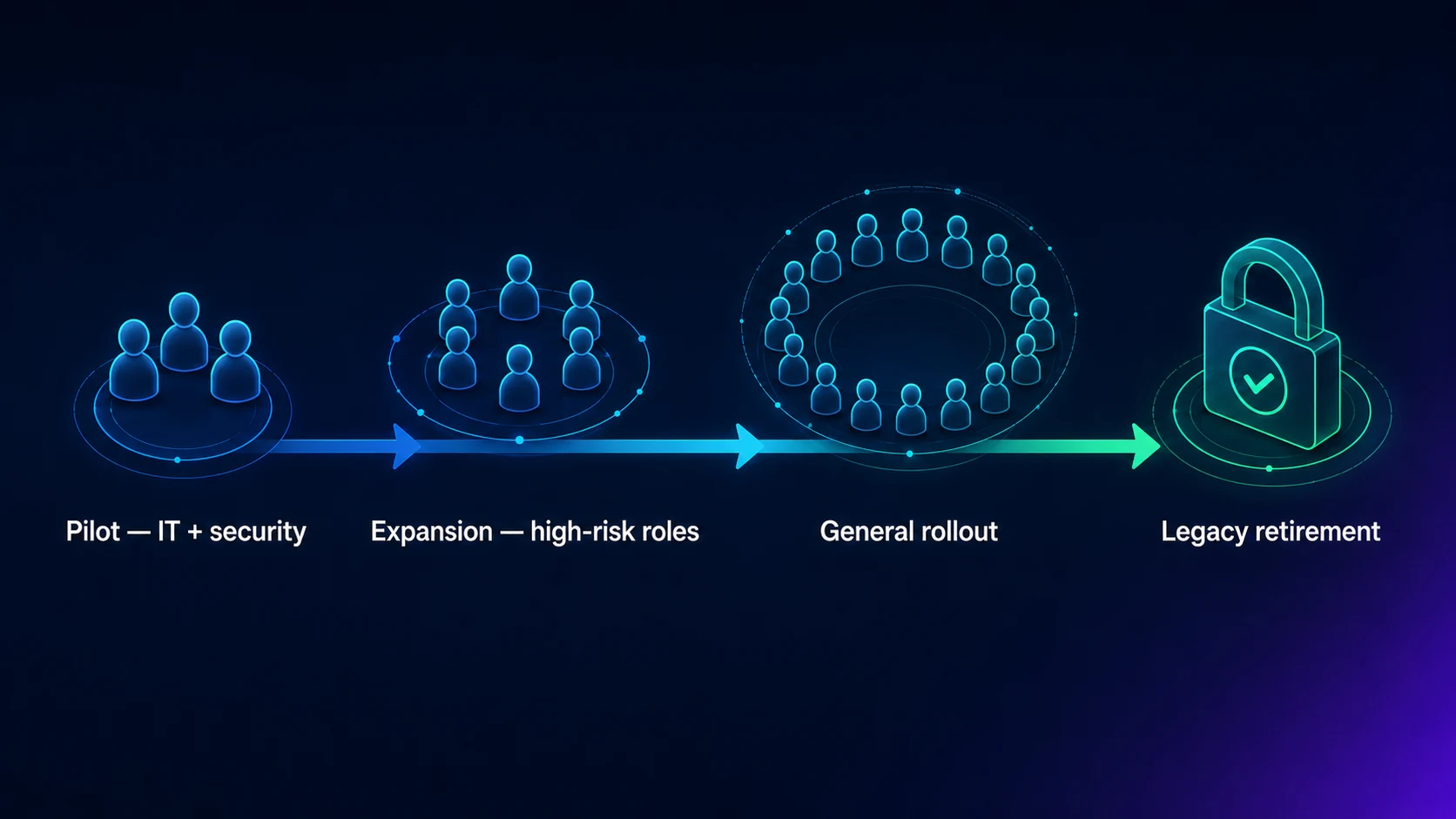 Five phases over 6-12 months. Privileged accounts first, recovery channel infrastructure in parallel, desk workers next, deviceless segments after, password removal per-segment as each segment matures.
The phased deployment sequence that works
The deployment pattern that survives contact with enterprise reality is phased, segmented, and paired with recovery-channel infrastructure. Five phases over 6-12 months.
Phase 1 (weeks 1-6): Privileged accounts on hardware keys. Issue hardware FIDO2 security keys to domain admins, security tools, financial system operators, executives. Enroll the keys, disable SMS OTP fallback, require the keys for sensitive operations. The privileged surface is the smallest population and the highest-impact target — getting it done first delivers the highest ROI fastest. The deployment pattern here is well-documented and the operational overhead is bounded.
Phase 2 (weeks 6-16): Workflow-tied recovery channel infrastructure. Deploy the recovery channel architecture before the broader rollout — the Avatier Password Station pattern or equivalent — so that when authenticator-loss events start happening at scale, the recovery flow is workflow-verified rather than knowledge-based. Phase 2 in parallel with Phase 1 if the team has capacity; otherwise sequential. The Storm-2949 mitigation belongs here.
Phase 3 (months 4-7): Desk-worker platform passkeys. Roll out platform passkey enrollment to the managed-laptop workforce. The pattern is enrollment-on-first-login — the IdP prompts the user to enroll a passkey on the device they're signing in from; the password remains as fallback during the transition; after a successful passkey enrollment, the user can disable password fallback for that account. Provide clear user-facing messaging about what a passkey is, why the enterprise is moving to it, and how recovery works.
Phase 4 (months 7-10): Frontline and deviceless segments. Deploy the Avatier Identity Challenge Card (or equivalent deviceless solution) to the frontline workforce. The deployment pattern here is different from desk workers — card distribution, reader installation at shared workstations, training on the card-tap-and-PIN flow. The operational overhead is higher than platform passkeys but the security improvement for this segment is substantial.
Phase 5 (months 10-12): Password removal for completed segments. For segments where passkey deployment is complete and operationally stable, remove the password fallback entirely. The IdP no longer accepts password authentication for these accounts; only passkey or workflow-verified recovery. This is the phase where the security posture upgrade actually lands — the password-related attack surface goes to zero for the affected segments. Most enterprises run multiple segments simultaneously at different phase maturity levels; password removal is per-segment, not enterprise-wide.
The honest framing is that very few enterprises will complete Phase 5 for all segments within 12 months. Mixed-workforce realities mean some segments will run password+passkey hybrid for years. The architecture should support that hybrid state cleanly rather than treating it as a transitional embarrassment.
What Avatier ships toward this pattern
Avatier Identity Anywhere supports passkey enrollment, authentication, and recovery through the standard FIDO2/WebAuthn integration. The platform integrates with platform passkey providers (Windows Hello, macOS Touch ID, Android device unlock, Chrome OS), syncable passkey providers (Apple iCloud Keychain, Google Password Manager, 1Password, Dashlane, Bitwarden), and hardware FIDO2 keys (YubiKey, Feitian, Token2, Google Titan). For the workforce segments where passkeys don't fit — frontline, shared workstations, contractor populations without managed devices — the Avatier Identity Challenge Card provides the deviceless alternative running on the same FIDO2 cryptographic ceremony.
Recovery flows tie through Password Station for workflow-verified resets — the architecture that closes the Storm-2949 gap. The lifecycle integration with the Avatier Identity Anywhere Lifecycle Management platform handles passkey provisioning at joiner, role-change re-credentialing at mover, and credential revocation at leaver. The Avatier Trust Center publishes the compliance posture (SOC 2 Type II zero exceptions, ISO/IEC 27001:2022, PCI DSS v4.0.1, CSA STAR Level 1, NIST 800-53 Rev. 5 aligned, CISA Secure-by-Design Pledge signatory).
The architectural pattern works regardless of vendor — the point of this piece is not that you have to buy Avatier — but the integrated pattern of passkey + deviceless fallback + workflow-tied recovery + lifecycle integration is what separates a passkey deployment that actually upgrades the security posture from one that just adds another authenticator option.
The honest closing
Passkeys are the strongest workforce primary authenticator most enterprises can deploy in 2026. The deployment is non-trivial — the architecture decisions about workforce segmentation, recovery channels, lifecycle integration, and frontline/legacy coverage matter substantially. The enterprises that deploy them well will have a meaningfully improved security posture and a meaningfully improved user experience. The enterprises that deploy them as "another MFA option" and don't address the recovery channel or the frontline gap will end up with most of the cost and little of the benefit.
Phased, segmented, paired with recovery-channel infrastructure. The architecture is the fix.
About the author

More from Passwordless

Passwordless Authentication in Healthcare: The HIPAA Case (2026)
Passwordless authentication doesn't earn HIPAA certification — HIPAA doesn't certify vendors — but it directly strengthens the §164.312 access-control safeguards clinical IT teams are graded on.
Windows Hello Limitations 2026: Where It Works and Where It Stops
Windows Hello does one thing extremely well — it produces a strong, TPM-bound, biometric or PIN sign-in on the specific Windows device a user enrolled on. The limitations show up the moment authentication needs to leave that device: shared and kiosk workstations, roaming across machines, cross-platform access, and the per-device enrollment burden. The 2026 practitioner reference on how Windows Hello actually works, exactly where its device-bound model falls short, and the FIDO2 and passkey patterns that extend it to the endpoints Hello was never designed to cover.
Passwordless Implementation Step-by-Step: The 2026 Enterprise Deployment Playbook
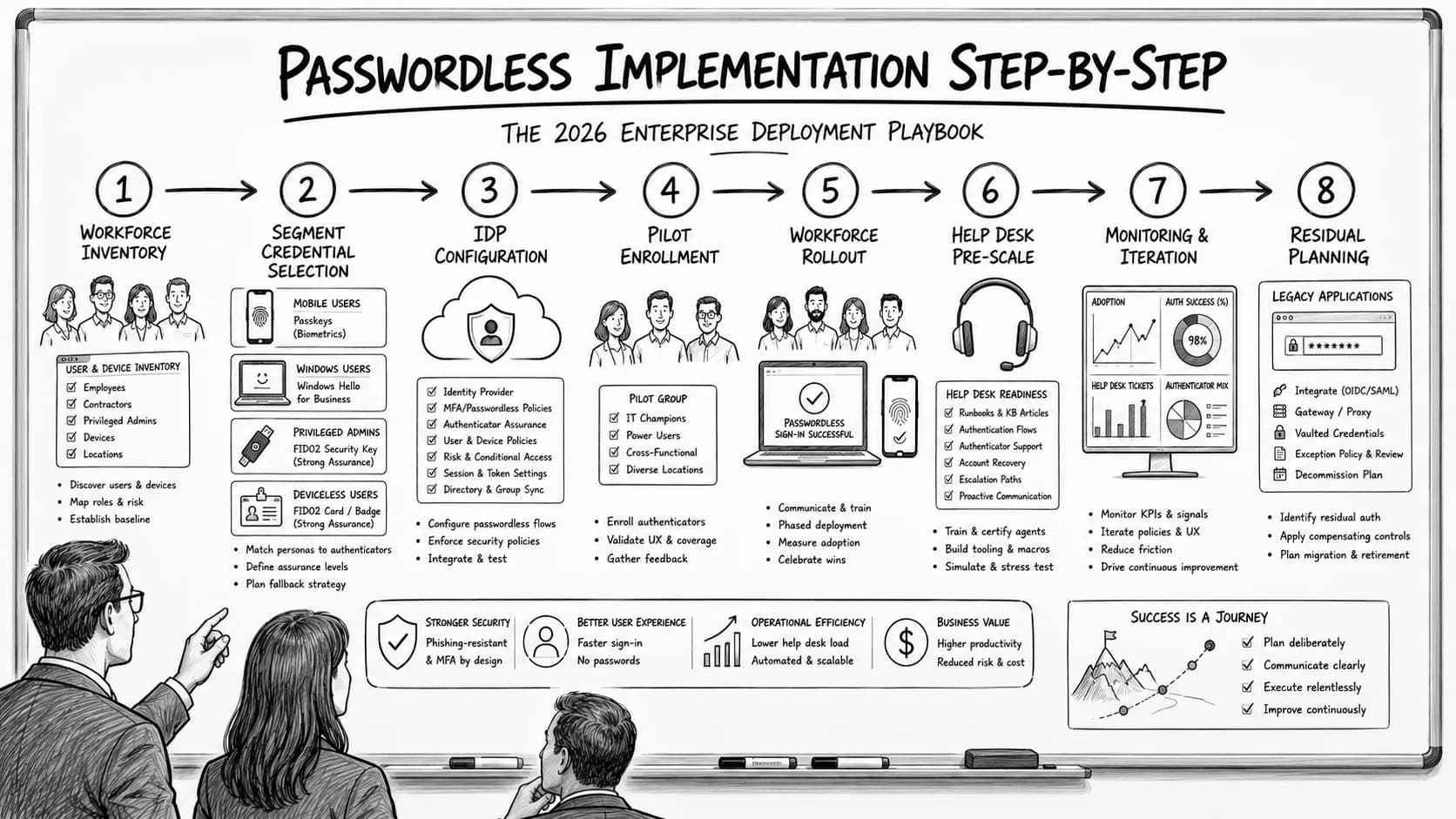
Enterprise passwordless implementation runs on a specific eight-step deployment sequence — workforce inventory, credential-class selection per segment, IdP configuration, pilot enrollment, workforce rollout with change management, help desk pre-scaling, monitoring and iteration, and passwordless-fallback residual planning. The 2026 enterprise reference on the step-by-step deployment playbook, the go/no-go criteria at each phase gate, and the discipline that produces successful passwordless rollout at workforce scale.