Passwordless Authentication in Healthcare: The HIPAA Case (2026)
Passwordless authentication doesn't earn HIPAA certification — HIPAA doesn't certify vendors — but it directly strengthens the §164.312 access-control safeguards clinical IT teams are graded on.
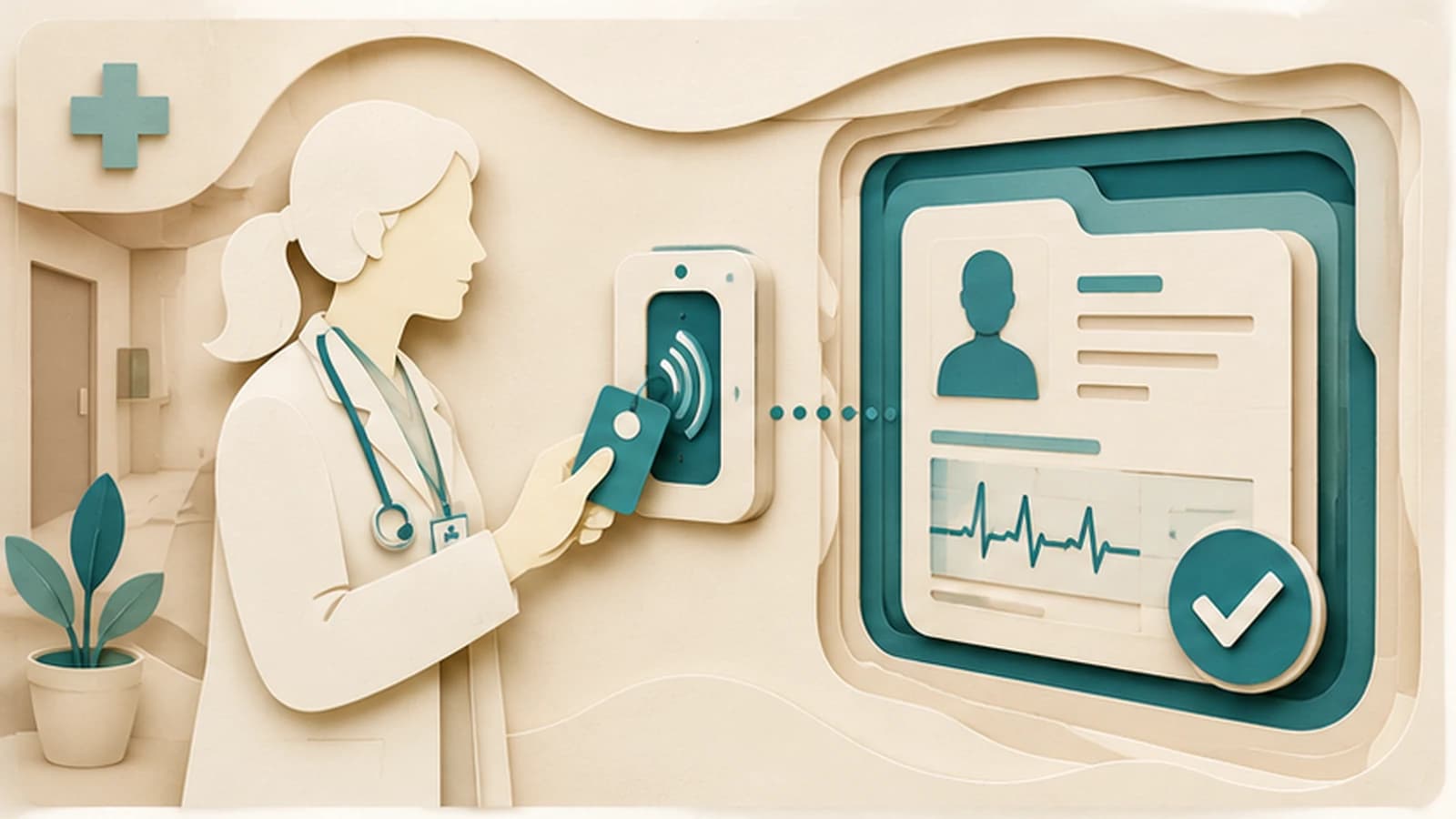
Passwordless authentication doesn't earn HIPAA certification — HIPAA doesn't certify vendors — but it directly strengthens the §164.312 access-control safeguards clinical IT teams are graded on.
- Passwordless authentication maps cleanly to three of HIPAA's §164.312 technical safeguards — unique user identification, automatic logoff, and audit controls — but HIPAA does not certify software or vendors, so no product can honestly claim to be 'HIPAA-certified.'
- Shared clinical workstations (nursing stations, med carts, shift handoffs) are the hard case: the fix has to preserve fast per-clinician switching, not just replace one shared password with one shared badge tap.
- Legacy EHR and clinical-system integration is the quiet blocker — many hospital systems still run older or embedded auth stacks that predate FIDO2/WebAuthn, so passwordless has to land at the identity provider and federate in, not require a rip-and-replace of every clinical application.
- Biometric and passkey tradeoffs shift in a clinical environment: gloves defeat fingerprint sensors, hygiene protocols complicate shared hardware, and badge-tap patterns (proximity card, FIDO2-compatible smart card) tend to outperform pure biometrics on hospital floors.
- Passwordless is a technical-safeguard upgrade, not a compliance program. It doesn't substitute for a HIPAA risk assessment, workforce training, breach-notification procedures, or business associate agreements — those remain separate, mandatory work.
Does passwordless authentication satisfy HIPAA's access-control requirements? Partially, and in a specific, describable way: it directly strengthens the technical safeguards HIPAA's Security Rule requires under 45 CFR §164.312 — unique user identification, automatic logoff, audit controls, and person-or-entity authentication — by removing the shared-secret weaknesses that make those safeguards hard to satisfy convincingly with passwords. It does not make a covered entity "HIPAA compliant" on its own, because HIPAA compliance is a program property (risk assessments, policies, training, breach procedures, business associate agreements), not a login-mechanism property. That distinction is the whole piece.
This post merges and updates two 2025 Avatier pieces on this topic — "Passwordless for Healthcare: HIPAA Compliance Without Passwords" (https://www.avatier.com/blog/passwordless-for-healthcare-hipaa/) and "Why Passwordless Authentication is the Future of Healthcare Security" (https://www.avatier.com/blog/passwordless-authentication-healthcare/) — into a single current reference. Both legacy pages are being retired in favor of this one; the earlier posts cited several third-party statistics as verified figures that Avatier can't stand behind as sourced and verified, and those have been stripped here in favor of a plainer, more durable argument: passwordless maps to specific, named HIPAA technical safeguards, and clinical environments have specific operational constraints — shared workstations, gloved hands, legacy systems — that a generic passwordless pitch tends to gloss over.
Why passwords are a specific liability in clinical settings
Every enterprise has password problems — credential reuse, phishing, weak reset processes. Healthcare has all of those plus a set of operational pressures that make passwords worse in a hospital than in a typical office.
Clinical staff authenticate constantly. A nurse on a med-surg floor might log into an EHR session, a medication-dispensing cabinet, and a documentation terminal dozens of times per shift, often under time pressure with a patient waiting. That volume creates exactly the conditions password hygiene guidance warns against: staff write passwords on badges or whiteboards, share credentials informally to avoid slowing down patient care, and pick passwords optimized for fast typing rather than resistance to guessing. None of this reflects poor judgment by clinical staff — it reflects a login mechanism that was never designed for the cadence of clinical work.
The consequence for HIPAA specifically is that password-based access control undermines the unique-identification requirement in a way that's hard to paper over. If three nurses on a shift are functionally sharing one login because re-authenticating individually is too slow, the access log shows one identity performing actions taken by three people. That's not a hypothetical edge case in clinical IT — it's a routine adaptation to a login flow that doesn't fit the workflow, and it's precisely the failure mode HIPAA's audit-controls and unique-identification provisions exist to catch.
How passwordless maps to HIPAA's technical safeguards under §164.312
HIPAA's Security Rule, in 45 CFR §164.312, sets out technical safeguards for electronic systems handling protected health information. It's worth being precise about what the regulation actually requires, because vendor marketing in this space (including some of Avatier's own earlier content, corrected here) tends to blur the line between "HIPAA describes this outcome" and "this product is HIPAA-certified" — the latter doesn't exist as a real certification, because HHS doesn't certify software.
Three provisions are where passwordless authentication does real work:
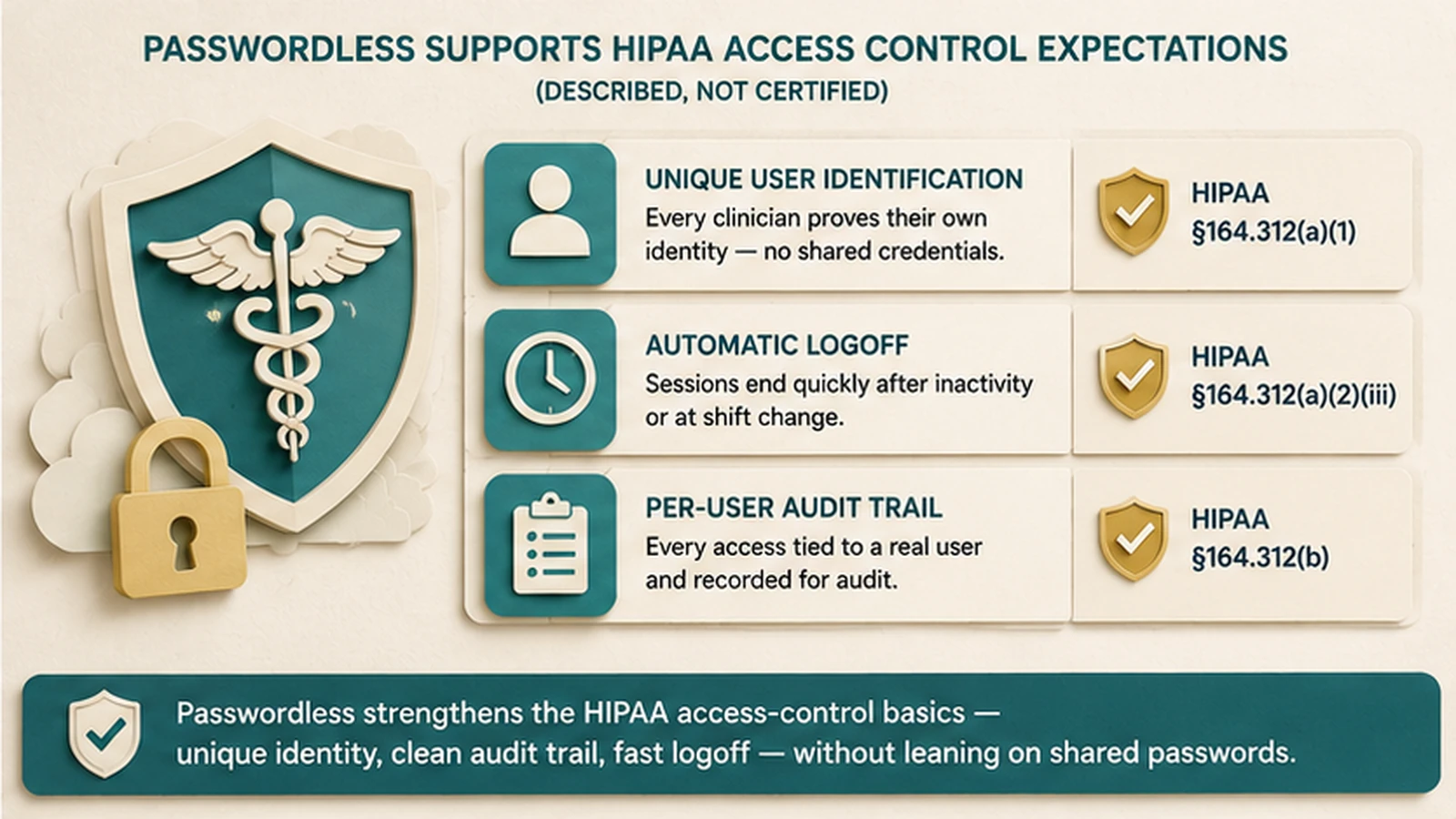
Unique user identification (§164.312(a)(2)(i), a required specification) means every person accessing ePHI-bearing systems must be identifiable as a distinct individual. Passwordless credentials — a passkey, a hardware key, a FIDO2-compatible badge — are inherently bound to one enrolled identity in a way that's harder to informally share than a memorized password, because sharing requires handing over a physical credential or device rather than just saying a word aloud.
Automatic logoff (§164.312(a)(2)(iii), an addressable specification) requires terminating an electronic session after a predetermined period of inactivity. This isn't unique to passwordless, but passwordless deployments tend to pair naturally with strong automatic logoff because the re-authentication cost is low — tapping a badge again takes a second or two, which makes aggressive logoff timers operationally tolerable in a way they aren't when re-authentication means retyping a password.
Audit controls (§164.312(b)) require mechanisms to record and examine activity in systems containing ePHI. Passwordless authentication events are cryptographically verifiable — a FIDO2 ceremony produces an auditable, non-repudiable record of which enrolled credential authenticated a session — which produces a cleaner audit trail than password-based logins, where the log can only show "the password was correct," not strong evidence of who actually typed it.
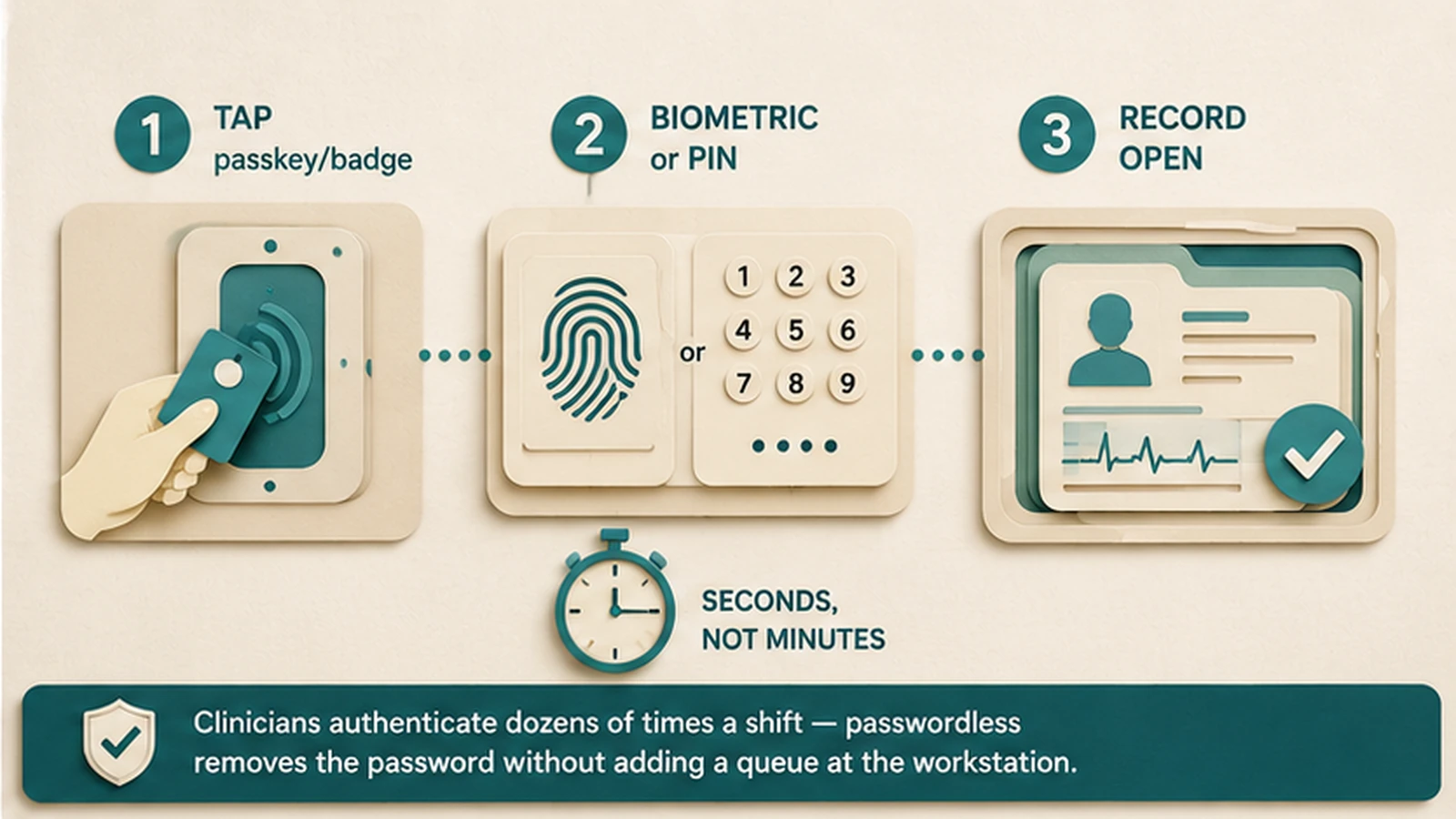 Badge tap, quick unlock, chart opens — the passwordless clinical login sequence is built to finish in the time a password entry alone used to take.
What HIPAA does not do is bless any specific vendor or product as compliant. A covered entity remains responsible for its own risk assessment and for documenting how its chosen controls satisfy each specification, including the addressable ones it may implement differently. Passwordless authentication is a strong technical control that makes several of these specifications easier to satisfy well — it is not a substitute for the entity doing that documentation and risk-assessment work itself.
The shared-clinical-workstation problem
This is the case that separates a passwordless deployment that actually works in a hospital from one that looks good in a vendor demo and falls apart on the first nursing-station pilot.
Shared clinical workstations — nursing station terminals, medication-dispensing carts, portable workstations-on-wheels — are used by multiple clinicians across a single shift, frequently for sessions under a minute. A generic passwordless pitch that assumes one user per device (the model that works cleanly for knowledge workers with a personal laptop) breaks immediately here. Replacing a shared password with a single shared badge doesn't fix the unique-identification problem; it just moves the same failure into passwordless clothing.
The pattern that actually holds up is fast-switch authentication: each clinician carries their own FIDO2-compatible badge or smart card, taps it at whichever shared terminal they're using, confirms with a short PIN or biometric, and gets a session scoped to their own role and permissions. When they walk away — often detected via proximity badge-out or a short idle timer — the terminal locks and returns to a neutral state, ready for the next clinician's tap. The full cycle needs to be fast enough that it doesn't create pressure to skip it, which is why badge-tap and card-insertion patterns tend to outperform anything that requires typing, including typing a PIN longer than four to six digits.
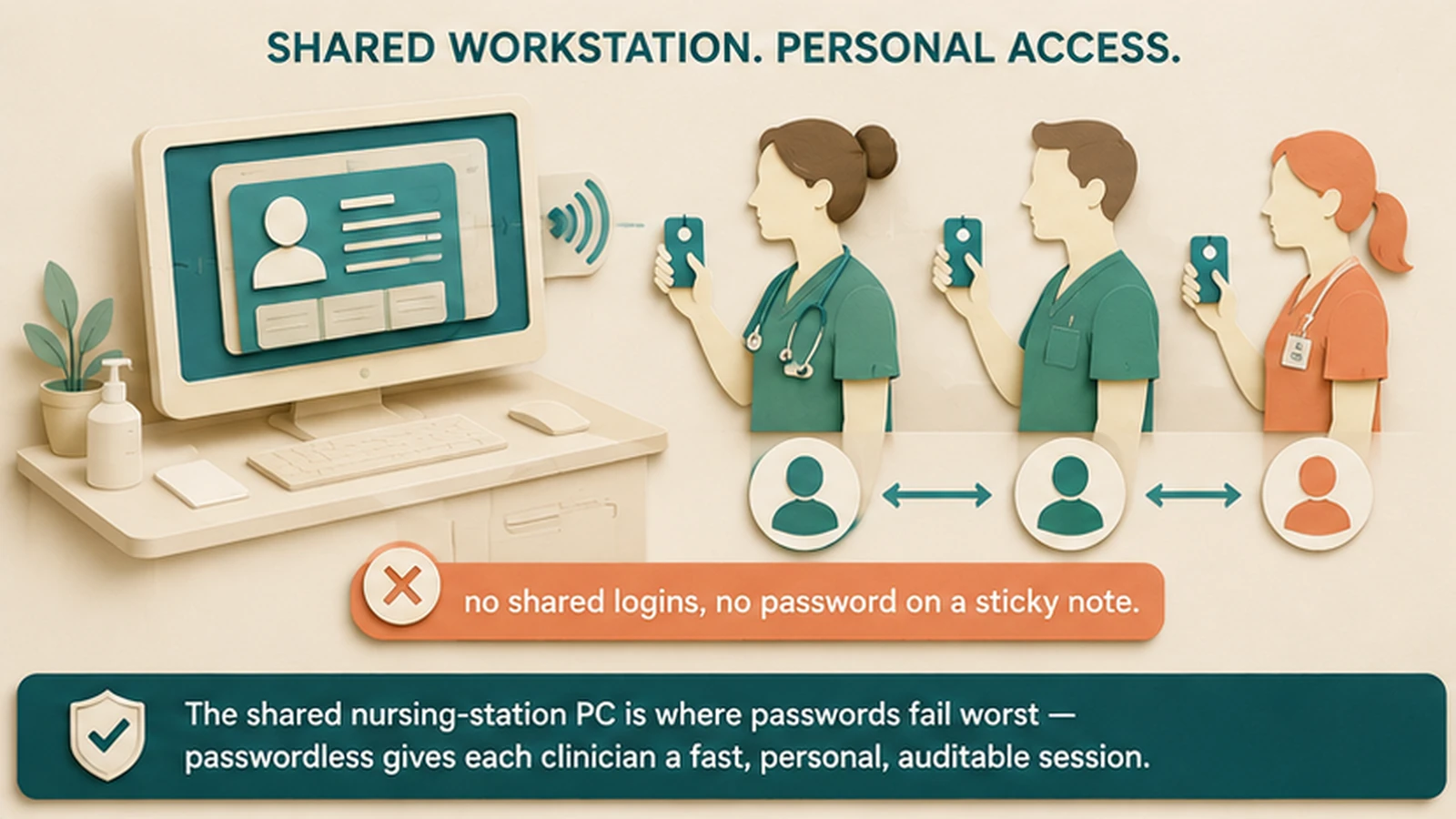 One shared terminal, three separate identities — fast-switch badge authentication gives every clinician their own session without ever falling back to a shared login.
The design goal is that the badge-tap flow has to be faster and less annoying than the workaround it's replacing, or clinical staff will find a way around it, exactly as they found workarounds for slow password prompts. This is an operational-design problem as much as a security-architecture problem, and it's the reason healthcare-specific passwordless deployments look meaningfully different from office-worker passwordless deployments.
Legacy EHR and clinical-system integration reality
This is where the deployment picture gets less clean, and it's worth being direct about it rather than glossing over it in a pitch deck.
A lot of the software running inside hospitals predates modern authentication standards by a decade or more. Electronic health record platforms, laboratory information systems, picture archiving and communication systems (PACS) for imaging, and medication-dispensing cabinet software were frequently built and deployed before FIDO2/WebAuthn existed as a standard, and some run on infrastructure — older Windows server versions, on-premises Active Directory topologies, even the occasional system with a terminal-emulation or mainframe-adjacent backend for lab or billing integration — with embedded authentication stacks that were never designed to speak a modern federation protocol at all.
Requiring every one of those systems to natively support passkey enrollment isn't realistic for most hospital IT budgets, timelines, or vendor-support relationships — some of these clinical applications have multi-year procurement and validation cycles before any authentication change can even be tested, let alone rolled out. The pattern that works in practice is to put the passwordless ceremony at the identity provider layer rather than requiring every downstream application to support it directly. The clinician authenticates once, passwordlessly, at the IdP; the IdP then federates that authenticated session into the EHR and other clinical systems through whatever protocol they already speak — SAML for systems that support modern federation, OAuth/OIDC where available, Kerberos for systems still tied to on-premises Active Directory, or a vendor-specific connector for systems with neither.
The practical effect is that the legacy system doesn't need to understand WebAuthn at all — it just needs to trust an assertion from the identity provider, which is usually a much smaller integration lift than replacing the application's native login. This is the same architectural pattern that lets modern identity platforms bridge into mainframe-era access control systems (RACF, ACF2, Top Secret) that are still common in the billing and claims-processing side of large health systems: put the strong, modern authentication ceremony at the front door, and federate identity backward into whatever the legacy system natively trusts, rather than trying to modernize the legacy system's own login code.
Biometric vs. passkey and security-key tradeoffs in a clinical environment
Not every flavor of passwordless performs the same way on a hospital floor, and this is a place where general enterprise passwordless guidance tends to give clinical IT teams the wrong default.
Fingerprint biometrics — a strong option for a knowledge worker's personal laptop — degrade fast in clinical use. Clinicians wear gloves for a large share of a shift, and gloves defeat capacitive fingerprint sensors outright. Shared-hardware fingerprint readers at a nursing station also raise legitimate infection-control and hygiene concerns that hospital environmental-services teams will flag quickly. Face-based biometrics run into their own friction with surgical masks, face shields, and other PPE that's routine in clinical areas.
Passkeys bound to a clinician's personally owned or issued mobile device work well for individual use — a physician checking labs from a personal phone, for instance — but don't solve the shared-workstation case on their own, since the whole point of a shared terminal is that it isn't any one person's device.
 Gloves and PPE defeat fingerprint and face biometrics more often than clinical IT teams expect going in — badge-tap and smart-card patterns tend to hold up better across a shift.
That's a large part of why FIDO2-compatible badge and smart-card patterns dominate shared clinical hardware in practice: a badge tap or card insertion doesn't require bare-skin contact with a shared sensor, works identically whether the clinician is gloved or not, and doesn't degrade with a mask on. The right answer for most hospital deployments isn't "biometric versus badge" as a single enterprise-wide decision — it's biometrics for individually owned devices and badge/card patterns for shared clinical hardware, deployed as complementary layers rather than a single credential type imposed everywhere.
Implementation rollout considerations for hospital IT
A few patterns show up consistently in hospital passwordless rollouts that don't map cleanly onto generic enterprise deployment guidance.
Start with the highest-friction shared hardware, not the easiest desks. General enterprise passwordless advice often recommends piloting with privileged or technically sophisticated users first. In a hospital, the highest-value pilot is usually a busy nursing station or medication cart, because that's where the workaround behavior (shared logins, sticky notes) is most visible and where a fast, well-designed rollout produces the clearest before-and-after story for the rest of the organization.
Plan around shift patterns, not calendar weeks. Clinical staff work rotating shifts, and a rollout that assumes everyone can attend a training session during business hours will miss night-shift and weekend staff by design. Training and enrollment need to be scheduled across the actual shift rotation, not compressed into a standard nine-to-five change-management window.
Budget real time for legacy-system federation testing. As covered above, the IdP-federation pattern is what makes passwordless practical against older clinical applications, but validating that federation against every downstream system — especially ones with vendor-managed authentication modules — takes longer than the passwordless vendor's own enrollment timeline suggests. This is frequently the actual critical path for a hospital rollout, not user adoption.
Keep a documented fallback for badge loss and emergency access. Clinical environments need emergency-access procedures under HIPAA's own access-control provisions regardless of authentication method — a clinician who loses a badge mid-shift, or an emergency scenario requiring rapid access, needs a documented, auditable fallback path rather than an ad hoc workaround that undermines the same unique-identification and audit-control safeguards the passwordless deployment was meant to strengthen.
Related deployment detail — phased sequencing, workforce segmentation, and recovery-channel architecture that applies broadly, not just to healthcare — is covered in our passkey deployment playbook and step-by-step passwordless implementation guide.
What Avatier ships toward this pattern
Avatier Identity Anywhere supports passwordless authentication through standard FIDO2/WebAuthn integration, including platform passkeys, syncable passkeys, and hardware FIDO2 security keys. For the shared-clinical-workstation case, the Avatier Identity Challenge Card provides a FIDO2-compatible badge pattern designed for exactly the fast-switch, no-shared-login requirement described above — a clinician taps their own card at a shared terminal and gets their own scoped session without carrying a phone or remembering a password.
For the legacy-integration reality that clinical environments live with, Identity Anywhere federates authenticated sessions into downstream systems through SAML, OAuth/OIDC, Kerberos, and vendor-specific connectors, so the passwordless ceremony sits at the identity provider without requiring every EHR module, lab system, or dispensing cabinet to natively support WebAuthn. Audit logging captures the cryptographic authentication event for each session, supporting the audit-controls documentation a covered entity's compliance program needs to maintain independently.
The Avatier Trust Center publishes the company's compliance posture directly — SOC 2 Type II with zero exceptions, ISO/IEC 27001:2022 certification, PCI DSS v4.0.1 compliance, CSA STAR Level 1, NIST 800-53 Rev. 5 alignment, and CISA Secure-by-Design Pledge signatory status. None of that constitutes "HIPAA certification" — again, that isn't a real thing HHS grants — but it's the kind of independently verifiable posture a covered entity's own risk assessment can weigh when evaluating a vendor.
For broader context on the passwordless landscape and adjacent hardware decisions, our best passwordless authentication solutions guide, hardware FIDO2 keys vs. passkeys comparison, and phishing-resistant MFA reference cover ground this piece intentionally stays narrow on. For the regulatory detail on HIPAA's access-control standard specifically, see the sister-site reference on HIPAA §164.312 access controls.
The honest closing: what passwordless does not solve for HIPAA compliance
It's worth ending on the limits, because vendor content in this space — including the two 2025 posts this piece replaces — tends to overstate them.
Passwordless authentication is a genuine, well-evidenced upgrade to the technical safeguards HIPAA requires under §164.312: it strengthens unique user identification, makes automatic logoff operationally easier to enforce, and produces cleaner audit trails than password-based access. That's real and worth doing on its own merits, independent of compliance framing.
What it doesn't do is replace the rest of a HIPAA compliance program. A covered entity still needs its own periodic risk assessment under the Security Rule's risk-analysis requirement, regardless of how strong its authentication is. It still needs workforce training and sanction policies — passwordless doesn't train staff on minimum-necessary access or proper PHI handling. It still needs breach-notification procedures that function regardless of how a breach occurs. It still needs business associate agreements with every vendor and contractor that touches ePHI, including, if applicable, the identity vendor itself. And it still needs the addressable-specification documentation that shows, for every technical safeguard, either that it's implemented or why an equivalent alternative was chosen instead.
Passwordless authentication closes a real gap in the access-control safeguard. It doesn't close the compliance program. Treating it as the whole answer is the same mistake as treating any single control as a substitute for a functioning security and compliance program — and it's a mistake a hospital's HIPAA auditor will catch even if a vendor's marketing doesn't mention it.
About the author

More from Passwordless
Windows Hello Limitations 2026: Where It Works and Where It Stops
Windows Hello does one thing extremely well — it produces a strong, TPM-bound, biometric or PIN sign-in on the specific Windows device a user enrolled on. The limitations show up the moment authentication needs to leave that device: shared and kiosk workstations, roaming across machines, cross-platform access, and the per-device enrollment burden. The 2026 practitioner reference on how Windows Hello actually works, exactly where its device-bound model falls short, and the FIDO2 and passkey patterns that extend it to the endpoints Hello was never designed to cover.
Passwordless Implementation Step-by-Step: The 2026 Enterprise Deployment Playbook
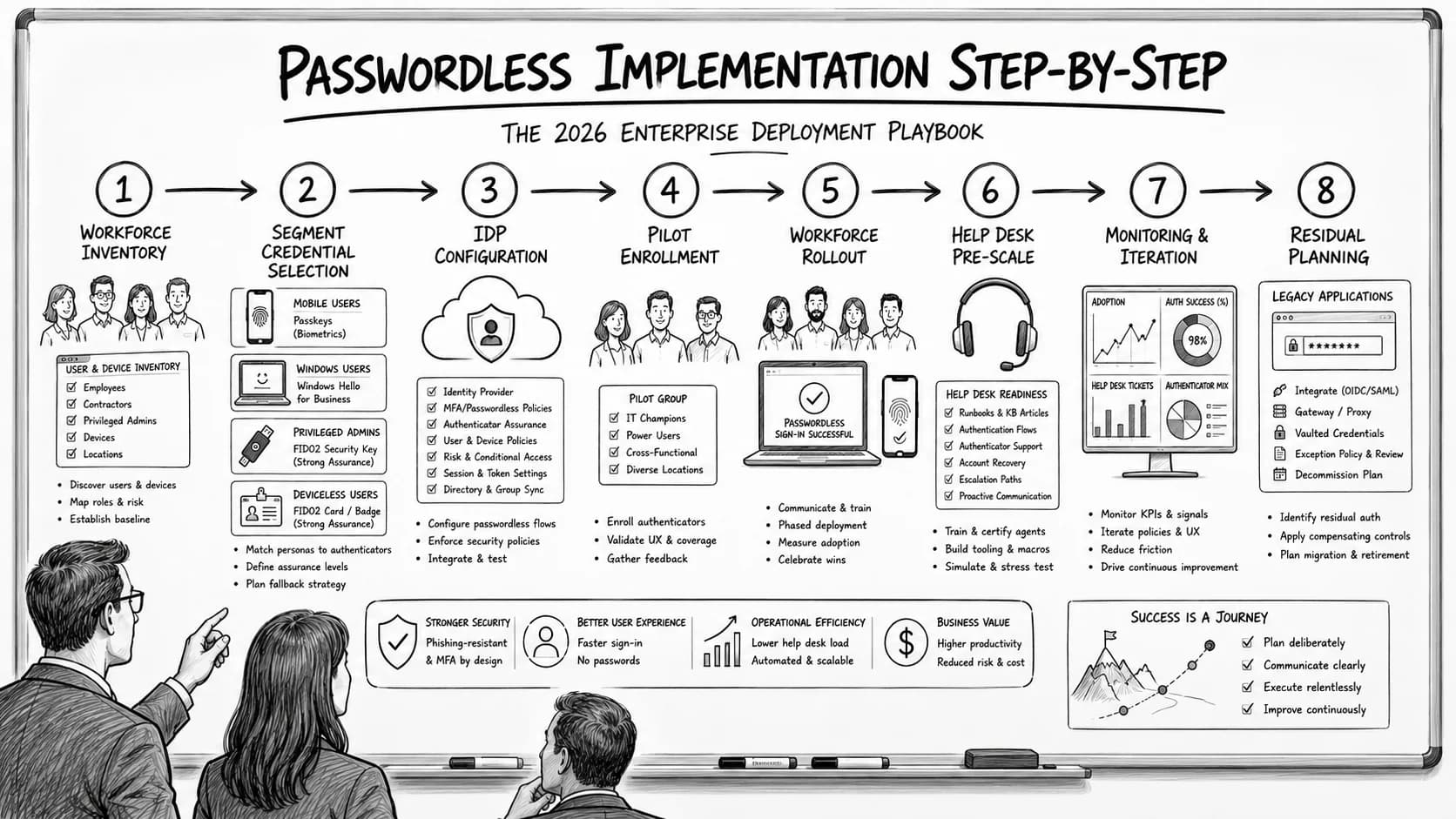
Enterprise passwordless implementation runs on a specific eight-step deployment sequence — workforce inventory, credential-class selection per segment, IdP configuration, pilot enrollment, workforce rollout with change management, help desk pre-scaling, monitoring and iteration, and passwordless-fallback residual planning. The 2026 enterprise reference on the step-by-step deployment playbook, the go/no-go criteria at each phase gate, and the discipline that produces successful passwordless rollout at workforce scale.
Passwordless Authentication for Microsoft Enterprise: The 2026 Reference
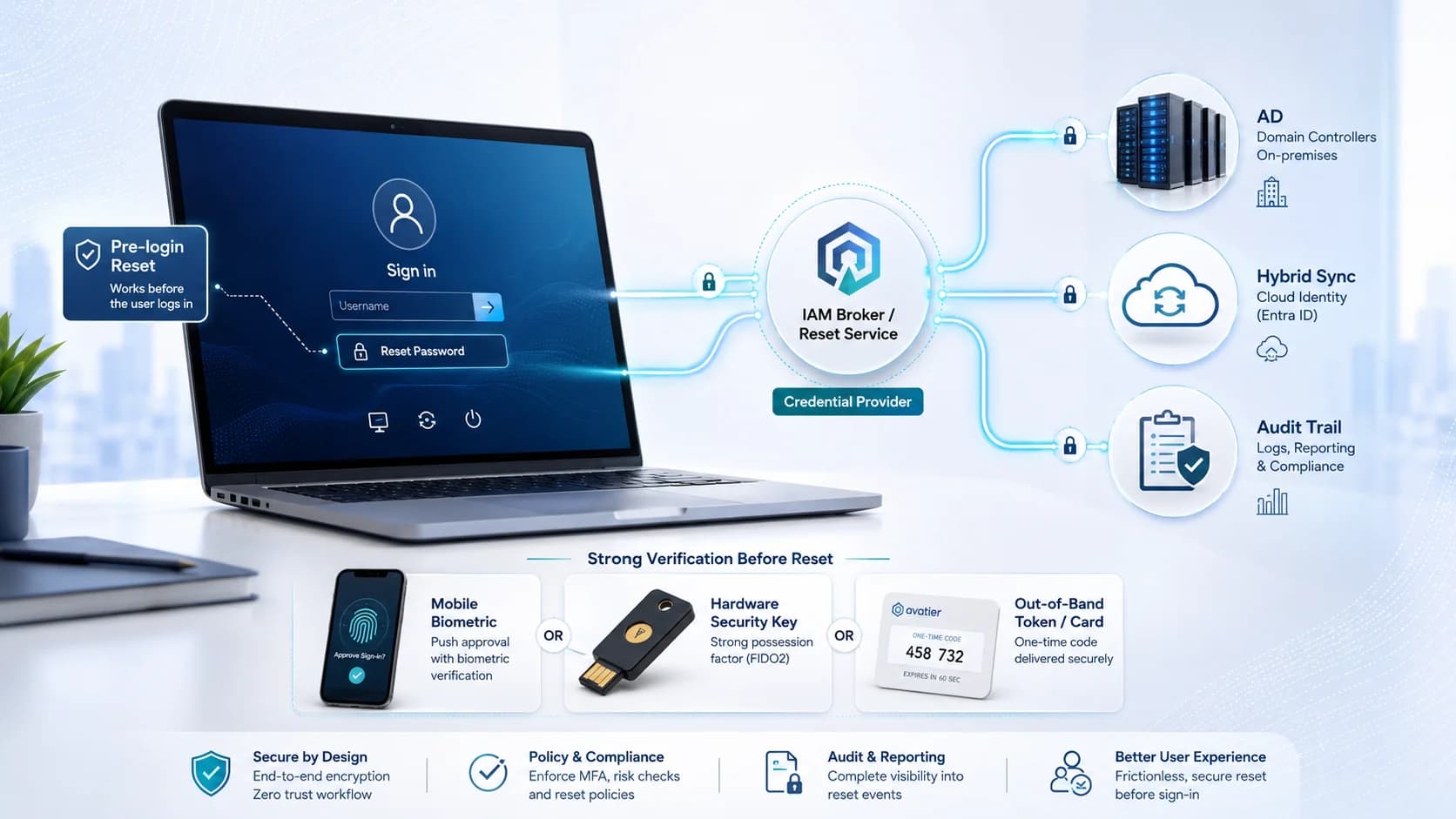
Microsoft enterprise environments have a specific passwordless deployment architecture — Windows Hello for Business as the primary Windows authentication factor, Entra ID as the identity broker for cloud application access, Windows Autopilot and Intune for device provisioning, and the hybrid deployment patterns that bridge on-premises AD to Entra ID. The 2026 enterprise reference on the Microsoft-stack passwordless architecture, the WHfB enrollment ceremony discipline, and the deployment pattern that produces phishing-resistant workforce authentication across the Microsoft estate.