MFA Fatigue Attacks: Defense Patterns for Enterprise 2026
Push-bombing and MFA fatigue attacks defeat MFA by exhausting the user, not the cryptography. The 2026 defense patterns — number matching, push throttling, phishing-resistant migration, and the architecture that survives the attack vector that took down Uber, Cisco, and a long list of enterprises since 2022.
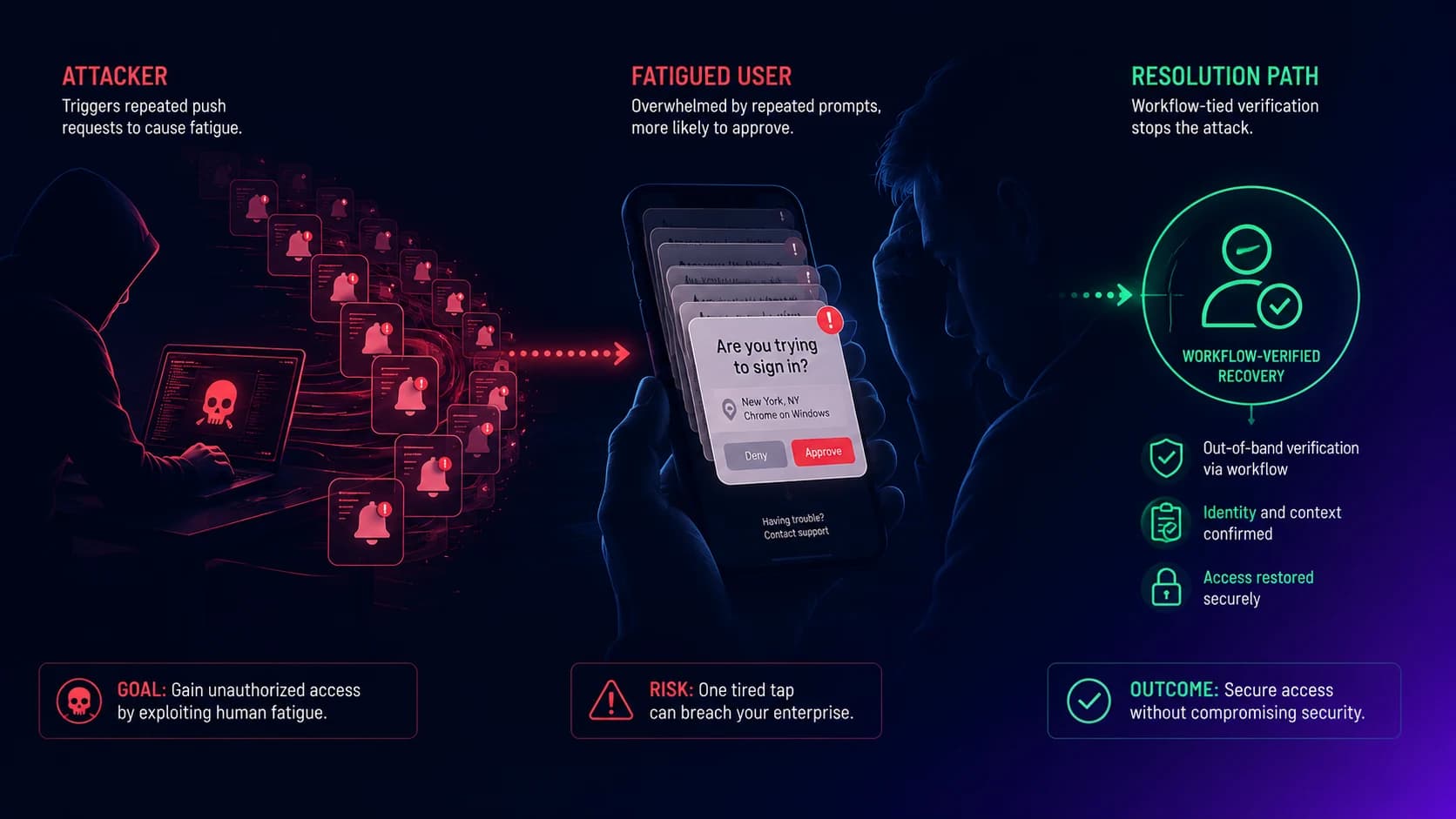
Push-bombing and MFA fatigue attacks defeat MFA by exhausting the user, not the cryptography. The 2026 defense patterns — number matching, push throttling, phishing-resistant migration, and the architecture that survives the attack vector that took down Uber, Cisco, and a long list of enterprises since 2022.
The 2022 Uber breach started with an MFA fatigue attack. The attacker had a contractor's password (sold on a credential marketplace). They started spamming push notifications. The contractor, exhausted or distracted, approved one. The attacker was authenticated as the legitimate user. From there, the attacker pivoted into internal systems and exfiltrated source code and customer data. Uber is not unusual. The same pattern — password compromise plus push-bombing of the legitimate user — has been the initial-access vector in Cisco, Coinbase Onboarding, Reddit, Caesars Entertainment, and a long list of enterprise breaches since 2022.
The interesting feature of MFA fatigue is that it does not defeat the MFA cryptography. The challenge-response ceremony works correctly. The push notification is genuine. The authenticator app shows the legitimate domain. The cryptographic outcome is mathematically correct. The thing the attack defeats is the user's judgment under repeated pressure — a category of attack that doesn't show up in the architectural reasoning that justified the MFA deployment in the first place.
This piece is the 2026 defense playbook on MFA fatigue. The companion pieces handle adjacent topics: Beyond Foundational MFA in 2026 covers the broader recovery-channel architecture, the Passkey Deployment Playbook covers the structural migration that ends the fatigue category entirely, and the Storm-2949 governance failure analysis covers the related social-engineering attack pattern that sits alongside fatigue in the modern threat model.
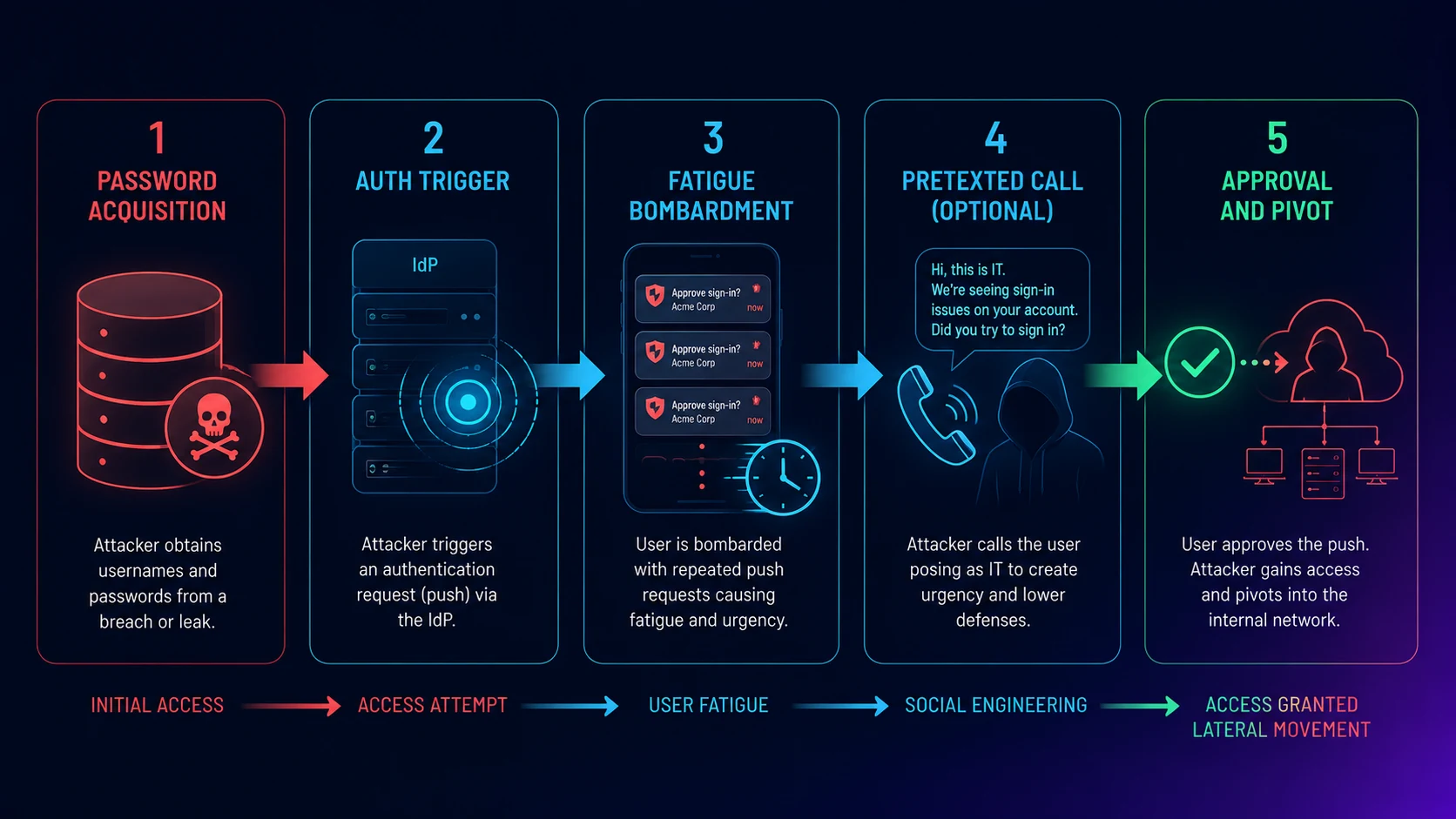 Five stages, one outcome. The cryptography works correctly at every stage — the attack defeats user judgment, not the IdP. Mitigations have to target the specific stage, not the protocol.
The attack pattern, mechanically
MFA fatigue attacks have four standard stages and one social-engineering optional stage. Understanding the mechanics matters because the defense patterns target specific stages of the attack flow.
Stage 1: Password acquisition. The attacker obtains the target user's password — usually from a credential-stuffing corpus assembled from prior third-party breaches, or from a phishing campaign that captured the password without successfully bypassing MFA. The password alone gets the attacker to the MFA prompt; the cryptographic protection is what prevents straight authentication, but the password is the entry point.
Stage 2: Authentication trigger. The attacker uses the password to initiate authentication at the corporate IdP — Microsoft Entra ID, Okta, Google Workspace, or whichever IdP the enterprise runs. The IdP, seeing valid credentials, generates a push notification to the user's registered authenticator (Microsoft Authenticator, Okta Verify, Duo Mobile, Google Authenticator).
Stage 3: Repeated authentication triggers (the fatigue stage). The attacker repeats Stage 2 dozens or hundreds of times. The user's phone receives push notification after push notification. Some attacks send the prompts in quick bursts (5-10 in 30 seconds, designed to create a fast-rate frustration response). Other attacks pace the prompts over hours (the user assumes the system is broken and habituates to dismissing the prompts). The objective is to either fatigue the user into approving one prompt or to time the bombardment to a moment when the user is distracted — driving, in a meeting, at the gym.
Stage 4 (optional social engineering): Pretexted call. Some attackers add a Stage 4 — they call the user, claim to be from corporate IT, and tell the user "we're seeing a system issue, please approve the next push prompt to clear it." This dramatically increases the success rate because the user now has a plausible cover story for what would otherwise be a suspicious pattern of prompts. The 2022 Uber breach included this stage; many subsequent breaches have used the same pattern.
Stage 5: Approval and pivot. The user approves one prompt. The attacker is authenticated. The session token is issued. The attacker pivots into corporate resources, exfiltrates data, deploys persistence mechanisms, or escalates privileges.
The pattern works because the cryptographic ceremony at each individual authentication is correct. The IdP cannot tell the difference between the legitimate user approving a legitimate authentication and the legitimate user approving an attacker-initiated authentication. The push prompt UX makes "approve" a one-tap action, which is exactly the design choice that produces the fatigue vulnerability.
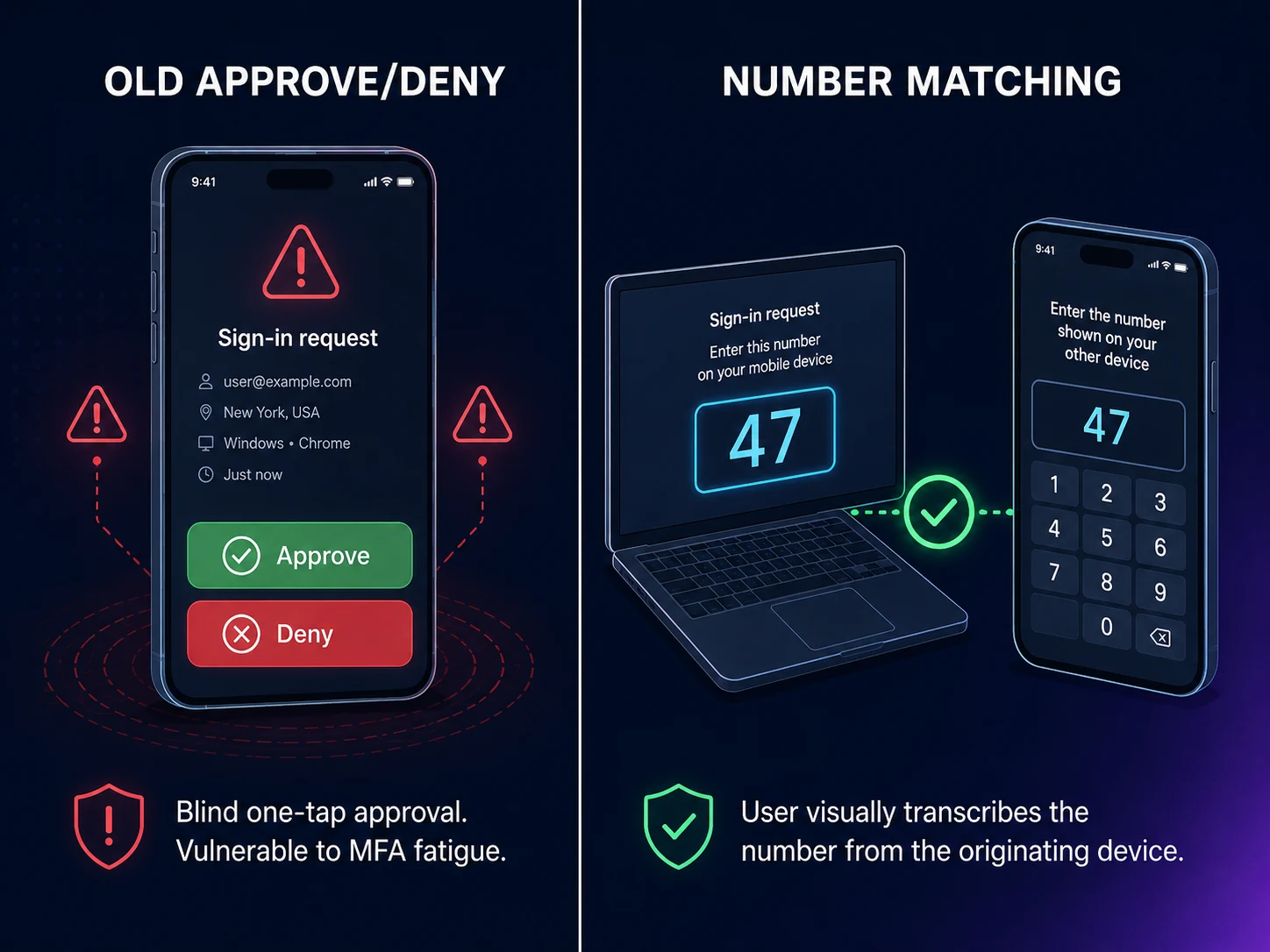 Number matching converts a one-tap blind approval into a transcription ceremony. The attacker, who sees the number on their own laptop, cannot transmit it to the user — and the user, who is not at the attacker's laptop, cannot see it. The fatigue attack mechanically fails.
The number-matching mitigation, and what it doesn't fix
The standard tactical mitigation against MFA fatigue is number matching. Instead of presenting a simple "approve / deny" prompt, the authenticator app shows a numeric code (typically a two-digit number) that must match a number displayed on the device initiating the authentication. The user has to type the number into the authenticator app to approve.
Number matching works because it converts "approve this authentication" from a one-tap blind action into a multi-step ceremony that requires the user to actually look at the originating device. The attacker, who is initiating from their own machine, sees their own number. The user, who is not at the attacker's machine, cannot see that number. A blind approval is no longer possible — the user has to either correctly transcribe a number they can't see, or refuse to approve. The fatigue attack mechanically fails.
Microsoft Entra ID, Okta, and the major authenticator apps now ship number matching as the default behavior. The Microsoft Authenticator deployment for Entra ID has had number matching mandatory since February 2023; Okta enabled it broadly across 2023-2024; Duo and other major authenticators support it natively. For most 2026 enterprises, number matching is already in place — the question is whether the configuration is enforced (mandatory) or optional (the user can fall back to the older "approve / deny" pattern).
The honest framing is that number matching is necessary but not sufficient. The remaining attack surface is Stage 4 — the social-engineering call. If the attacker calls the user and reads the number, the user can still approve a malicious authentication. The defense against the social-engineering layer is user training plus structural mitigation. Training alone is not enough; users get tired, distracted, or believe a plausible pretext. The structural mitigation is moving to phishing-resistant authentication — passkeys and hardware FIDO2 keys — for the segments that can adopt it.
A second tactical mitigation that complements number matching is push throttling. The IdP rate-limits authentication attempts from the same source IP or for the same user account within a short window. Microsoft Entra ID's risk-based conditional access does this automatically; Okta's threat detection adds the same throttling; most major IdPs have implemented some version. Push throttling does not prevent fatigue attacks (an attacker can pace prompts to stay under the rate limit), but it raises the cost and reduces the volume of prompts the user receives.
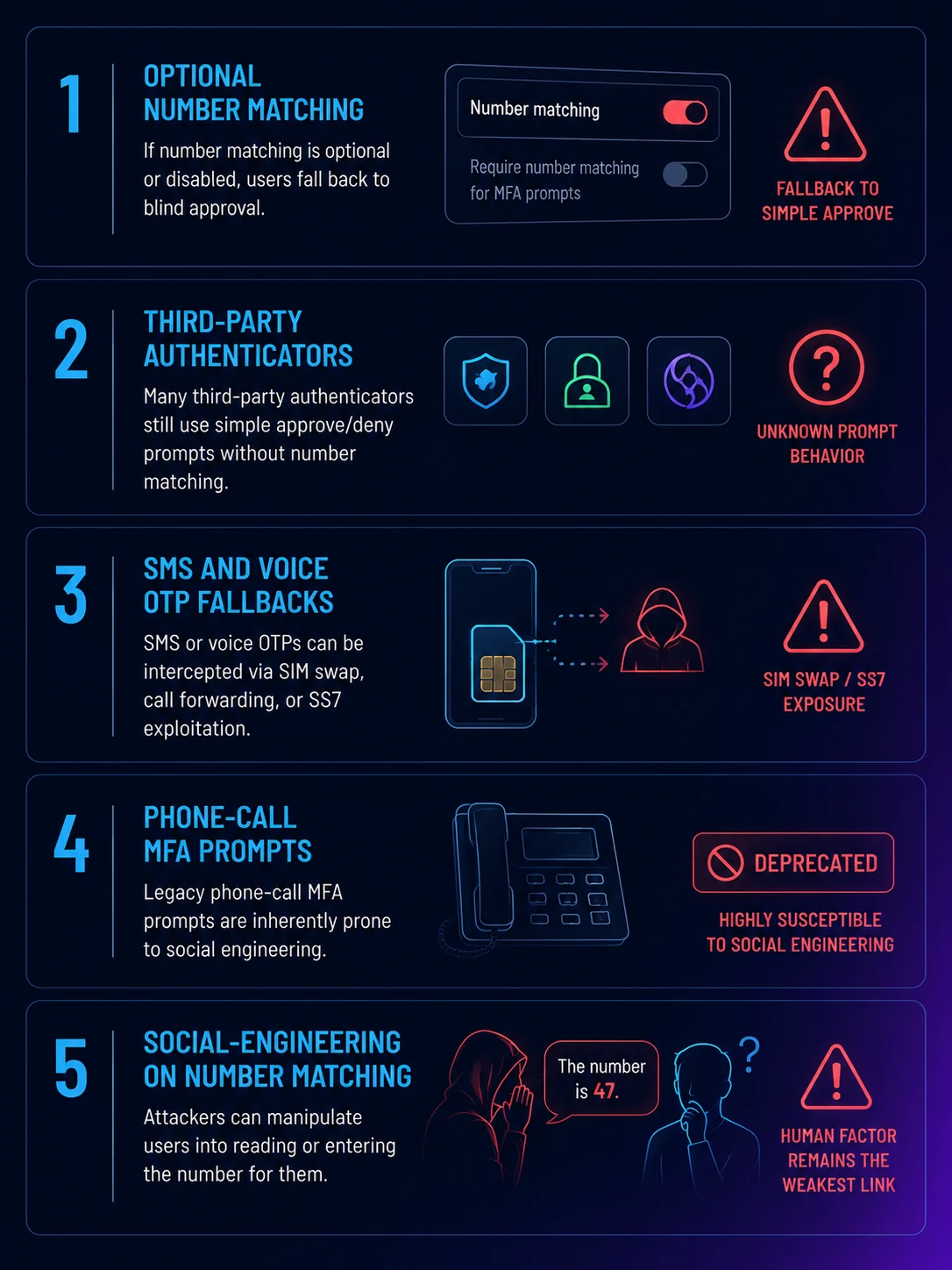 Number matching closes most of the fatigue category. Five surviving environments still let it work — four are configuration legacy that can be cleaned up; the fifth is the social-engineering layer that only phishing-resistant authentication structurally ends.
Where MFA fatigue still works in 2026
Even with number matching mandatory and push throttling in place, MFA fatigue still works against five categories of enterprise environment in 2026. The architectural decisions are about which of these gaps each enterprise has.
Optional number matching. Enterprises that deployed MFA before number matching became standard often have legacy configurations that allow the older approve/deny flow as a fallback. The user can switch their authenticator preference to the older mode; the IdP allows it for backward compatibility. The fix is making number matching mandatory in the IdP configuration — no fallback — and accepting that some users will need to update their authenticator app to a version that supports number matching.
Third-party authenticator apps without number matching. Some users have installed third-party authenticators (Authy, Google Authenticator, 2FAS) that do not natively support the same number-matching pattern as the IdP's first-party authenticator. The IdP delivers a generic TOTP prompt that doesn't have number matching. The fix is restricting authenticator choice to the IdP's first-party app for workforce accounts; many enterprises have done this already.
SMS and voice OTP fallbacks. Some enterprises maintain SMS or voice OTP as a fallback authentication method for users who can't use the authenticator app. SMS and voice OTP are not push-bombing targets in the same way, but they are subject to SIM swap attacks and social-engineering against the carrier. CISA and NIST 800-63B Rev. 4 both flag SMS as deprecated for high-assurance authentication; the 2026 pattern is removing SMS fallback for workforce accounts (executives, privileged users, financial-system operators) and limiting it to lower-assurance segments.
Phone-call MFA prompts. Some legacy IdP configurations include a "we'll call your phone, press a key to approve" pattern that pre-dates push notifications. These are subject to the same fatigue dynamics — the attacker triggers a call, the user answers and presses the key to make the noise stop. Phone-call MFA should be removed from workforce authentication in 2026 entirely.
Social-engineering layered on number matching. The Stage 4 social-engineering pattern still works against users who can be convinced to read the number to a pretexted caller. Training reduces the rate but does not eliminate it. The structural fix is moving to passkeys and hardware FIDO2 keys, where there is no number to read because there is no push-approval flow at all.
The structural fix: phishing-resistant migration
The category-ending fix for MFA fatigue is phishing-resistant authentication. Passkeys (platform, syncable, or hardware-bound) and dedicated hardware FIDO2 security keys do not have a push-approval flow that an attacker can spam. The authentication ceremony is a cryptographic challenge from the relying party, signed by a private key the user unlocks locally with biometrics or PIN. There is no "approve this authentication" prompt at all. The attacker, with the user's password, cannot reach a push notification because the IdP doesn't send one — it sends a WebAuthn challenge that requires the physical credential to be present.
The migration is the pattern covered in the Passkey Deployment Playbook. The summary is: privileged accounts first (hardware FIDO2 keys, 4-6 weeks), recovery-channel workflow infrastructure next (parallel with privileged rollout), desk-worker platform passkeys (months 4-7), frontline-and-deviceless segments via the Avatier Identity Challenge Card pattern (months 7-10), and per-segment password removal as each segment reaches operational stability. Most enterprises will run a hybrid environment for years; the architectural test is whether the hybrid state cleanly tracks which segments have crossed the threshold and which segments still need the tactical mitigations.
The strategic point is that the phishing-resistant migration ends the MFA fatigue category structurally — not because the mitigations are better, but because the attack vector doesn't exist when there is no push-approval flow. Number matching is what makes hybrid deployments survivable during the migration; passkey migration is what ends the category.
What Avatier ships toward this pattern
Avatier Identity Anywhere ships number matching as a default behavior on push-based authentication flows, with rate limiting and throttling on repeated authentication attempts from the same originating IP or user agent. The push throttling pattern catches the volumetric fatigue attempt; number matching catches the social-engineering-augmented attempt that survives throttling.
For the structural migration, the platform integrates with the FIDO2/WebAuthn standard for passkey enrollment, authentication, and recovery across platform passkeys (Windows Hello, macOS Touch ID, Android, Chrome OS), syncable passkey providers (Apple iCloud Keychain, Google Password Manager, 1Password, Dashlane, Bitwarden), and hardware FIDO2 keys (YubiKey, Feitian, Token2, Google Titan). For the workforce segments where passkeys structurally don't fit — frontline shared workstations, contractor populations without managed devices, defense facilities where phones aren't viable — the Avatier Identity Challenge Card provides FIDO2-compatible deviceless authentication via a physical card. There is no push notification to bombard.
Recovery flows tie through Password Station for workflow-verified resets — closing the social-engineering pretext that complements fatigue attacks. The lifecycle integration with the Avatier Identity Anywhere Lifecycle Management platform handles credential provisioning at joiner, re-enrollment at mover, and credential revocation at leaver events. The Avatier Trust Center publishes our compliance posture (SOC 2 Type II zero exceptions, ISO/IEC 27001:2022, PCI DSS v4.0.1, CSA STAR Level 1, NIST 800-53 Rev. 5 aligned, CISA Secure-by-Design Pledge signatory).
The architectural pattern works regardless of vendor — the point of this piece is not that you have to buy Avatier — but the integrated pattern of number matching plus throttling plus phased phishing-resistant migration plus workflow-tied recovery is what separates an enterprise that has actually closed the MFA fatigue attack vector from one that has merely added a recommendation to the security awareness training deck.
The honest closing
MFA fatigue is the attack vector that has defeated the most MFA-protected enterprises since 2022. The cryptography works correctly; the user judgment doesn't survive sustained pressure under a plausible pretext. Number matching is the high-leverage tactical mitigation that should be in place in every 2026 enterprise as a baseline. Push throttling adds compounding cost to the attacker. The category-ending move is the migration to phishing-resistant authentication for the segments that can adopt it — passkeys for managed devices, hardware FIDO2 keys for privileged accounts, deviceless FIDO2 cards for shared-workstation segments. The enterprises that get this transition right will close one of the most operationally relevant attack vectors in the modern threat model. The enterprises that treat fatigue as a user-awareness problem instead of an architectural one will keep ending up in the breach disclosure cycle.
About the author

More from MFA & Authentication
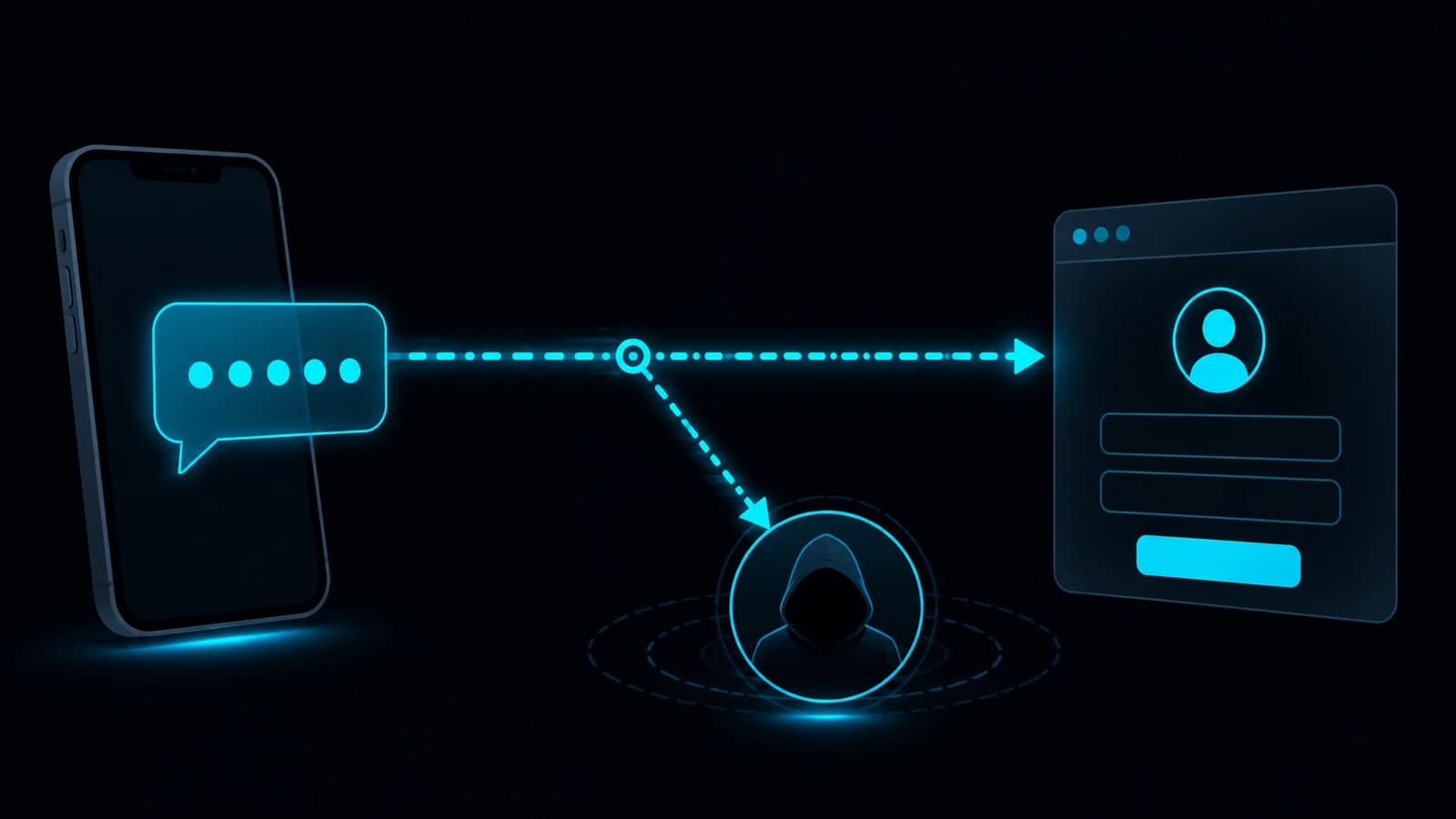
How Cybercriminals Exploit Weak OTP: The Attacker Playbook (2026)
Weak OTP fails at four specific points — SIM swap, real-time phishing relay, SS7 interception, and MFA fatigue — and every one of them is a known, repeatable attacker technique in 2026.

Advanced MFA in 2026: What Actually Counts as a Factor
Multi-factor authentication only works when the factors are genuinely different — this 2026 reference clears up what counts as a real factor and what advanced MFA actually means.
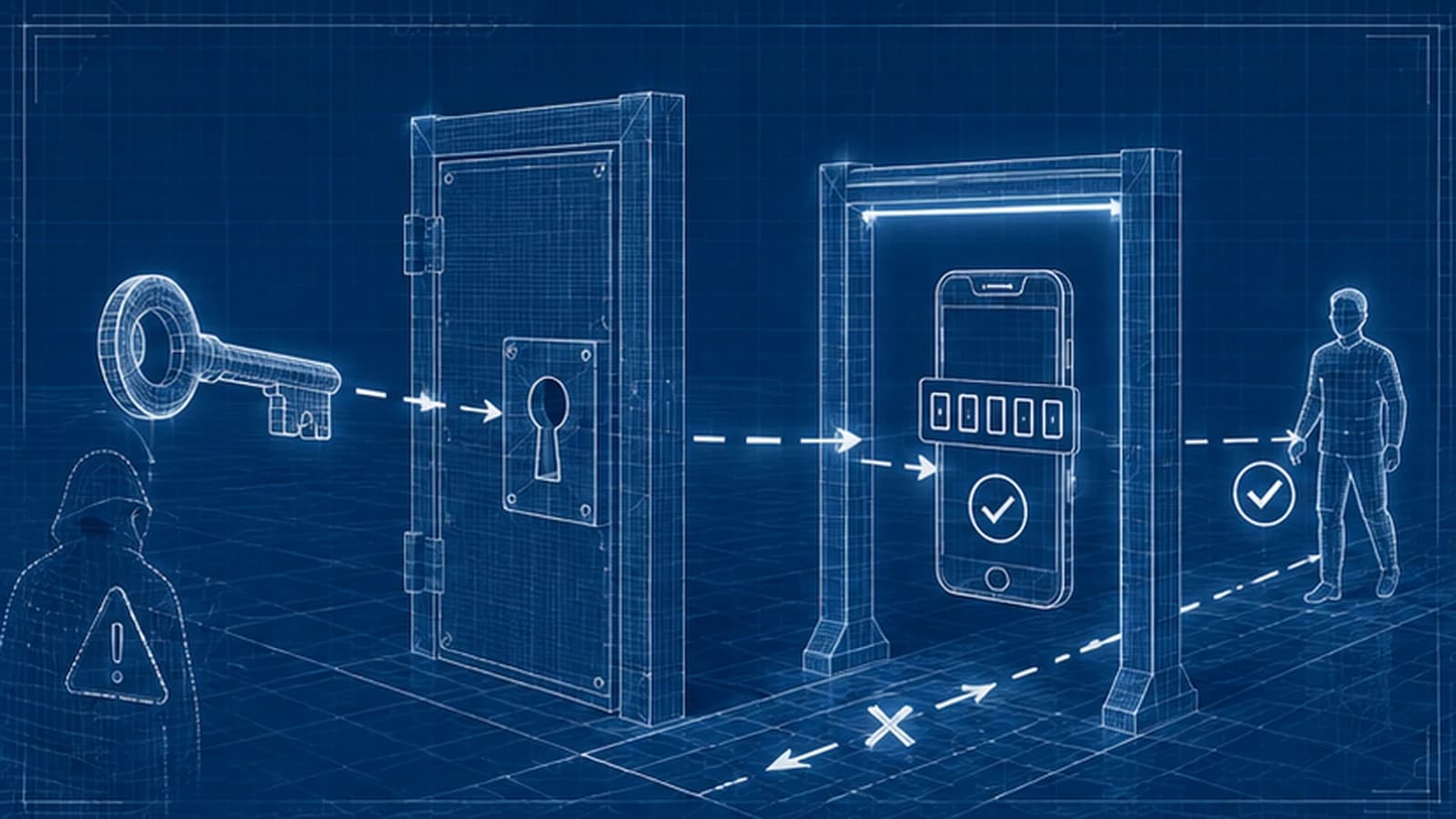
Does OTP Prevent Breaches? The Attacks It Actually Stops in 2026
OTP does not stop every attack, but it reliably defeats credential stuffing, password-spray, basic brute force, and stolen-password reuse from unrelated breaches. The 2026 breach-prevention case for OTP — the attack chains it breaks, the ones it doesn't, and how to deploy it so the prevention benefit actually lands.