The Identity Challenge Card in Apple, Google and Samsung Wallet
Avatier's Identity Challenge Card can be added to Apple Wallet, Google Wallet or Samsung Wallet, alongside the printed card. When to reach for the wallet card, and when for the printed one.

Avatier's Identity Challenge Card can be added to Apple Wallet, Google Wallet or Samsung Wallet, alongside the printed card. When to reach for the wallet card, and when for the printed one.
- Avatier's Identity Challenge Card can be added to Apple Wallet, Google Wallet or Samsung Wallet.
- Avatier positions the wallet card for fast access and a secure backup identity, alongside the printed card, not instead of it.
- NIST advises encouraging users to keep at least two separate means of authentication, to minimize account recovery.
- As general guidance, the wallet card suits moments when the phone is in hand; the printed card covers a dead, lost or locked-away phone.
- Government ID verification for the wallet card is marked as coming soon.
Avatier's Identity Challenge Card™ can be added to Apple Wallet, Google Wallet or Samsung Wallet, so a worker's deviceless MFA card also travels on the phone they carry. Avatier positions the wallet card for "fast access and a secure backup identity, ready when standard MFA fails — alongside the printed card, not instead of it."
That last phrase sets the rule for everything below. The wallet card adds fast access for the moments the phone is in hand. The printed card stays for the moments it isn't.
What the wallet card is
The Identity Challenge Card itself is "a printed grid of word pairs — no phone, no app, no network." At login, Avatier describes the flow this way: "The screen types out a coordinate. The worker reads the matching word off the printed grid, then adds the private PIN. Directory Identity resolves automatically, nothing to approve." For how the card, the PIN and the directory identity work as three factors, see Three-Factor Authentication Explained.
Avatier lists the wallet version under "Also Available" on the product page and sums it up as "Human verification in your pocket." It names four capabilities:
- Wallet-ready access
- Human verification
- Backup MFA when it matters
- Government ID verification (coming soon)
The section closes with "Bring identity backup to every employee." The wallet card is framed as a backup, next to the printed card.
Why a backup MFA method matters
NIST's authentication guidelines, SP 800-63B, put the case for a backup directly: "To minimize the need for account recovery, CSPs and verifiers SHOULD encourage subscribers to maintain at least two separate means of authentication." The same section adds that "CSPs SHALL permit the binding of multiple authenticators to a subscriber account."
A lost phone shows why. NIST's guidance is that "one must assume that a lost authenticator has been stolen or compromised by someone other than the legitimate holder of the authenticator." If the authenticator app, the text-message number and the push approvals all live on one phone, losing it takes every phone-based factor at once, and the worker lands in recovery.
Avatier's reset explainer describes that moment: "You're locked out, and the thing that would prove it's you is a phone that's dead out of signal or in a locker." The printed card answers it, because self-service reset with the card "still works when the phone is dead, out of signal, or in a locker."
The wallet card covers a different case: standard MFA fails while the phone is still in hand. As a general rule, a wallet card lives on the phone and goes wherever the phone goes, including into a locker or a lost-property box. That's the reason to keep both.
Printed card or wallet card: what each is for
| Printed card | Wallet card | |
|---|---|---|
| Where it lives | "It's in the worker's pocket" | Apple Wallet, Google Wallet or Samsung Wallet |
| What Avatier says it's for | The service desk, login and password reset, with "no phone, no app, no network" | "fast access and a secure backup identity, ready when standard MFA fails" |
| Needs a phone | No | Yes, as a general rule, since it lives on the phone |
| If it goes missing | "revoked in seconds and replaced the same day" | General guidance: report it with the lost phone |
The two cards do different jobs. One is built to work with no device at all; the other is built to be fast when a device is already in hand.
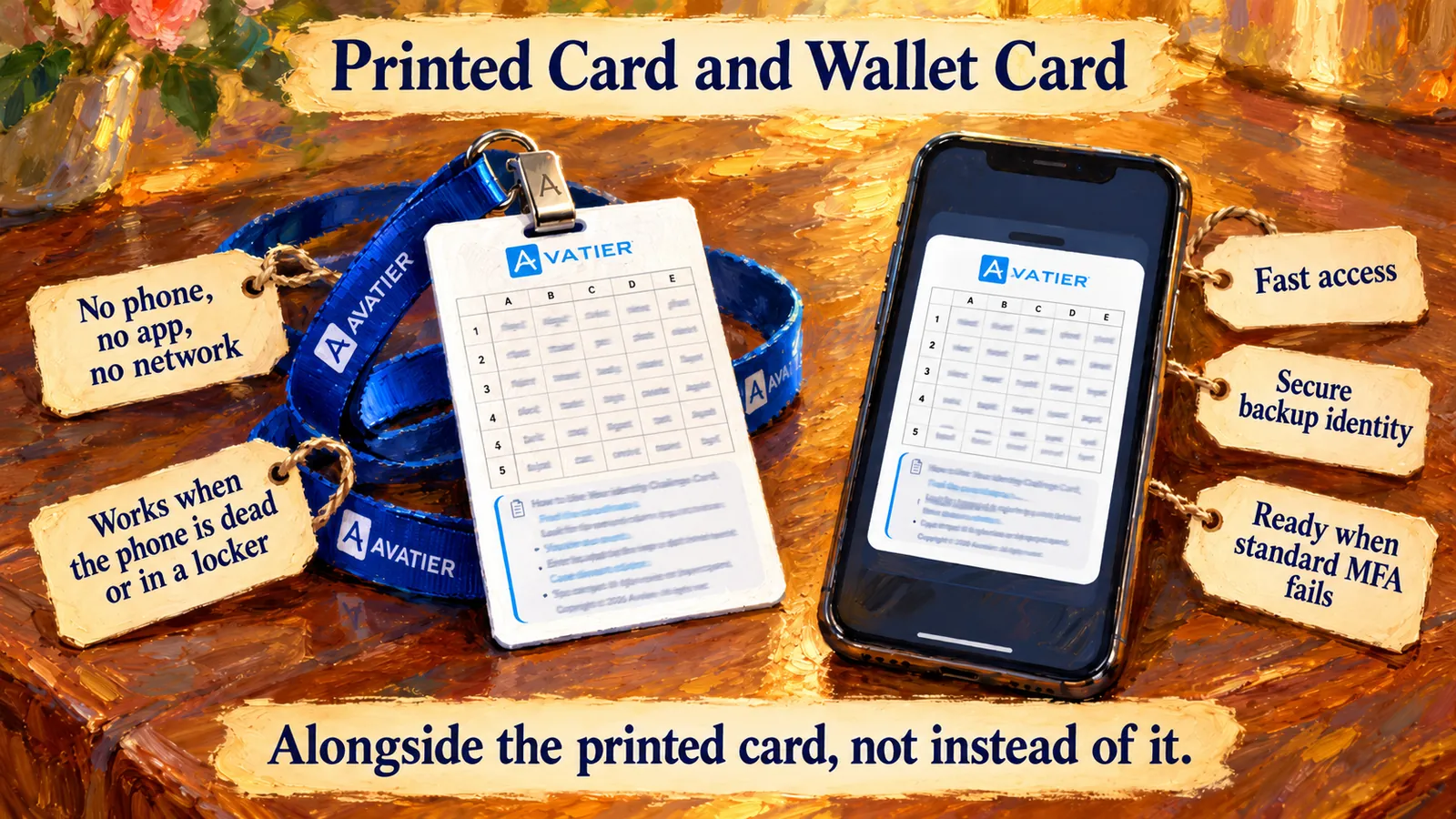 The printed card works with no device; the wallet card adds a fast backup on the phone, alongside the printed card.
When to reach for each: a day in the life
This is general guidance, not Avatier policy. Your MFA policy decides which method each worker uses; Avatier says "policy routes each worker to the right method, even where device MFA can't reach."
- Morning, signing in remotely. Working from home or on the road, the phone is in hand and the printed card may be in a bag back at the site. The wallet card is the fast option.
- Mid-morning, a phone-free floor. Phones go into a locker at the door, and the wallet card goes with them. The printed card is the one that crosses. For restricted sites, see Air-Gapped MFA for Phone-Free Sites.
- Midday, a shared workstation. Avatier's login explainer opens on exactly this scene: "This workstation had a different worker an hour ago." Its answer: "the factor isn't provisioned into the machine. It's in the worker's pocket." That's the printed card. For frontline teams, see MFA for Frontline Workers Without Phones.
- Afternoon, standard MFA fails. A push prompt doesn't arrive, or the authenticator app won't open, but the phone still works. This is the case Avatier names for the wallet card: "ready when standard MFA fails."
- Evening, the phone dies or goes missing. A dead battery or a phone left on a train is the printed card's moment. It still resolves a reset: "Proof first, then the password." Then report the lost phone.
If the worker calls the service desk instead, the check is the same card. In Avatier's words, "The agent reads a coordinate down the line. The caller reads the word back off a printed card. And that value is spent."
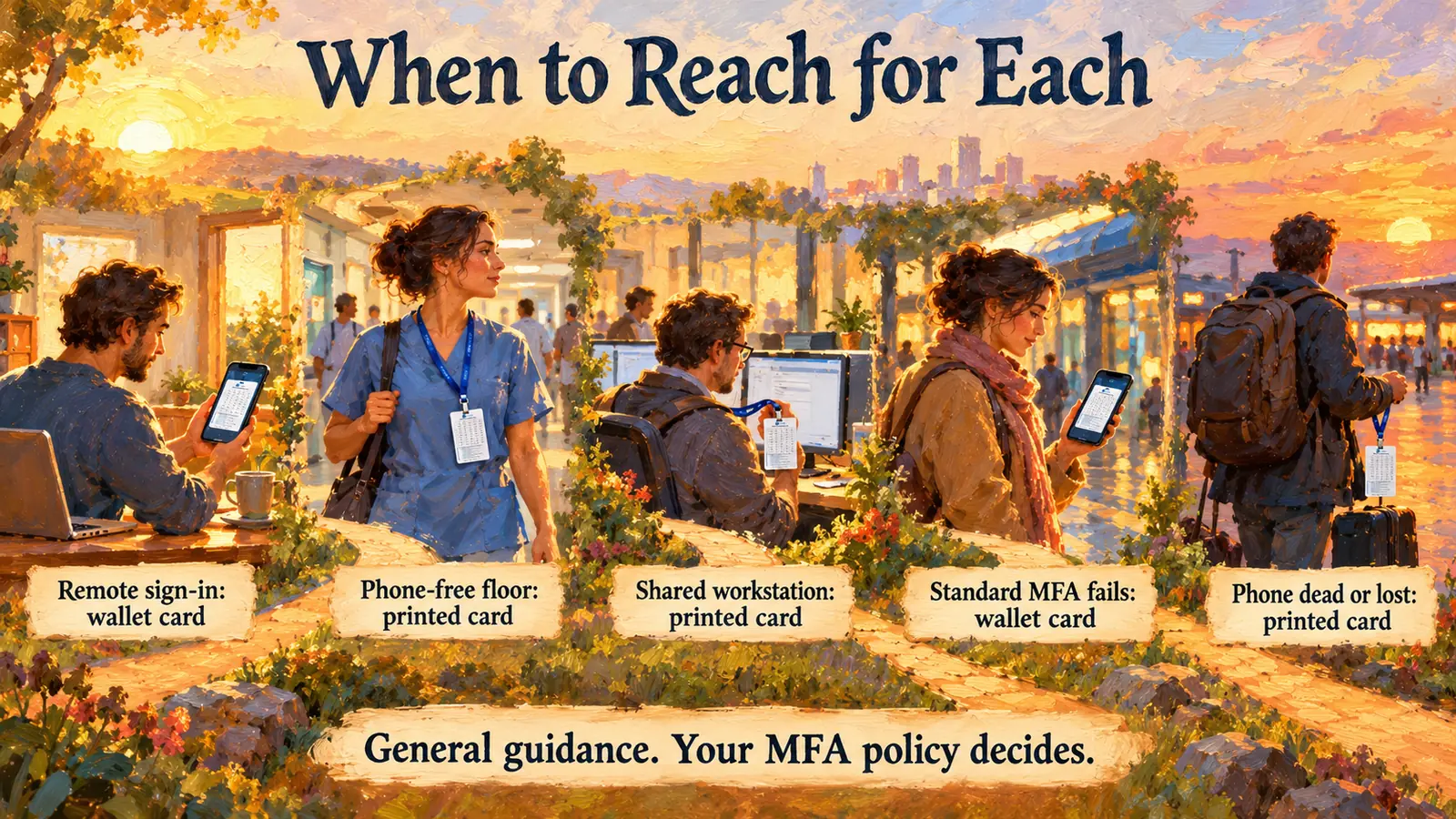 General guidance: the wallet card when the phone is in hand, the printed card when it isn't. Your MFA policy sets the method.
Rolling out both cards
For CIOs and service desk leaders, a few general practices keep the two cards working together:
- Issue the printed card first. Avatier says "Every card is issued through the existing IGA workflow," with "Self Enrollment or Auto Enroll Everyone at Once." Position the wallet card alongside that issued card, not instead of it.
- Teach the moments, not the feature. Workers need to know which card to reach for on a phone-free floor and which to use when a push fails. The day-in-the-life list above is a starting point.
- Keep the PIN off the phone. Avatier describes the PIN as "never stored on a device." As general advice, workers shouldn't save it in phone notes next to the wallet card.
- Plan for loss. Avatier says the card "contains no personal data" and "Without the PIN it is useless." It adds that "Card issuance, expiration, re-enrollment, and revocation are all logged and policy-enforced."
What Avatier ships toward this pattern
- Identity Challenge Card™. The printed three-factor card for the service desk, login and password reset, deployed in under an hour with "No MDM, no app, no hardware." It ships in 34 languages. For the product and a live three-factor demo, see the Identity Challenge Card.
- Mobile wallet version. Apple Wallet, Google Wallet or Samsung Wallet, "alongside the printed card, not instead of it." Government ID verification is coming soon.
- Strong MFA Login. Pillar 5 of Credential Governance™ binds a second factor, including Microsoft Authenticator, Okta Verify, Duo, RSA or the Identity Challenge Card, to every password authentication event. For details, see Strong MFA Login.
- The wider platform. For Avatier's AI-native identity platform, see the Avatier Identity Anywhere 2027™ preview. For the full product line, see avatier.com.
- Security posture. Avatier is SOC 2 Type II audited with no exceptions noted and ISO/IEC 27001:2022 certified. For details, see the Avatier Trust Center.
About the author

More from MFA & Authentication

Issuing, Revoking and Replacing Avatier's Identity Challenge Card
How Avatier's Identity Challenge Card is issued through one IGA workflow, expires and re-enrolls by policy, and is revoked in seconds and replaced the same day when a card is lost.
Three-Factor Authentication Explained: The Identity Challenge Card
What three-factor authentication is, how 3FA differs from 2FA, and how Avatier's Identity Challenge Card checks three factors: a printed grid card, a private PIN and a directory identity.

When Your IdP or MFA Goes Down: Avatier's Identity Challenge Card
When the identity provider, MFA service or devices go down, people still have to prove who they are. A runbook for verifying, restoring and recording access with Avatier's printed card.