MFA Implementation Self-Assessment: The 2026 Scorecard
How to assess your own enterprise MFA implementation in 2026 — a scored self-assessment across coverage, factor strength, gaps, user experience, and recovery on a five-level maturity ladder.
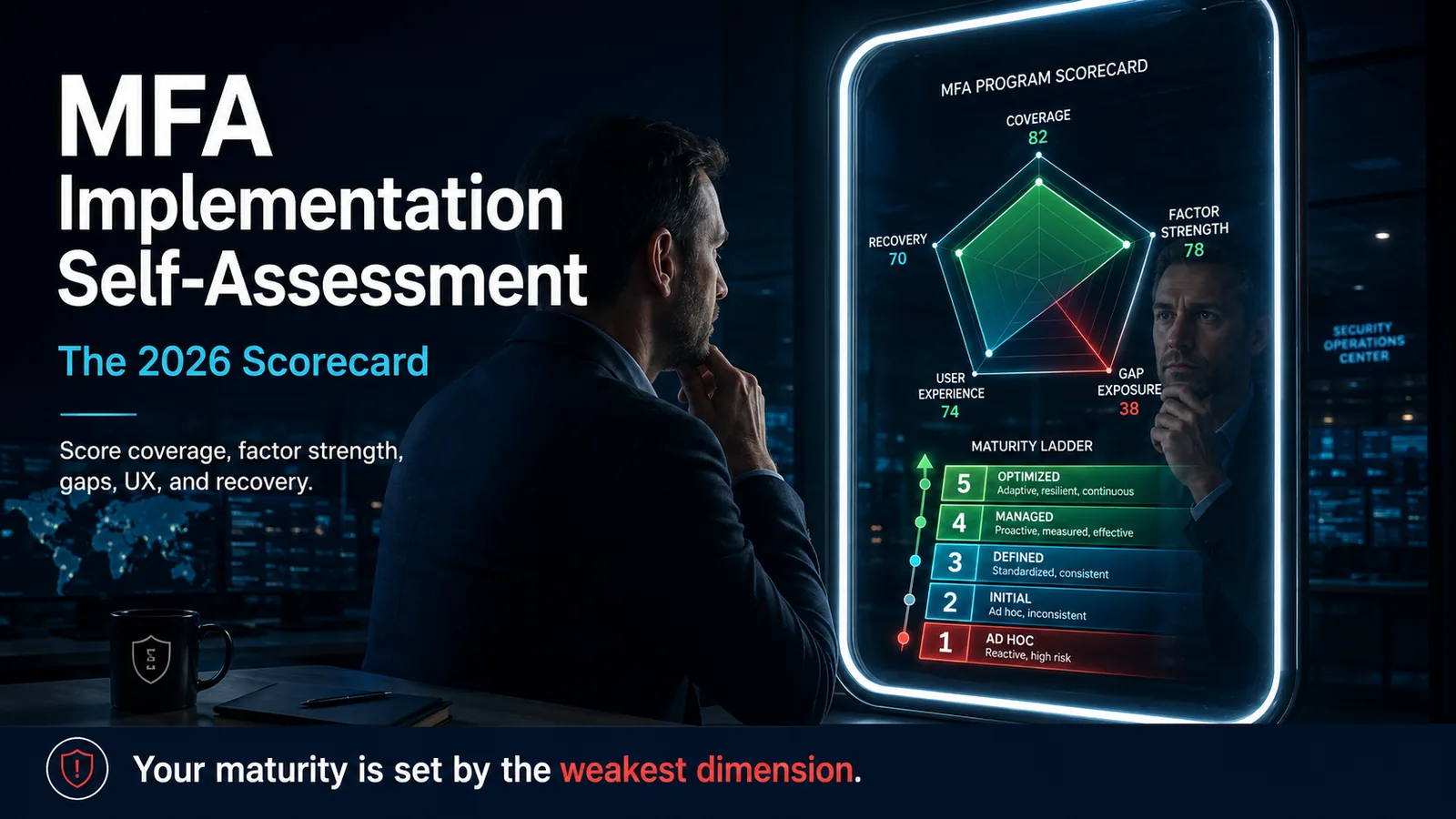
How to assess your own enterprise MFA implementation in 2026 — a scored self-assessment across coverage, factor strength, gaps, user experience, and recovery on a five-level maturity ladder.
- An MFA self-assessment measures your own program across five dimensions — coverage, factor strength, gap exposure, user experience, and recovery — and scores each 0-4 so you can see where the real weakness sits.
- Coverage is the number most teams cannot actually produce: the fraction of authentication events, applications, and privileged accounts genuinely behind MFA, not the vendor dashboard's login count.
- Factor strength grades what your MFA actually is — phishing-resistant FIDO2/passkeys survive adversary-in-the-middle attacks; SMS OTP, push-approval, and TOTP do not.
- The dangerous gaps are structural and predictable: legacy protocols, service accounts, contractors on unmanaged devices, and break-glass admin paths that quietly sit outside every MFA policy.
- A self-assessment scores maturity and exposes gaps, but it cannot confirm resistance to a real adversary — only red-team and adversary-in-the-middle testing does that.
"How do you assess your own MFA implementation?" You score it across five measurable dimensions instead of asking whether multi-factor authentication is switched on. The five that matter are coverage (what fraction of authentication events and privileged accounts are genuinely behind MFA), factor strength (how many of those factors are phishing-resistant versus SMS, push, or one-time codes), gap exposure (which surfaces sit outside policy entirely), user experience (friction and fatigue), and recovery (whether account-recovery paths can be social-engineered). Grade each 0-4, and read your program's maturity as the weakest dimension, not the average — because that is the one an attacker will find and use.
This piece is the 2026 update of Avatier's original Self-Assess Your MFA Implementation in 5 Steps. The original framed the assessment as an organizational-review exercise — read the business case, interview users, request IT reports, measure gaps, produce recommendations. That structure is still sound, but the authentication landscape underneath it has changed completely. In 2019 "do you have MFA?" was a meaningful question. In 2026 it is not: an enterprise saying "MFA is deployed" might mean SMS one-time codes (regulatorily deprecated for high-assurance use), push-approval authenticators (defeated by fatigue attacks), or hardware FIDO2 keys (genuinely phishing-resistant). The assessment has to grade what kind of MFA, on what fraction of the estate, with what gaps — not just whether the box is ticked. This update rebuilds the five steps as a scored, repeatable scorecard.
The companion pieces handle the territory this assessment points at: Beyond Foundational MFA in 2026 covers the architecture past a first MFA rollout, Phishing-Resistant MFA for Enterprise defines the factor-strength category this scorecard grades against, MFA Fatigue Attacks covers the specific failure mode the user-experience dimension is watching for, Best Multi-Factor Authentication Solutions is the buyer's guide for closing the gaps you find, and Adaptive Authentication and Risk-Based MFA covers the next maturity rung above a static deployment. This piece is the self-assessment that tells you which of those to read first.
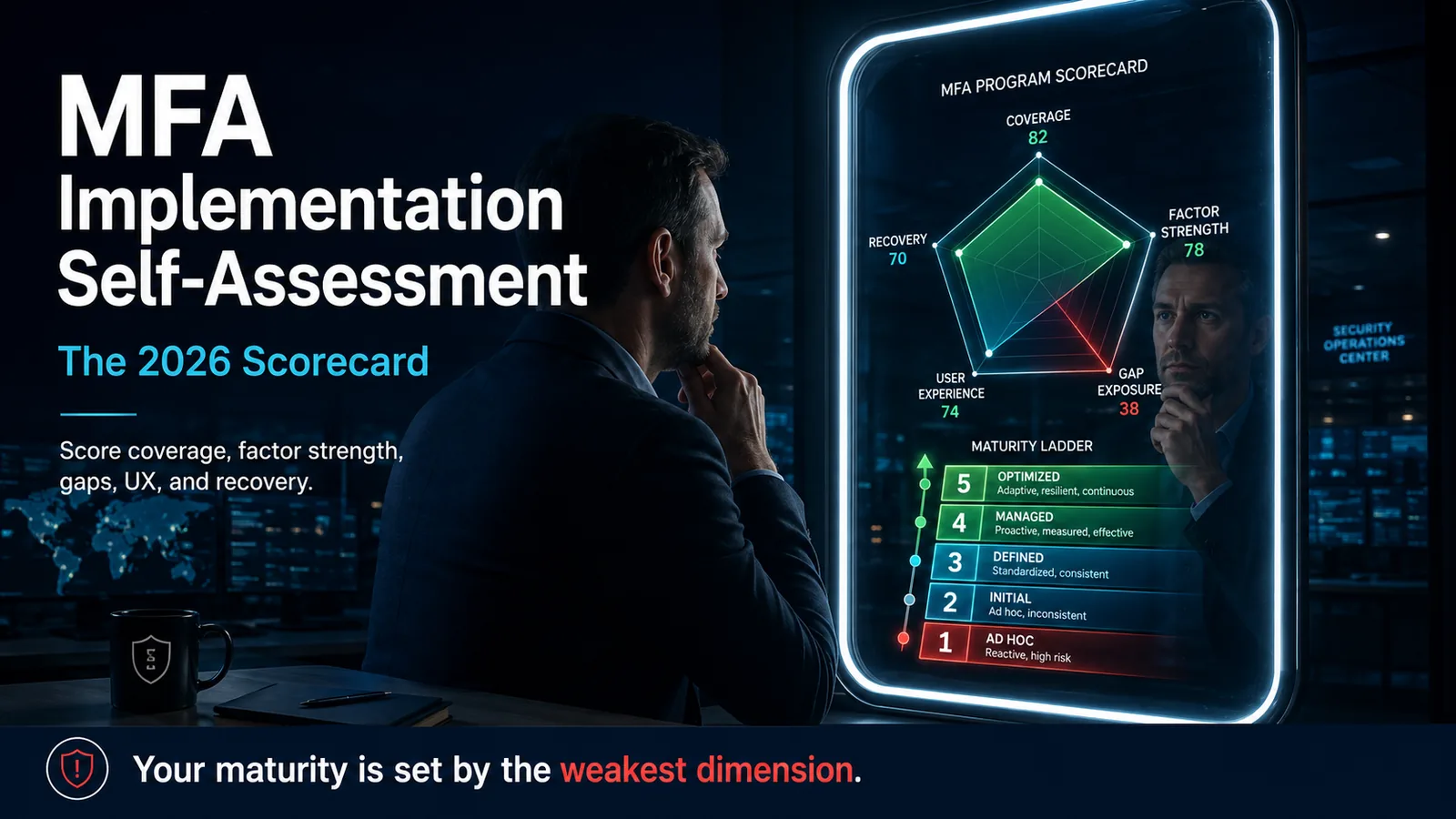 An MFA program is a shape, not a checkbox. The self-assessment plots five axes — and your real security posture is set by the shortest one.
What an MFA self-assessment actually measures
The reason "do you have MFA?" stopped being useful is that the phrase now covers a security range of roughly ten to one. Two enterprises can both answer "yes" while one has hardware-key authentication on every privileged account with a workflow-verified recovery path, and the other has optional SMS codes that half the workforce never enrolled and a help desk that resets passwords on request. A self-assessment exists to collapse that ambiguity into numbers you can act on.
The discipline is to measure your own program against a standard you set deliberately, and to keep the measurement internal and repeatable. This is not a vendor evaluation and not a compliance attestation — it is an operational instrument you run on a fixed cadence (every two quarters works well) and watch trend as remediation lands. The original 2019 framing had this right: locate the assumptions you deployed against, gather ground truth from users and IT, and produce recommendations. What the 2026 version adds is a scoring rubric so "we improved MFA this quarter" becomes a number that went from, say, an aggregate 1.8 to 2.4 — and so the specific weak dimension is visible rather than buried in a narrative.
Score honestly. The failure mode of every internal assessment is grading to the answer leadership wants to hear. The whole value of the exercise is finding the gap before an adversary does, and an assessment tuned to look good is worse than no assessment because it manufactures false confidence. If your privileged-account coverage is genuinely at level 1, writing down level 3 does not protect a single account — it just delays the reckoning to an incident-response call.
The five dimensions of an MFA self-assessment
The scorecard has five dimensions. Each is scored 0-4, each measures something an attacker cares about, and the reason there are five rather than one is that a program can be excellent on some and catastrophic on others — and the catastrophic one is what determines your actual exposure.
 Five dimensions, scored 0-4 each. The example program looks healthy on coverage and experience — and is quietly failing on factor strength and gap exposure, which is where it will actually break.
Coverage is the fraction of authentication events, applications, and privileged accounts genuinely behind MFA. Factor strength is how many of those factors are phishing-resistant versus relayable. Gap exposure is the set of surfaces outside policy entirely — the inverse of coverage, measured deliberately because it is where the quiet failures live. User experience is friction, fatigue, and help-desk load, which matter because a program users route around is not deployed no matter what the config says. Recovery is whether the account-recovery and break-glass paths are workflow-verified or socially engineerable, because a locked front door with an open recovery window is not locked.
Take your maturity as the minimum across the five, not the mean. This is the single most important rule in the scorecard. Averaging lets a strong coverage number hide a factor-strength score of 1, and the attacker does not care about your average — they find the weakest dimension and operate there. A program at coverage 4, factor strength 1 is a program that can be phished, full stop, regardless of how complete the coverage is.
Dimension 1: Coverage — the number most teams cannot produce
Coverage sounds like the easy dimension and is the one most teams get wrong, because they measure against the wrong denominator. Your IdP dashboard reports MFA on interactive SSO logins, and that number is almost always high — because interactive SSO logins are exactly the surface MFA was easiest to apply to. The real coverage question is: MFA on interactive logins, out of what?
Build the denominator yourself. Inventory every authentication surface in the estate: interactive web SSO, desktop and workstation sign-in, VPN and remote access, cloud and infrastructure admin consoles, legacy mail protocols, service and machine accounts, contractor and third-party access, API keys and tokens, and break-glass or emergency-admin accounts. For each surface, record one of three states — MFA enforced, MFA optional, or MFA structurally impossible. Coverage is the enforced fraction of that complete inventory, and the gap between "enforced on interactive SSO" and "enforced across the inventory" is usually where the entire risk sits.
Segment the number three ways, because one aggregate figure hides the inversion that matters most. Report overall coverage, privileged-account coverage, and internet-facing coverage separately. The privileged-account figure is the one to protect first: a program at high overall coverage but low privileged coverage is inverted — it is spending its protection on the low-value majority while domain admins, financial-system operators, and security tooling stay exposed. Score coverage 0-4 against the inventory-based denominator: 0 is no meaningful MFA, 2 is strong interactive coverage with the structural surfaces unmeasured, 4 is enforced across the full inventory with privileged and internet-facing surfaces at or near complete.
Where coverage leaks
The surfaces that never make it into the naive coverage denominator are not random — they are the same four categories in almost every enterprise, and they are predictable enough to check by name. The value of naming them is that each is a known attacker path, not a theoretical gap.
 The four gaps are structural and predictable — legacy protocols, service and machine accounts, unmanaged-device contractors, and break-glass admin paths — and none of them show up in an interactive-login coverage number.
Legacy authentication protocols — IMAP, POP, and SMTP-AUTH — are the classic bypass. They predate modern federated authentication and frequently accept a username and password directly, sidestepping conditional-access and MFA policy entirely. Attackers know this, and legacy-protocol authentication is a standard first move after a credential is phished or sprayed. If these protocols are still enabled anywhere, coverage on the modern surface is partly cosmetic.
Service and machine accounts hold standing privilege and cannot complete an interactive challenge, so they are routinely exempted from MFA policy — which leaves high-privilege credentials protected by a password alone. The mitigation is not MFA on a non-interactive account; it is moving those accounts to managed secrets, workload identity, or certificate-based authentication, and scoring the surface honestly as a gap until you do. Contractors and third parties authenticate from devices you do not manage, where enrollment was never enforced and often never possible, so a population with real access sits outside the program by default.
Break-glass and emergency-admin accounts are the sharpest irony in the inventory: the accounts with the most power are the ones most often deliberately excluded from MFA, on the reasoning that you must always be able to get in during an outage. That reasoning is exactly why they are targeted. The fix is not to remove the emergency path but to protect it with a phishing-resistant factor plus a heavily monitored, alerting break-glass procedure — so using it is possible but never quiet. Any surface you scored "MFA impossible" in the coverage step lands here, and gap exposure is scored on how many high-value surfaces remain in that state.
Dimension 2: Factor strength — what your MFA actually is
Coverage tells you how much of the estate is behind MFA. Factor strength tells you whether that MFA is worth anything against a modern attacker. The dividing line is phishing resistance: whether the authentication ceremony can be relayed through an adversary-in-the-middle proxy that sits between the user and the real site.
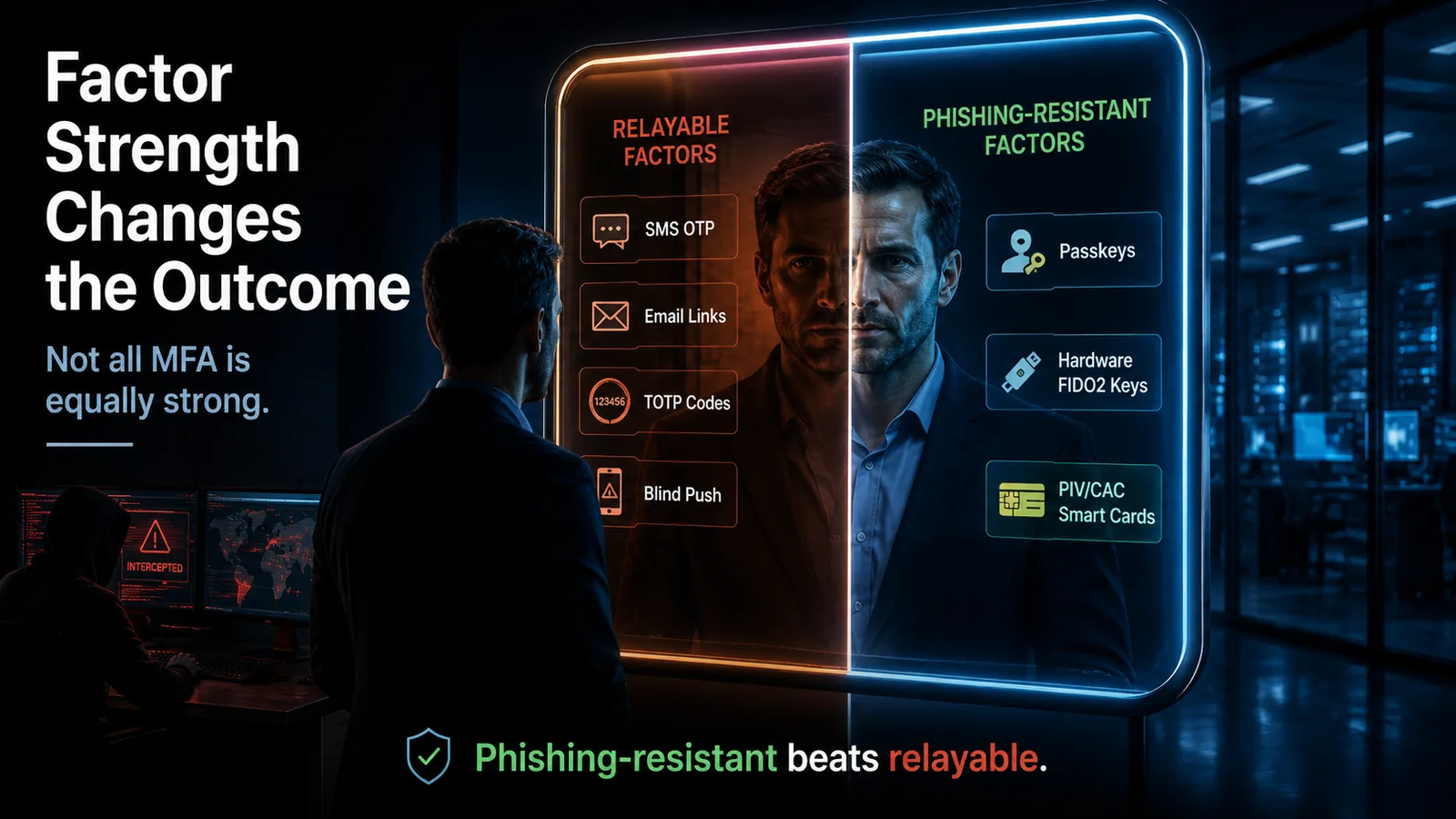 Not all MFA is equally strong: relayable factors — SMS, email, TOTP, blind push — can be proxied in real time, while origin-bound factors — passkeys, FIDO2 keys, smart cards — cannot.
The strong tier binds cryptographically to the site's origin. FIDO2/WebAuthn passkeys, hardware FIDO2 security keys, and PIV/CAC smart cards all complete a challenge-response that only succeeds against the origin the credential was registered to — so a credential captured on a look-alike phishing page cannot be replayed against the real site, because the origin does not match. This is the property CISA and NIST SP 800-63B describe when they specify phishing-resistant authentication, and it is the reason these factors survive the adversary-in-the-middle attacks that defeated the previous generation.
The weaker tier can be relayed. SMS one-time codes, voice codes, email magic links, and TOTP authenticator codes all produce a value the user transcribes — and an adversary-in-the-middle proxy can capture that value in real time and forward it to the real site before it expires. SMS carries additional transport-level exposure through SIM-swap and SS7 interception; NIST SP 800-63B restricts SMS for higher-assurance use for exactly these reasons. Push notifications with simple approve/deny add the fatigue-attack vector on top. Push with number matching is a genuine improvement — it closes blind approval — but it is still not phishing-resistant in the regulatory sense, because an adversary-in-the-middle with a social-engineering pretext can still extract the number from the user. Score factor strength on the fraction of your covered surfaces using strong-tier factors: 0 is all relayable, 2 is strong factors on privileged accounts only, 4 is phishing-resistant as the workforce default with relayable fallbacks disabled.
Dimensions 4 and 5: User experience and recovery
User experience is a security dimension, not a comfort metric, because a program users route around is not actually deployed. If MFA is slow, prompts too often, or fails on the devices frontline and field workers actually use, people build workarounds — shared accounts, permanent exceptions, disabled prompts — and each workaround is a hole. Watch two signals: authentication friction (how long a normal sign-in takes, how often it prompts) and fatigue (how many push prompts a user sees in a day, since volume is what makes accidental approval likely). High help-desk contact volume for authentication issues is the leading indicator that experience is bad enough to be generating shadow workarounds. Score 0-4 from "friction is driving documented workarounds" up to "authentication is low-friction, fatigue-free, and rarely generates help-desk load."
Recovery is the dimension attackers pivot to when the front door is locked, and it is the one self-assessments most often skip. Deploying phishing-resistant factors on every account accomplishes little if the account-recovery path is a help-desk phone call that resets credentials on convincing pretext — the attacker simply stops trying to phish the strong factor and social-engineers the reset instead. This is the pattern behind several high-profile 2024-2025 intrusions, analyzed in depth in Avatier's Storm-2949 identity governance failure breakdown. The mature pattern is workflow-verified recovery: a reset that requires a structured, auditable verification workflow rather than a human judgment call under social pressure. Score recovery on how hard your reset and break-glass paths are to social-engineer — 0 is knowledge-questions-and-a-phone-call, 4 is workflow-verified with no unstructured override.
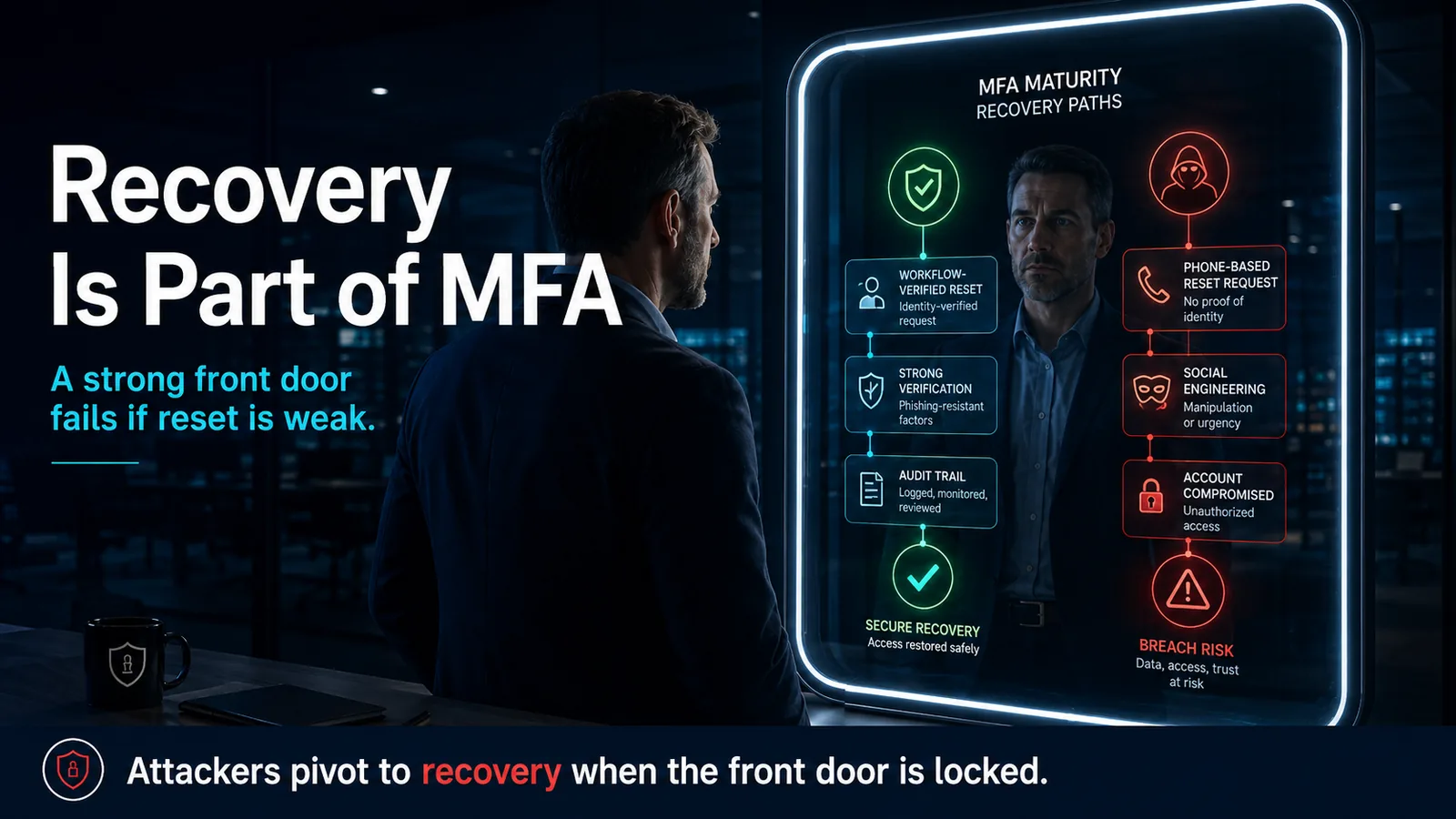 A locked front door with an open recovery window is not locked: a workflow-verified reset leads to secure recovery, while a social-engineerable phone reset leads straight to account takeover.
Scoring your program: the MFA maturity ladder
The five dimensions give you a shape. The maturity ladder turns that shape into a single honest level by naming where the whole program sits — and, per the minimum rule, your level is set by your weakest dimension, not your best.
Level 0 is no MFA, or password-only access still live on critical applications. Level 1 is MFA present but built on relayable factors — SMS or email one-time codes — that an adversary-in-the-middle defeats and a SIM swap intercepts. Level 2, where most enterprises genuinely sit in 2026, is app push and TOTP: better than SMS, fatigue-prone, and still not bound to the site origin. Level 3 is phishing-resistant authentication deployed on the surfaces that matter most — privileged accounts and the managed desk workforce — with relayable methods retired there. Level 4 is phishing-resistant as the workforce default: passkeys and hardware keys everywhere, adaptive risk signals modulating step-up, and workflow-verified recovery closing the social-engineering path.
Movement up the ladder is deliberate and sequential, not a single migration. The highest-return first move is almost always privileged accounts to phishing-resistant factors with fallback disabled, in parallel with hardening the recovery path — because those two changes remove the two cheapest attacker routes at once. Then the managed desk workforce, then the structural gaps (legacy protocols disabled, service accounts moved to workload identity, contractors enrolled or fenced), then per-segment removal of relayable fallbacks as each segment stabilizes. Re-score every two quarters. A program that moves from an aggregate Level 2 to a Level 3 with no dimension below 3 has closed the attack vectors that defined the 2022-2025 breach cycle.
What Avatier ships toward this pattern
Avatier Identity Anywhere is built to move a program up this ladder rather than to check a single box. On factor strength, it ships phishing-resistant authentication across the qualifying methods — FIDO2/WebAuthn passkeys across platform and syncable providers, hardware FIDO2 keys (YubiKey, Feitian, Token2, Google Titan), and the FIDO2-compatible Avatier Identity Challenge Card for frontline, shared-workstation, and contractor segments where personal devices and hardware keys structurally do not fit. That last category is what usually keeps an enterprise stuck at Level 2: the desk workforce can move to passkeys, but the deviceless population has no path — and the deviceless card is the missing rung.
On coverage and gap exposure, lifecycle integration with Avatier Identity Anywhere Lifecycle Management provisions credentials at joiner, re-enrolls at mover events, and revokes at leaver events, so the contractor-and-third-party surface stops being an unmanaged exception. On recovery — the dimension self-assessments skip and attackers target — reset flows tie through Password Station for workflow-verified resets, which is the control that closes the social-engineering path the ladder's top rung requires. Adaptive and risk-based policy composes on top for the Level 4 step-up behavior, covered in the adaptive authentication reference. The Avatier Trust Center publishes the compliance posture behind the platform — SOC 2 Type II with zero exceptions, ISO/IEC 27001:2022 certified, PCI DSS v4.0.1 compliant, CSA STAR Level 1, NIST 800-53 Rev. 5 aligned, FedRAMP-aligned, and CISA Secure-by-Design Pledge signatory.
The point of the scorecard is not that you have to buy any one vendor — the five dimensions are vendor-neutral and you can score them against whatever you run. The point is that the dimensions where enterprises stall (deviceless factor strength, contractor coverage, social-engineerable recovery) are specific and addressable, and a program that treats them as separate problems tends to leave all three open.
What a self-assessment cannot tell you
Here is the honest limit of everything above. A self-assessment tells you your coverage, your factor strength, your gap list, and your maturity level — and it cannot tell you whether your implementation actually resists a live adversary. Every score in the scorecard is a claim about design, and design claims are exactly what real attacks falsify.
Scoring your factors as phishing-resistant is a statement about how the credentials are supposed to behave; confirming it requires an adversary-in-the-middle test that actually tries to relay a session and fails. Scoring your recovery path as workflow-verified is a statement about the documented process; confirming it requires a red-team exercise that actually calls the help desk with a convincing pretext and gets refused. Scoring your enrollment as governed is a claim; confirming it requires trying to register an attacker-controlled credential and being stopped. A program can score a clean Level 3 on paper and still fall to a conditional-access policy with an unintended gap, a fallback method someone left enabled "temporarily," or a single help-desk agent who resets a credential to be helpful. Those are not scoring errors — they are the difference between a program that looks closed and one that is closed.
So run the self-assessment, score it honestly, fix the weakest dimension first, and re-score on a cadence — it is the fastest way to find and close the gaps you know about. Then treat a passing scorecard as the prerequisite for adversary testing, not a substitute for it. The self-assessment finds the gaps you can see. Red-team and adversary-in-the-middle testing find the ones you were certain you had already closed, and those are the ones that end up in the breach disclosure.
About the author

More from MFA & Authentication
How Cybercriminals Exploit Weak OTP: The Attacker Playbook (2026)
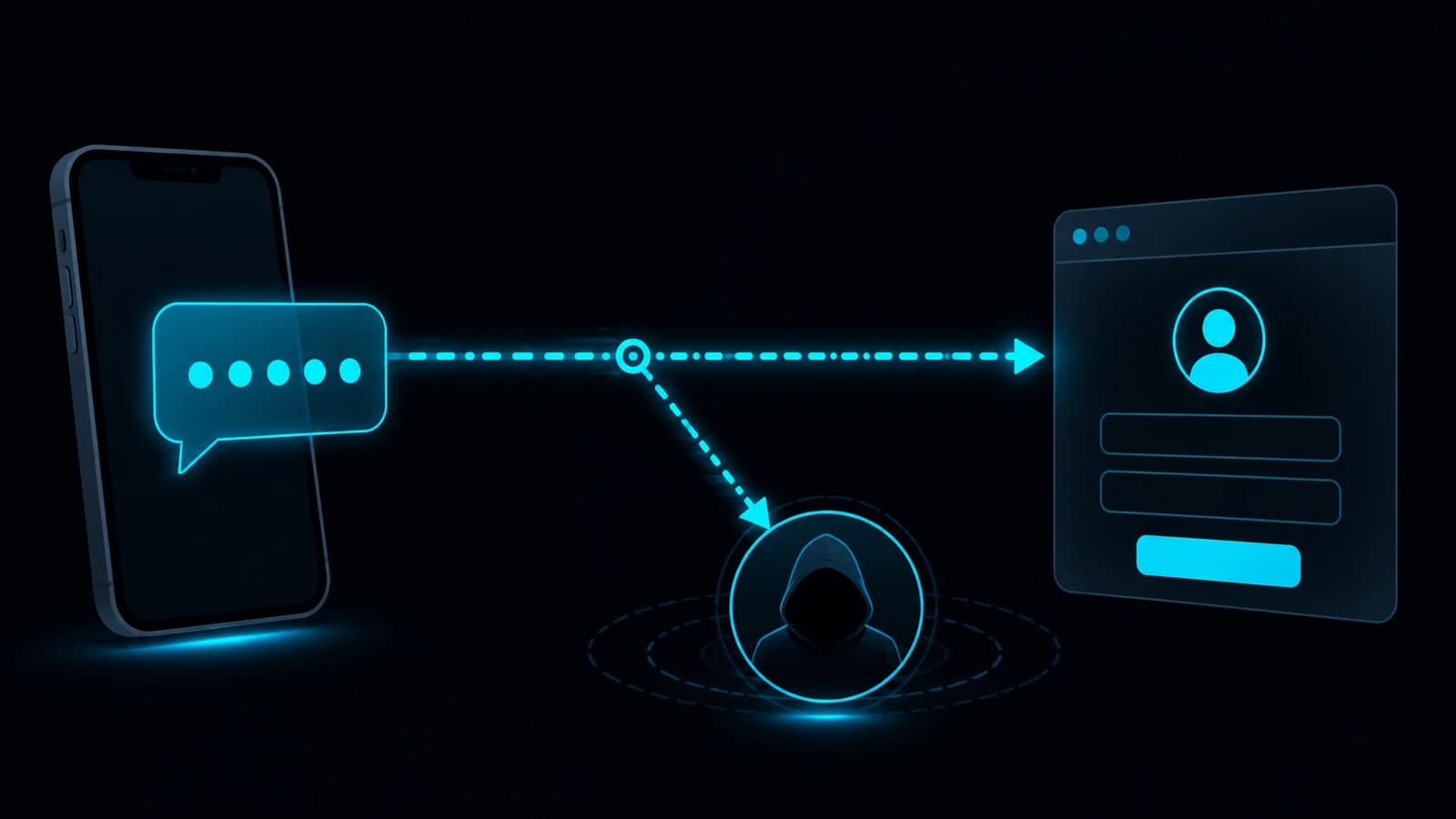
Weak OTP fails at four specific points — SIM swap, real-time phishing relay, SS7 interception, and MFA fatigue — and every one of them is a known, repeatable attacker technique in 2026.

Advanced MFA in 2026: What Actually Counts as a Factor
Multi-factor authentication only works when the factors are genuinely different — this 2026 reference clears up what counts as a real factor and what advanced MFA actually means.
Does OTP Prevent Breaches? The Attacks It Actually Stops in 2026
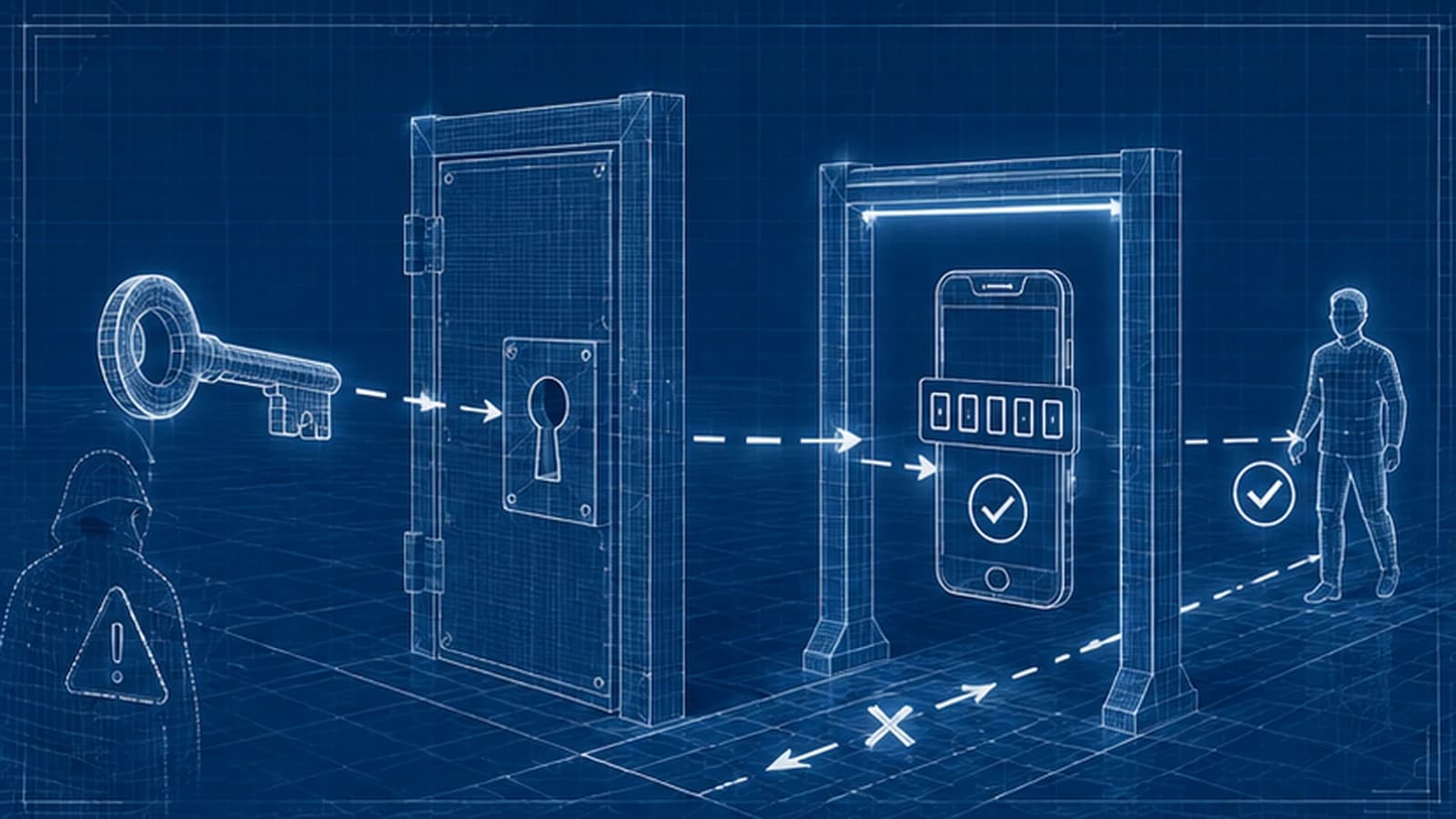
OTP does not stop every attack, but it reliably defeats credential stuffing, password-spray, basic brute force, and stolen-password reuse from unrelated breaches. The 2026 breach-prevention case for OTP — the attack chains it breaks, the ones it doesn't, and how to deploy it so the prevention benefit actually lands.