Passwordless Authentication for Microsoft Enterprise: The 2026 Reference
Microsoft enterprise environments have a specific passwordless deployment architecture — Windows Hello for Business as the primary Windows authentication factor, Entra ID as the identity broker for cloud application access, Windows Autopilot and Intune for device provisioning, and the hybrid deployment patterns that bridge on-premises AD to Entra ID. The 2026 enterprise reference on the Microsoft-stack passwordless architecture, the WHfB enrollment ceremony discipline, and the deployment pattern that produces phishing-resistant workforce authentication across the Microsoft estate.
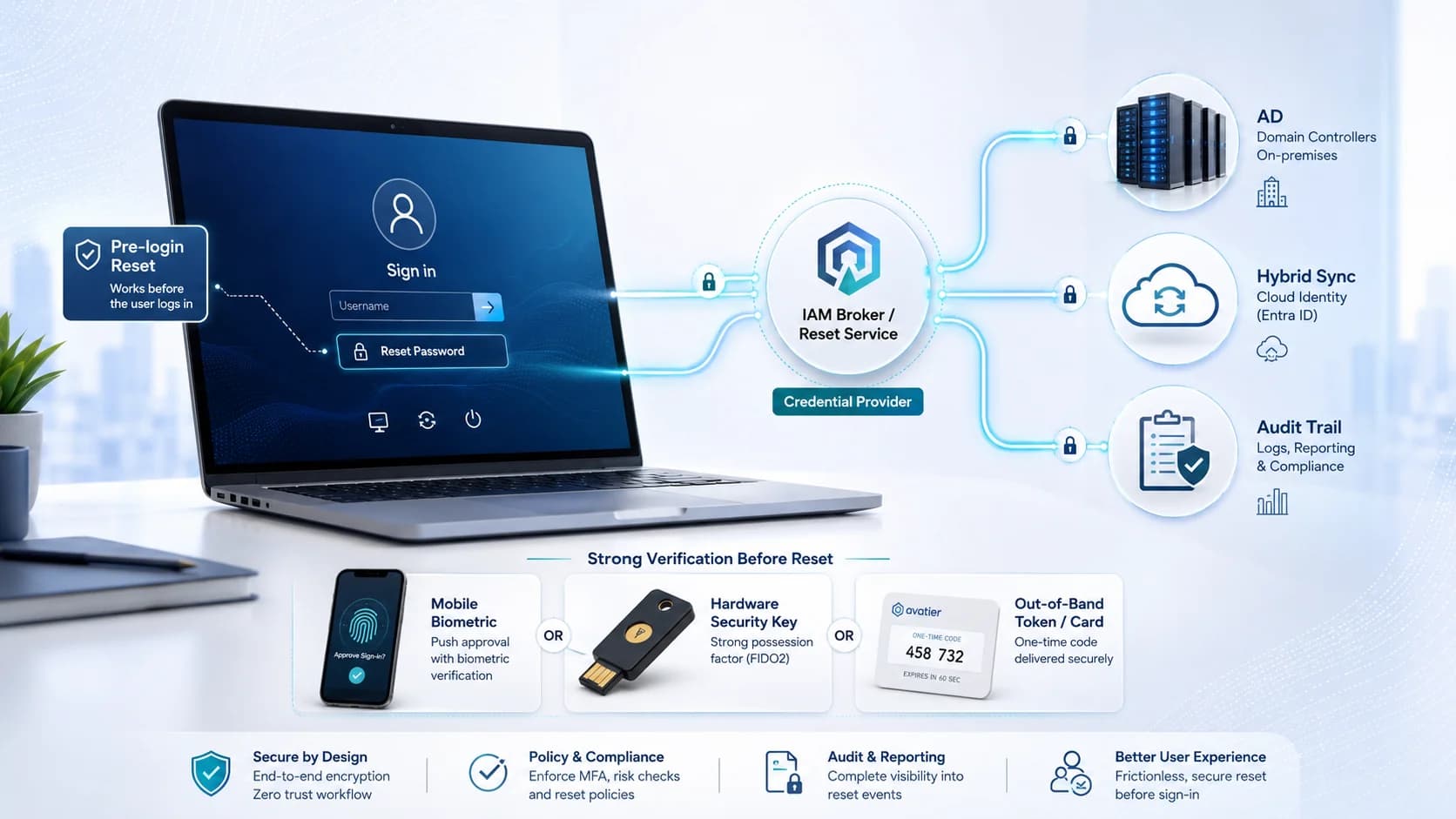
Microsoft enterprise environments have a specific passwordless deployment architecture — Windows Hello for Business as the primary Windows authentication factor, Entra ID as the identity broker for cloud application access, Windows Autopilot and Intune for device provisioning, and the hybrid deployment patterns that bridge on-premises AD to Entra ID. The 2026 enterprise reference on the Microsoft-stack passwordless architecture, the WHfB enrollment ceremony discipline, and the deployment pattern that produces phishing-resistant workforce authentication across the Microsoft estate.
- Microsoft enterprise environments have a specific passwordless deployment architecture built around Windows Hello for Business (WHfB) as the primary Windows authentication factor and Entra ID (formerly Azure AD) as the identity broker. WHfB provides TPM 2.0-backed biometric or PIN authentication on Windows workstations; Entra ID brokers cloud application access via SAML and OIDC federation. The combination produces AAL2-equivalent workforce authentication across the Microsoft estate.
- The WHfB enrollment ceremony discipline determines deployment quality. Enrollment happens through documented workflow (Autopilot provisioning during device setup, or self-service enrollment for existing devices), verified via secondary factor at enrollment time, tied to the workstation's TPM for hardware-bound credential storage. Poorly-configured enrollment produces WHfB credentials that don't survive audit — enrollment without strong secondary-factor verification, unattested TPM, missing enrollment audit trail.
- Hybrid AD deployment patterns require specific configuration. Azure AD Connect syncs on-premises AD to Entra ID; Password Writeback propagates cloud-initiated password changes back to on-premises AD; the passwordless direction requires WHfB certificate trust to be configured against both on-premises AD and Entra ID. Getting the certificate trust wrong produces WHfB deployments that work in Entra ID but fail on-premises AD authentication (or vice versa).
- The Microsoft-stack passwordless architecture composes with the broader FIDO2 ecosystem. FIDO2 security keys (YubiKey, Feitian, Google Titan, Microsoft-supported passkey providers) work alongside WHfB for step-up on privileged workflows. Platform authenticators on iOS and Android access Microsoft cloud applications via FIDO2/WebAuthn. Deviceless FIDO2 via [Identity Challenge Card](https://identitychallengecard.avatier.com) covers smartphone-unavailable segments where WHfB isn't operationally available.
- The 2026 deployment discipline: WHfB as the primary Windows authentication factor for all managed workstations; Entra ID as the identity broker for cloud application federation; FIDO2 hardware keys for step-up on privileged workflows and high-assurance segments; deviceless FIDO2 for smartphone-unavailable workforce segments; hybrid AD deployments configured with Password Writeback and WHfB certificate trust across both directories; documented enrollment ceremonies with strong secondary-factor verification and audit trail integration.
Microsoft enterprise environments have a specific passwordless deployment architecture that composes Windows Hello for Business as the primary Windows authentication factor with Entra ID as the identity broker for cloud application access. The combination produces AAL2-equivalent workforce authentication for the majority of the workforce, but the enrollment ceremony discipline, the hybrid AD deployment patterns, and the composition with the broader FIDO2 ecosystem determine whether deployment produces audit-defensible passwordless posture or brittle passwordless theater.
This piece is the 2026 enterprise reference on passwordless authentication for Microsoft enterprise environments. What Windows Hello for Business actually is and how it differs from consumer Windows Hello, the enrollment ceremony discipline that determines deployment quality, the hybrid AD deployment configuration, the FIDO2 ecosystem composition, and the workforce coverage that produces phishing-resistant authentication across the Microsoft estate. Companion pieces cover adjacent layers — the Phishing-Resistant MFA piece covers the credential-class foundation; the Biometric Authentication Mobile Devices piece covers the platform biometric architecture that WHfB is the Microsoft-stack instance of; the Passkey Deployment Playbook piece covers the broader enterprise passwordless migration path; the Hardware FIDO2 vs Passkeys piece covers the hardware-vs-platform credential comparison.
What Windows Hello for Business actually is
WHfB is the enterprise-managed version of Microsoft's biometric and PIN authentication for Windows workstations. Understanding what it is and what it isn't matters for enterprise deployment.
What it is. A cryptographic authentication credential bound to the workstation's TPM (Trusted Platform Module 2.0), unlocked by biometric (facial recognition via IR camera, or fingerprint via capacitive sensor) or PIN, with TPM attestation chaining to Microsoft Hello attestation infrastructure. The credential is device-bound — it can't be exported, forwarded, or reused on another workstation. Authentication produces a cryptographic assertion the workstation signs with the TPM-held key.
What differs from consumer Windows Hello. Three specific differences.
First, TPM attestation. WHfB requires TPM 2.0 attestation that chains to Microsoft Hello attestation infrastructure — this produces verifiable hardware binding that enterprise-adjacent audit reviewers can trust. Consumer Windows Hello on personal devices without enterprise enrollment doesn't have this attestation.
Second, enterprise policy management. WHfB deployment is managed via Group Policy, Intune, or Entra ID Conditional Access. Enterprise-defined enrollment policies, PIN complexity requirements, biometric class requirements, and revocation workflow. Consumer Windows Hello uses device-level defaults with no enterprise management.
Third, integration with enterprise IAM. WHfB is configured against on-premises AD, Entra ID, or hybrid deployments with certificate-based trust. Authentication events flow into enterprise identity infrastructure with audit trail. Consumer Windows Hello authenticates locally to the device only.
The assurance implication. WHfB with TPM attestation produces AAL2-equivalent assurance under NIST 800-63B Rev. 4 when composed with the WebAuthn cryptographic ceremony. This is the same assurance level that Apple Touch ID / Face ID with Secure Enclave produces on iOS, and Android Biometric Strong (Class 3) with StrongBox produces on Android. The Biometric Authentication Mobile Devices piece covers the cross-platform assurance mapping.
The WHfB enrollment ceremony discipline
The enrollment ceremony is where WHfB deployment quality gets determined. The credential produced is only as trustworthy as the enrollment.
Pattern 1: Windows Autopilot enrollment. New devices provisioned through Autopilot enroll WHfB automatically during initial device setup. The user authenticates to Entra ID during the out-of-box experience with a strong secondary factor — typically a temporary access pass provided by IT, or federated authentication from another workstation the user is already logged into. WHfB enrollment happens as part of the provisioning flow; TPM attestation chains to Microsoft; the enrolled credential is bound to the specific workstation. This is the highest-integrity enrollment pattern because it's fully controlled by IT.
Pattern 2: Self-service enrollment for existing devices. Users already logged in to Windows navigate to the WHfB enrollment flow (via Windows Settings or through an IdP portal), authenticate with a strong secondary factor, complete the biometric or PIN setup, and the credential becomes usable at next sign-in. This pattern scales for the existing workforce; the strong secondary-factor verification is what maintains integrity.
Pattern 3: Guided enrollment for privileged users. Executives, administrators, IT staff, and other high-value roles go through documented enrollment workflow with in-person verification or manager-supervised remote verification. The additional verification overhead is appropriate for the credential's value.
What poorly-configured enrollment looks like. Enrollment without strong secondary-factor verification (using knowledge-based questions or weak factors — see the OTP Failure Case Scenarios piece for why knowledge-based verification fails audit). Unattested TPM (older workstations without TPM 2.0, or TPM firmware that doesn't produce valid attestation). Missing enrollment audit trail (enrollment happens outside the enterprise IAM audit-log infrastructure). Each pattern produces WHfB credentials that don't survive audit review.
What well-configured enrollment produces. Documented enrollment workflow with strong secondary-factor verification. TPM attestation chained to Microsoft Hello infrastructure. Enrollment audit trail integrated with enterprise IAM audit logs. Revocation workflow that handles device loss, employee departure, and credential compromise events.
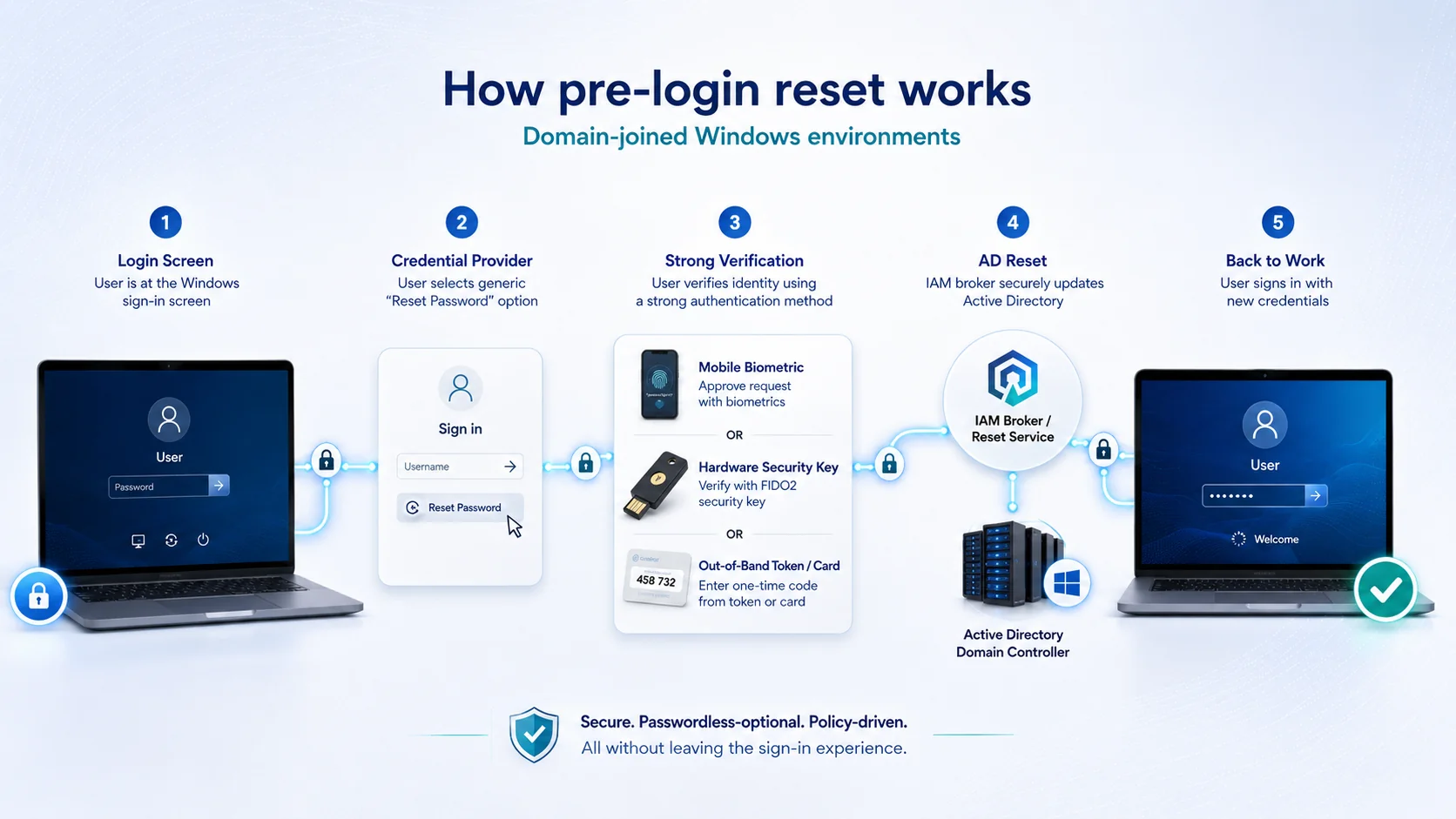 Three enrollment patterns, one shared discipline. Strong secondary-factor verification at enrollment, TPM attestation validation, audit trail integration — the enrollment ceremony determines whether WHfB deployment produces defensible or brittle passwordless posture.
Hybrid AD deployment configuration
Hybrid AD deployments (on-premises Active Directory synced to Entra ID via Azure AD Connect) require specific configuration for the passwordless architecture to work bidirectionally.
Configuration 1: Azure AD Connect for identity sync. On-premises AD remains authoritative for user identity; users get Entra ID identities via AD Connect sync. Standard hybrid deployment.
Configuration 2: Password Writeback for cloud-initiated password changes. Enabling Password Writeback in AD Connect lets Entra ID-initiated password changes propagate back to on-premises AD. Without Password Writeback:
- Entra ID SSPR resets update Entra ID but not on-premises AD → user can't log in to domain workstation
- Windows Hello reset ceremonies update Entra ID but not on-premises AD → same failure pattern
- Emergency password changes from IT admin in Entra ID don't propagate → same failure pattern
The Active Directory Login Reset piece on CGov covers the reset architecture depth including Password Writeback configuration.
Configuration 3: WHfB certificate trust configuration. WHfB requires certificate trust between the workstation's TPM-bound credential and the identity infrastructure. Hybrid deployments must configure certificate trust against both directories:
- On-premises AD side — via a Certificate Authority that domain controllers trust; the WHfB credential's certificate is issued by the CA and DCs accept it for authentication
- Entra ID side — via the Entra ID Kerberos server (a virtualized DC that Entra ID hosts specifically for hybrid WHfB); the credential is trusted for cloud application access
Getting only one direction produces WHfB deployments that work in cloud application access but fail domain workstation logon (or vice versa). Complete hybrid configuration requires both.
Configuration 4: Conditional Access policy for WHfB coverage. Entra ID Conditional Access policies enforce WHfB as the required authentication factor for specific applications, user groups, or risk conditions. Policy composition determines workforce coverage — a policy that requires WHfB for high-value applications but permits password fallback for others produces partial passwordless coverage; a policy that requires WHfB universally produces full coverage. The Adaptive Authentication piece covers the risk-based composition that Conditional Access implements.
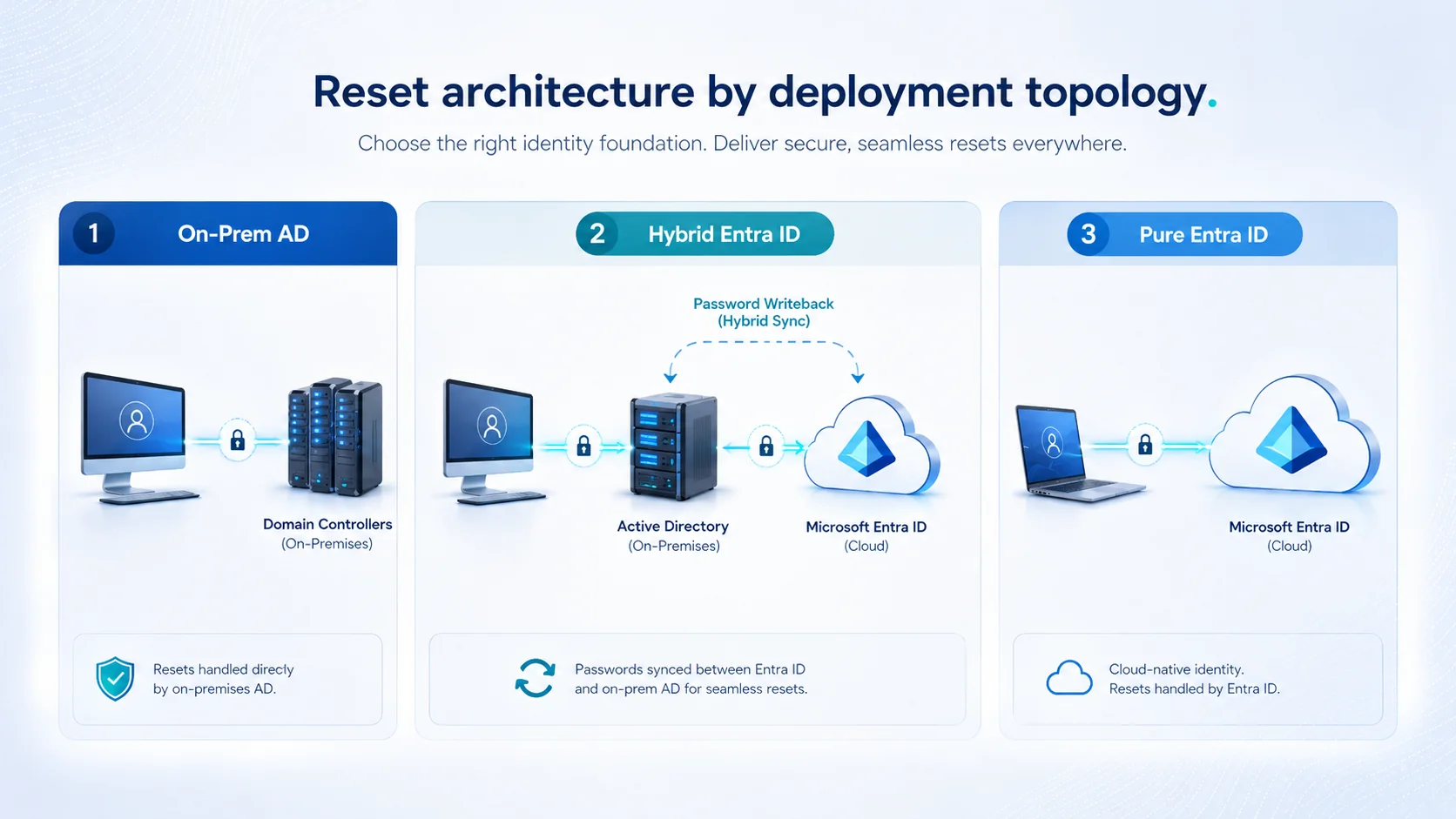 Hybrid AD passwordless requires configuration completeness. Password Writeback direction, WHfB certificate trust on both directory sides, and Conditional Access policy scope all matter — missing any of the four produces partial-coverage failure patterns.
Composition with the broader FIDO2 ecosystem
WHfB is the Microsoft-stack passwordless factor, but comprehensive enterprise passwordless authentication composes WHfB with the broader FIDO2 ecosystem.
Composition 1: WHfB as the universal baseline. Every managed Windows workstation has WHfB enrolled. Users authenticate via biometric or PIN with TPM-attested cryptographic assertion. This is the primary Windows and Microsoft cloud application authentication path for the majority of the workforce.
Composition 2: FIDO2 security keys for step-up on privileged workflows. Administrative access to Entra ID, privileged operations in Microsoft 365, changes to Conditional Access policies, and other high-privilege operations require hardware FIDO2 key presentation in addition to the base WHfB authentication. YubiKey, Feitian, Google Titan, and other FIDO2-certified keys work with the Microsoft stack. The Hardware FIDO2 vs Passkeys piece covers the credential-class comparison and the step-up architecture depth.
Composition 3: Platform authenticators on mobile devices for cross-platform access. iOS Face ID / Touch ID and Android biometric via FIDO2/WebAuthn authenticate to Microsoft cloud applications from mobile devices. The Biometric Authentication Mobile Devices piece covers the mobile biometric architecture that composes cleanly with Entra ID federation.
Composition 4: Deviceless card authentication via Identity Challenge Card for smartphone-unavailable segments. Healthcare bedside clinicians, manufacturing floor operators, contact center shared workstations, and defense classified environments where WHfB on personal-device biometric isn't operationally available authenticate via the Identity Challenge Card. The card carries a printed challenge grid; the host names a coordinate, the user reads back the answer and confirms with a PIN; no reader and no smartphone dependency.
All four compositions integrate through Entra ID as the identity broker. The result is uniform phishing-resistant workforce authentication across the Microsoft estate with credential-class differentiation appropriate to workforce segment and operation risk.
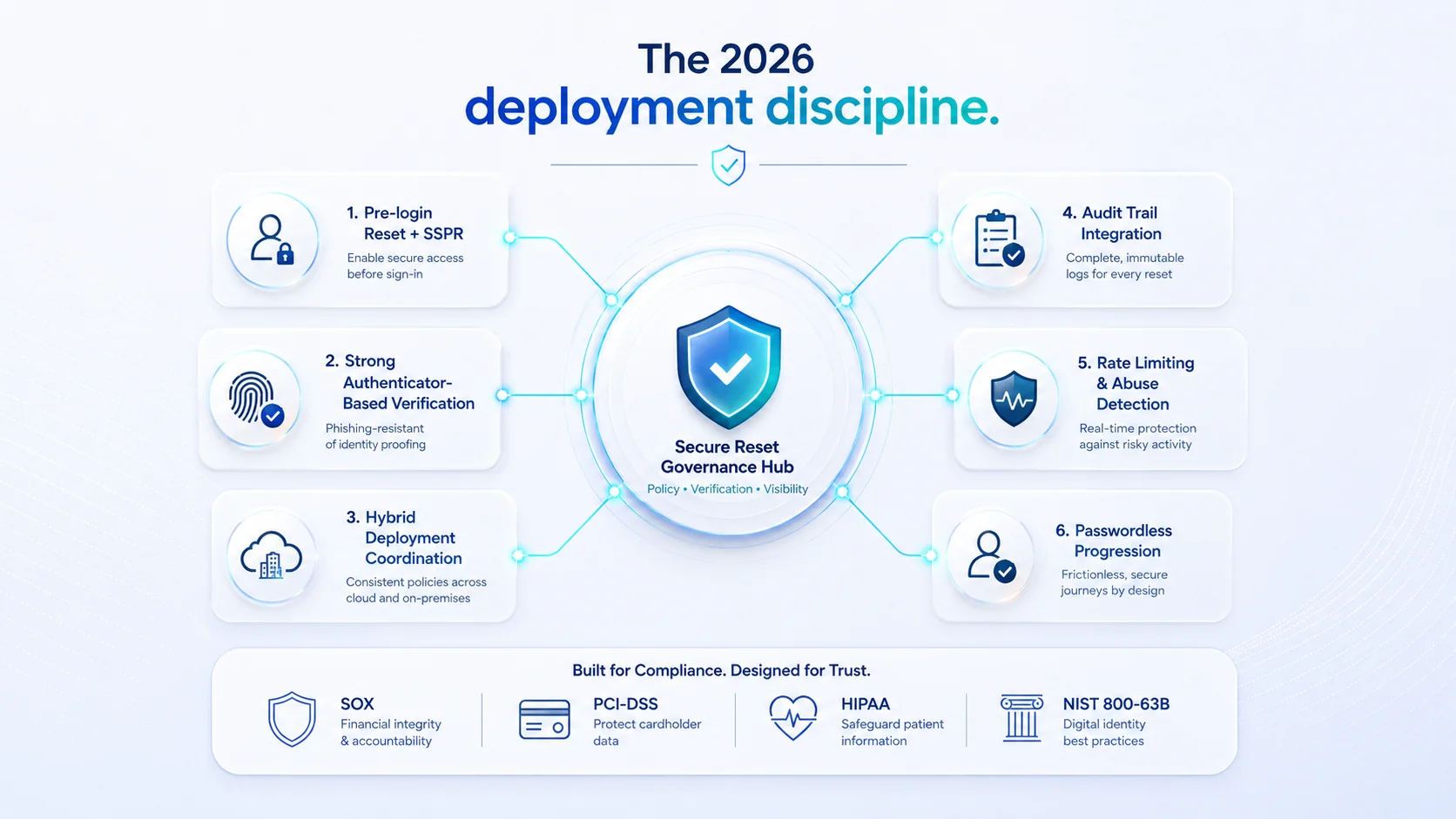 Four compositions integrating through Entra ID. WHfB is the Microsoft-stack baseline; FIDO2 hardware keys provide privileged step-up; platform mobile authenticators cover cross-platform access; deviceless FIDO2 covers smartphone-unavailable segments Microsoft's baseline doesn't reach.
The deployment discipline
Six discipline elements produce audit-defensible Microsoft-enterprise passwordless deployment.
Element 1: WHfB as the primary Windows authentication factor for all managed workstations. Not a subset — all managed workstations. Partial WHfB deployment leaves password fallback paths that undermine the phishing-resistant guarantee.
Element 2: Entra ID as the identity broker for cloud application federation. SAML 2.0 and OIDC federation to the SaaS estate consumed through Entra ID's federation surface. Direct SaaS-application authentication bypasses the passwordless architecture.
Element 3: FIDO2 hardware keys for step-up on privileged workflows. Privileged operations require hardware key presentation on top of WHfB. This produces AAL3-adjacent assurance for the specific workflows that require it.
Element 4: Deviceless FIDO2 for smartphone-unavailable workforce segments. Identity Challenge Card or equivalent for healthcare bedside, manufacturing floor, contact center shared workstations, defense classified environments.
Element 5: Hybrid AD configuration completeness. Password Writeback enabled. WHfB certificate trust configured on both on-premises AD and Entra ID sides. Conditional Access policy enforcing WHfB coverage.
Element 6: Documented enrollment ceremonies. Strong secondary-factor verification at enrollment. TPM attestation validation. Audit trail integration. Revocation workflow.
The 2026 reference path
Deploy WHfB as the universal Windows authentication factor. Every managed workstation has WHfB enrolled. Autopilot enrollment for new devices; self-service enrollment for existing; guided enrollment for privileged users.
Configure Entra ID as the identity broker. SAML and OIDC federation to the SaaS estate; Conditional Access policies enforcing WHfB coverage; HRIS-driven lifecycle propagating through Entra ID from the enterprise IAM platform.
Compose FIDO2 hardware keys for step-up. Privileged operations require hardware key presentation on top of WHfB.
Deploy deviceless FIDO2 for smartphone-unavailable segments. Identity Challenge Card for the workforce segments where WHfB on personal-device biometric isn't operationally available.
Handle hybrid AD deployment completeness. Azure AD Connect for identity sync. Password Writeback for cloud-initiated changes. WHfB certificate trust on both directory sides. Conditional Access policy enforcing WHfB coverage.
Document enrollment ceremonies. Strong secondary-factor verification. TPM attestation validation. Audit trail integration. Revocation workflow.
Point auditors at the Trust Center for Avatier's own posture. The Avatier Trust Center with the SecurityScorecard grade view — SOC 2 Type II with zero exceptions, ISO/IEC 27001:2022, PCI DSS v4.0.1, CSA STAR Level 1, NIST 800-53 Rev. 5 aligned, CISA Secure-by-Design Pledge signatory.
About the author

More from Passwordless

Magic Link Authentication: How Passwordless Email Sign-In Works in 2026
A magic link replaces the password with a one-time link emailed to the user — click it and you are signed in. The 2026 reference on how the flow works, its real strengths and its structural limits, why the inbox becomes the key, and how magic links compare with passkeys.
Passwordless Authentication in Healthcare: The HIPAA Case (2026)
Passwordless authentication doesn't earn HIPAA certification — HIPAA doesn't certify vendors — but it directly strengthens the §164.312 access-control safeguards clinical IT teams are graded on.
Windows Hello Limitations 2026: Where It Works and Where It Stops
Windows Hello does one thing extremely well — it produces a strong, TPM-bound, biometric or PIN sign-in on the specific Windows device a user enrolled on. The limitations show up the moment authentication needs to leave that device: shared and kiosk workstations, roaming across machines, cross-platform access, and the per-device enrollment burden. The 2026 practitioner reference on how Windows Hello actually works, exactly where its device-bound model falls short, and the FIDO2 and passkey patterns that extend it to the endpoints Hello was never designed to cover.