Magic Link Authentication: How Passwordless Email Sign-In Works in 2026
A magic link replaces the password with a one-time link emailed to the user — click it and you are signed in. The 2026 reference on how the flow works, its real strengths and its structural limits, why the inbox becomes the key, and how magic links compare with passkeys.
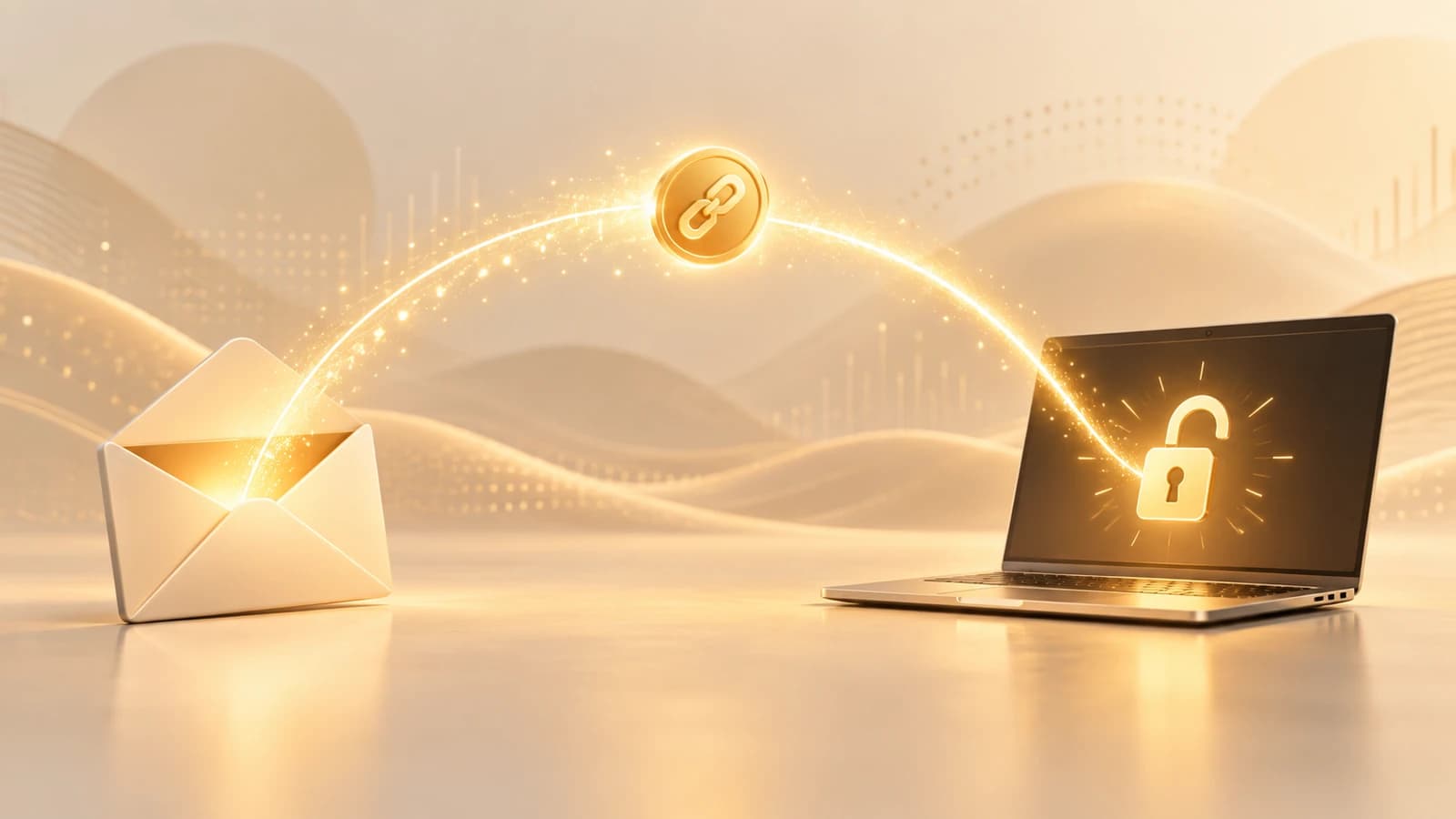
A magic link replaces the password with a one-time link emailed to the user — click it and you are signed in. The 2026 reference on how the flow works, its real strengths and its structural limits, why the inbox becomes the key, and how magic links compare with passkeys.
- A magic link is a passwordless sign-in method: the user enters an email address, the service emails a single-use link containing a short-lived token, and clicking it completes authentication with no password ever typed or stored.
- Its strengths are genuine — nothing to remember, nothing reusable to steal from your database, and a low-friction flow that reuses an inbox the user already has — which is why it spread first through consumer and low-assurance sign-in.
- Its defining limitation is that the inbox becomes the key: whoever controls the email account controls the login, so a magic link is only ever as strong as the security of the mailbox it is delivered to.
- Magic links are phishable — a link is a bearer token that works for anyone who holds it, so it can be forwarded, intercepted, or lured out of a user by an attacker in a way that a device-bound credential cannot.
- Passkeys are the phishing-resistant successor: cryptographically bound to the origin and to the user's device, they cannot be relayed or replayed, which is why magic links suit low-to-moderate assurance while passkeys carry the high-assurance workforce logins.
Magic link authentication does something that still feels a little like sleight of hand the first time you use it: you type your email address, you check your inbox, you click a link, and you are signed in. There was no password to type, none to remember, and none stored anywhere for an attacker to steal. For a method that removes the single most exploited credential in the enterprise — the reusable password — that simplicity is not a trick at all. It is the point.
But simplicity on the surface always sits on top of a set of assumptions underneath, and magic links are no exception. The convenience the user feels is bought by relocating trust from something the user knows to something the user can access — specifically, their email. That relocation is the whole story of magic links: what it makes better, what it makes worse, and where it belongs in an authentication strategy that also has to account for targeted, phishing-driven attackers. This piece is the 2026 reference on how magic link authentication works, an honest accounting of its strengths and its limits, and a clear comparison with passkeys so you can place each where it belongs.
How a magic link actually logs you in
Underneath the one-click experience, a magic link is a small, well-defined protocol built around a single-use token. Walking through it step by step is the fastest way to see both why it is convenient and where its security actually lives.
It begins when the user enters their email address on the sign-in screen. There is no password field to fill, which is already the first user-experience win — nothing to recall, nothing to type wrong, nothing to reset. The service takes that email address and looks up whether an account exists for it, though well-designed flows are careful not to reveal that answer directly, responding identically whether or not the address is registered so that the login screen cannot be used to enumerate valid accounts.
Next, the service generates the credential that will do the real work: a cryptographically random, single-use token. This token is the entire secret. It is not derived from anything the user knows; it is freshly minted for this one login attempt. The service stores a record of it — the token value (typically hashed, not in the clear), the account it belongs to, a short expiry window, and a used-or-not flag — and then constructs a URL that embeds the token, usually as a path segment or query parameter pointing at a verification endpoint.
That URL is emailed to the address on file. The email is the delivery channel, and this is the moment the inbox quietly becomes the key: from here on, whoever can read that message can complete the login. The user opens their inbox, sees the sign-in email, and clicks the link. Their browser sends the token back to the service's verification endpoint.
The service now performs the checks that make the whole thing safe or unsafe depending on how carefully they are done. It looks up the token, confirms that it exists, that it has not already been used, and that it has not expired. If all three hold, it immediately invalidates the token — marking it used so that the same link can never be replayed even seconds later — and establishes an authenticated session, typically by issuing a session cookie or an access and refresh token pair. The user lands on the application, signed in, having never touched a password.
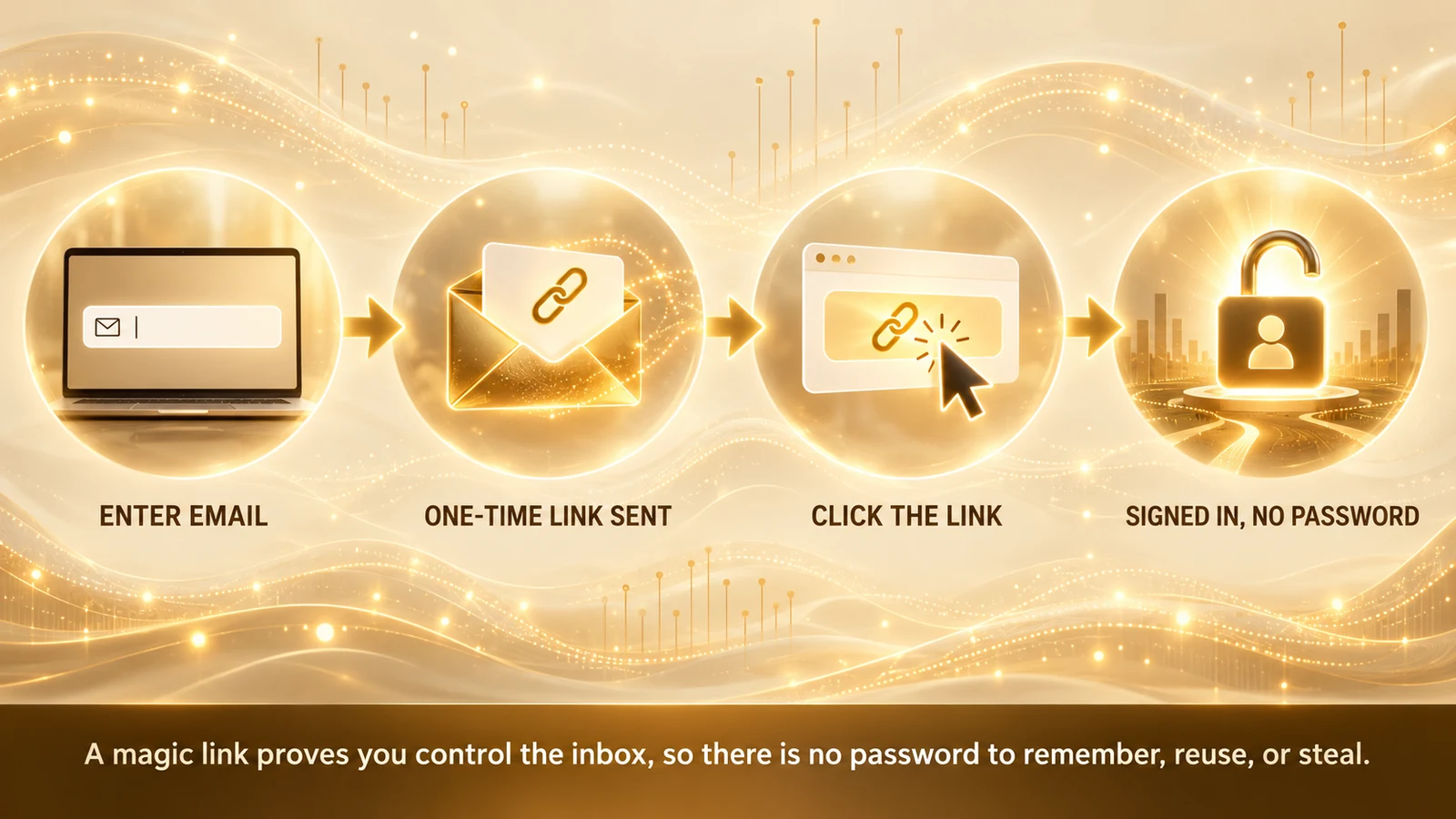
Three properties of that token carry the entire security burden, and each maps to a specific failure if it is neglected. The token must be long and cryptographically random, so it cannot be guessed or brute-forced; a predictable or short token turns the login into a lottery an attacker can win. It must be single-use, so that a link captured after the fact — in a mail archive, a proxy log, or a forwarded message — cannot be replayed into a fresh session. And it must be short-lived, so that the window in which a stolen or intercepted link is useful stays small; a link that stays valid for days is a standing liability sitting in an inbox. Get those three right and the token itself is sound. What you cannot fix at the token layer is the channel it travels through, and that is where the trade-offs begin.
The strengths and the limits of magic links
It is tempting to treat magic links as either a clever modern convenience or a security shortcut, but neither caricature is accurate. They make some things genuinely better than passwords and some things quietly worse, and using them well means being precise about which is which.
Start with the strengths, because they are real and they explain why the method spread. The most obvious is that there is nothing for the user to remember. The password is the credential users are worst at handling — they reuse it, they choose weak ones, they forget it and flood the help desk with resets — and a magic link removes it entirely from the user's side of the equation. That is not a small ergonomic nicety; password reuse is the fuel for credential stuffing, and a login that has no password to reuse simply cannot feed that attack.
The second strength is on the defender's side of the wire: there is no reusable password stored in your system to steal. A breach of a password database, even a well-hashed one, hands an attacker material to crack and replay elsewhere. A magic link system stores only short-lived, single-use tokens that are worthless the moment they expire or are used. There is no standing secret sitting in the datastore waiting to be exfiltrated. That materially shrinks the blast radius of a database compromise for the authentication surface.
The third strength is friction, and it cuts two ways in the enterprise. For the user, the flow is short and familiar — everyone already knows how to check email and click a link, so there is little to teach and little to get wrong. For the organization, magic links reuse an identity the user already has (their mailbox) rather than provisioning a new secret, which makes them especially attractive for onboarding, first-time access, and infrequent logins where standing up a full credential would be heavy. Because the method also verifies control of the email address as a side effect, it folds sign-in and address verification into one step.
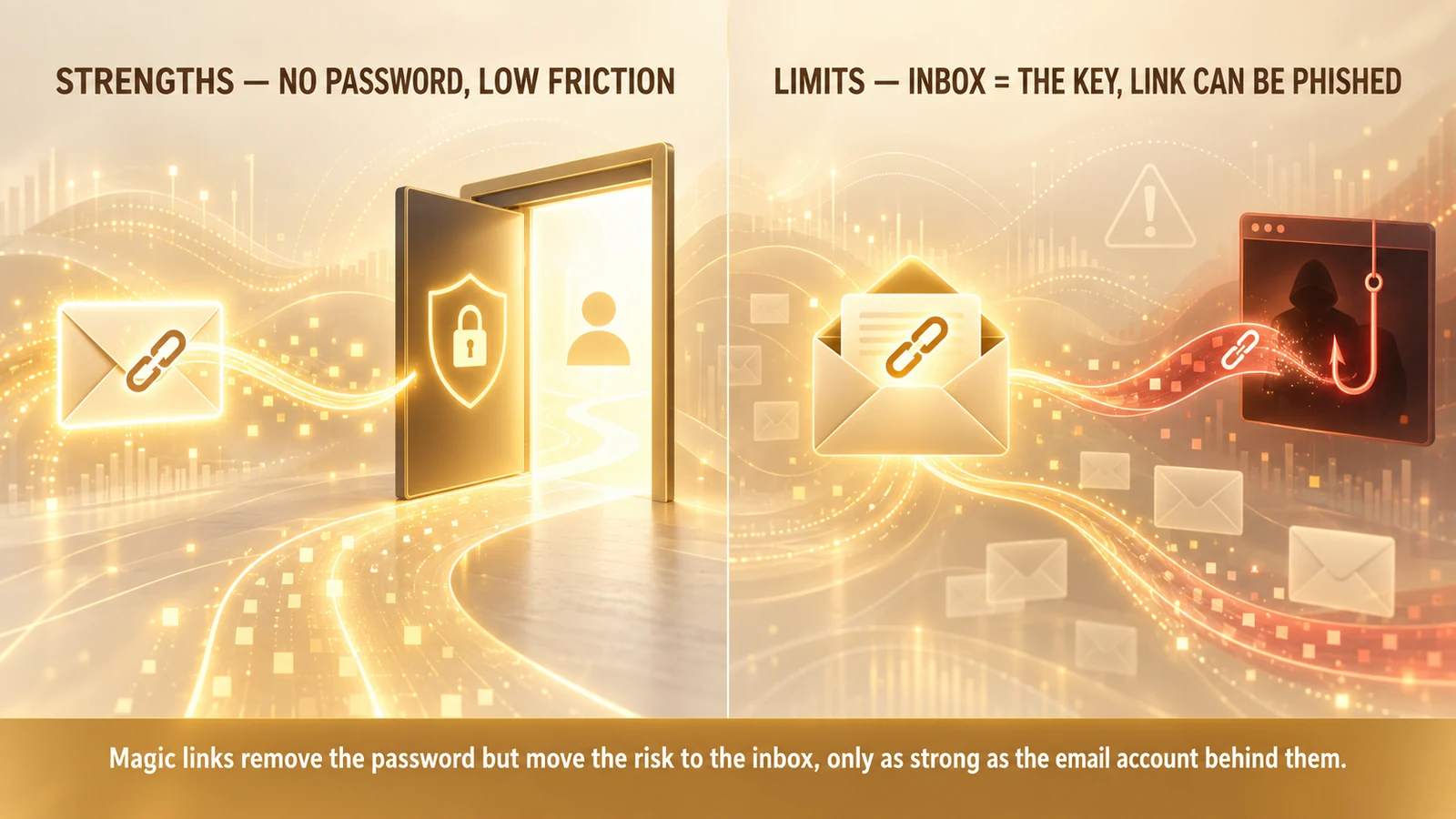
Now the limits, which are structural rather than implementation bugs — you cannot engineer them away by writing the token code more carefully. The first and most important is the one the strengths quietly created: the inbox becomes the key. A magic link authenticates whoever can read the email, which means the security of the login is exactly the security of the mailbox, no more. If the user's email account is protected only by a weak, reused password and no strong second factor, then every service that trusts a magic link to that address inherits that weakness. An attacker who takes over the inbox can request and click sign-in links across all of them. This also creates a circular-dependency trap: if an application's account recovery also flows back to email — as it very often does — then the mailbox is simultaneously the primary credential and the recovery path, concentrating all trust in one place that may be less well defended than the application itself.
The second structural limit is that a magic link is phishable, because it is a bearer token. A bearer token authenticates whoever presents it, with no binding to who requested it or where it is used. That opens several avenues that a device-bound credential closes. An attacker can socially engineer a user into initiating a login and forwarding the resulting email or link. An attacker running a real-time proxy — a look-alike page that relays the victim's login request to the genuine service and captures the returned session — can complete the flow without ever needing to see the link at all, since the user does the clicking. And because the token carries no cryptographic tie to the legitimate site's origin, a link is just as valid in the attacker's browser as in the user's. This is the crucial contrast with phishing-resistant methods and the reason magic links should not be the sole control on high-value access; the same theme runs through MFA bypass techniques and how to defend against them.
There are also softer limits worth naming because they shape real deployments. Magic links depend on email deliverability and latency — a link caught in a spam filter or delayed by a slow mail server is a failed login the user experiences as the product being broken. They add a context switch, pulling the user out of the app and into their inbox mid-flow, which is minor for occasional logins and grating for frequent ones. And links that persist in mail archives, forwarded threads, or shared mailboxes can linger as small exposures if expiry and single-use invalidation are not tight. None of these is fatal, but together they define the envelope inside which magic links are the right tool.
Magic links versus passkeys
The most useful comparison for placing magic links correctly is against passkeys, because both are passwordless and it is easy to assume they are interchangeable. They are not. They rest on fundamentally different foundations, and that foundation is what determines their resistance to the attacks that matter most.
A magic link, as we have seen, is a shared secret delivered over a channel. The token is generated by the service, transmitted to the user through email, and presented back by whoever holds it. Its trust model is possession of an inbox: the method assumes that only the legitimate user can read mail at that address, and everything follows from that assumption. Because the secret travels and because it authenticates any bearer, it is phishable and its strength is capped by the mailbox.
A passkey inverts almost every one of those properties. Built on the FIDO2 and WebAuthn standards, a passkey is a public-private key pair created on the user's device. The private key never leaves the device — it is not transmitted, not emailed, not stored on the server. Authentication works by challenge and response: the service sends a random challenge, the device signs it with the private key after the user approves with a biometric or PIN, and the service verifies the signature against the public key it holds. Nothing reusable crosses the wire, and there is no bearer token an attacker can capture and present.
The property that most sharply separates them is origin binding. A passkey is cryptographically bound to the specific web origin it was created for. The browser and authenticator together enforce that a passkey for your real domain simply will not respond to a request coming from a look-alike phishing domain — the signature is scoped to the origin, so a relayed or proxied request from the wrong origin fails at the cryptographic layer, not merely at a warning the user might ignore. A magic link has no equivalent binding; the token does not know or care which site it is being submitted to, so a proxy or a forwarded link works exactly as well for the attacker as for the user. This is the entire difference between phishing-resistant and phishable, and it is not a matter of degree.
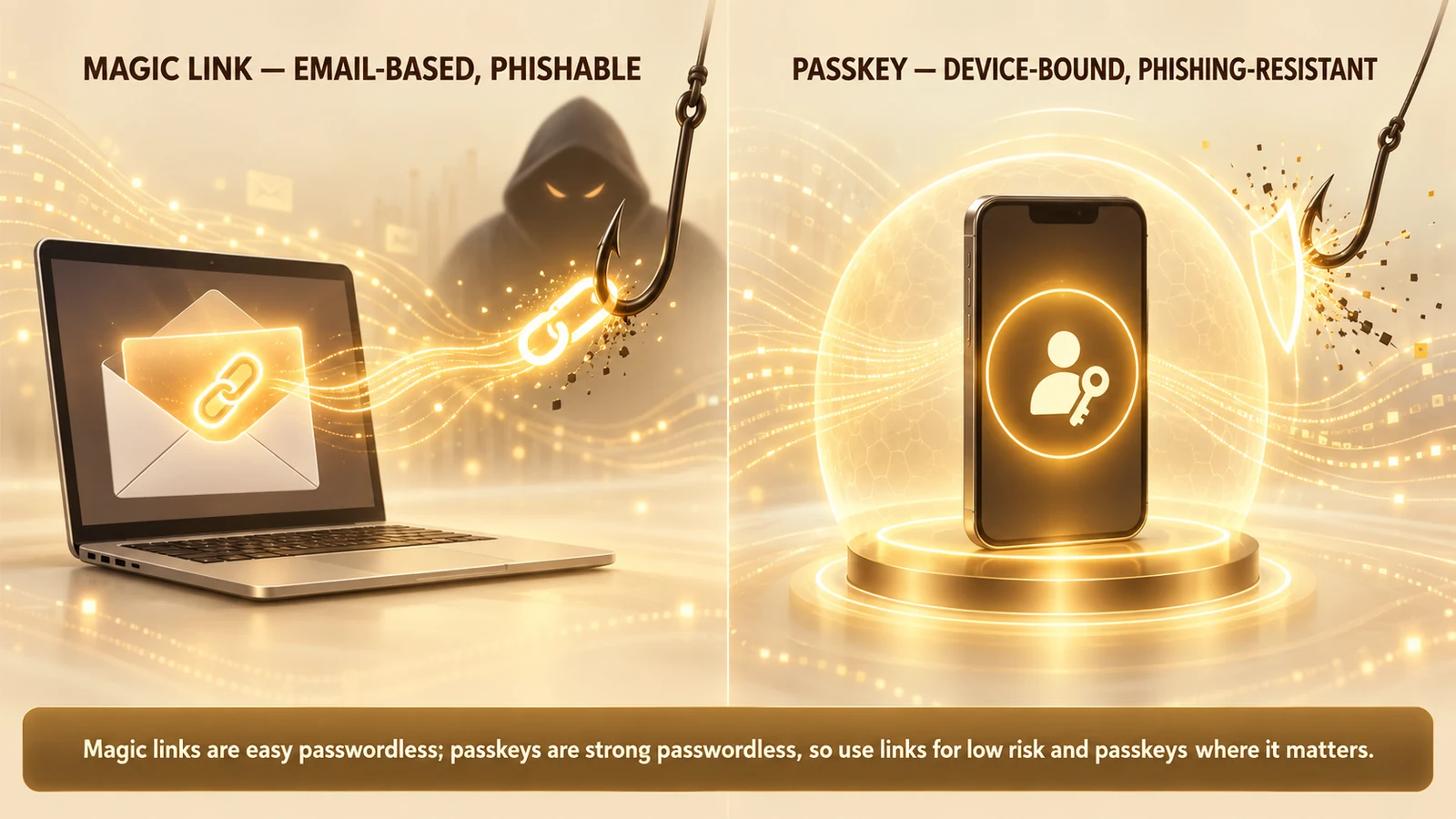
There are practical trade-offs that keep both in the picture rather than making passkeys a universal replacement. Passkeys require a capable device and, historically, more enrollment effort — the user has to create the credential on a device and, for cross-device use, rely on syncing or add multiple devices. Magic links require nothing but an email address the user already has, which is why they remain attractive for first contact, consumer contexts, and populations where device-based enrollment is a barrier. Passkeys deliver far stronger security at a modestly higher setup cost; magic links deliver lower friction at a real security ceiling. The honest framing is not "which is better" but "which assurance level does this access require," and the two answers frequently point at different methods for different logins in the same organization. For the deeper mechanics of passkey rollout, the passkey deployment playbook for enterprises and the comparison of hardware FIDO2 keys versus passkeys go further than there is room for here.
The most productive way to hold the two together is as complements on an assurance spectrum rather than rivals for the same slot. A magic link can get a new user in the door and verify their address; a passkey can then carry every subsequent, higher-stakes login. Used that way, the phishable method never has to bear weight it cannot support, and the phishing-resistant method never gets in the way of the moment where friction would cost you the user entirely.
When to use magic links, and how to use them well
The practical question is not whether magic links are good or bad but where they earn their place, and the answer follows directly from their trade-offs. Reach for a magic link when reducing friction and eliminating passwords matters more than withstanding a determined, targeted attacker — and reach for something phishing-resistant when it is the other way around.
That makes several use cases a natural fit. Consumer and low-assurance sign-in, where a forgotten password would otherwise drive resets and abandonment, benefits from a login with nothing to remember. First-time onboarding is an especially strong fit: a magic link verifies the user's email and gets them into the product in one motion, before any heavier credential is set up. Infrequent or long-tail logins — the service a user touches a few times a year — are precisely where passwords rot into reset requests, and a magic link sidesteps that entirely. And because clicking the link proves control of the address, magic links serve neatly as combined email-verification-and-sign-in.
The scenarios to avoid are the mirror image. Administrative accounts, privileged systems, access to sensitive data, and high-assurance workforce logins should not depend on a magic link as their sole control, because those are exactly the targets where a determined attacker will invest in phishing, proxying, or mailbox compromise. For that tier, a phishing-resistant method — a passkey or a hardware security key — is the appropriate standard, a point developed across the best passwordless authentication solutions and phishing-resistant MFA for the enterprise.
Where magic links are the right tool, a handful of practices keep them as safe as the method allows. Make tokens long and cryptographically random, and store them hashed rather than in the clear so a datastore leak does not hand over usable links. Keep expiry windows short — minutes, not hours or days — so an intercepted link ages out fast. Enforce strict single use, invalidating the token the instant it is redeemed so it can never be replayed. Bind the redemption to the request where practical, so that a link is expected to be opened in the same context that requested it, which blunts casual forwarding. Rate-limit link requests to stop an attacker from flooding an inbox or probing for valid accounts, and keep responses identical for known and unknown addresses so the flow does not leak which accounts exist. Watch for the anomalies that signal abuse — bursts of link requests, redemptions from unexpected locations or devices — and feed them into adaptive, risk-based authentication so a suspicious magic-link login can be challenged or stepped up rather than trusted blindly.
Above all, treat the magic link as a bootstrap wherever the access will ever matter. Use it to verify the address and get the user in the door, then immediately enroll a passkey or other strong factor for subsequent logins. That pattern captures the low-friction benefit at the moment it counts most — first contact — without permanently anchoring the account to the phishable, inbox-dependent channel. And do not forget the mailbox itself: because a magic link is only ever as strong as the email account it is sent to, encouraging or requiring strong protection on that mailbox is part of securing every service that trusts it.
The bottom line
Magic links are a genuine improvement on passwords, and the improvement is not marketing. They delete the reusable secret that users mishandle and attackers harvest, they leave nothing durable in your datastore to steal, and they turn sign-in into a single familiar click. For a large class of logins — consumer access, onboarding, infrequent visits, email verification — that is exactly the right trade, and dismissing magic links as insecure misses how much better than a weak, reused password they actually are.
But the same design that makes them convenient also relocates trust into the inbox and leaves the credential phishable, and no amount of careful token engineering changes those two facts. A magic link is a bearer token delivered over email; it is only as strong as the mailbox it lands in, and it carries no binding to the site it signs you into. That is why it is the wrong sole control for the accounts an attacker is most motivated to take. The clean resolution is not to pick a side but to match the method to the assurance the access requires: let magic links carry the low-to-moderate tier and the first-contact moment, let passkeys and other phishing-resistant credentials carry the high-value logins, and use the easy method as a bootstrap into the strong one rather than a substitute for it. Placed that way, each does what it is good at, and neither is asked to hold weight it was never built to bear.
About the author

More from Passwordless

Passwordless Authentication in Healthcare: The HIPAA Case (2026)
Passwordless authentication doesn't earn HIPAA certification — HIPAA doesn't certify vendors — but it directly strengthens the §164.312 access-control safeguards clinical IT teams are graded on.
Windows Hello Limitations 2026: Where It Works and Where It Stops
Windows Hello does one thing extremely well — it produces a strong, TPM-bound, biometric or PIN sign-in on the specific Windows device a user enrolled on. The limitations show up the moment authentication needs to leave that device: shared and kiosk workstations, roaming across machines, cross-platform access, and the per-device enrollment burden. The 2026 practitioner reference on how Windows Hello actually works, exactly where its device-bound model falls short, and the FIDO2 and passkey patterns that extend it to the endpoints Hello was never designed to cover.
Passwordless Implementation Step-by-Step: The 2026 Enterprise Deployment Playbook
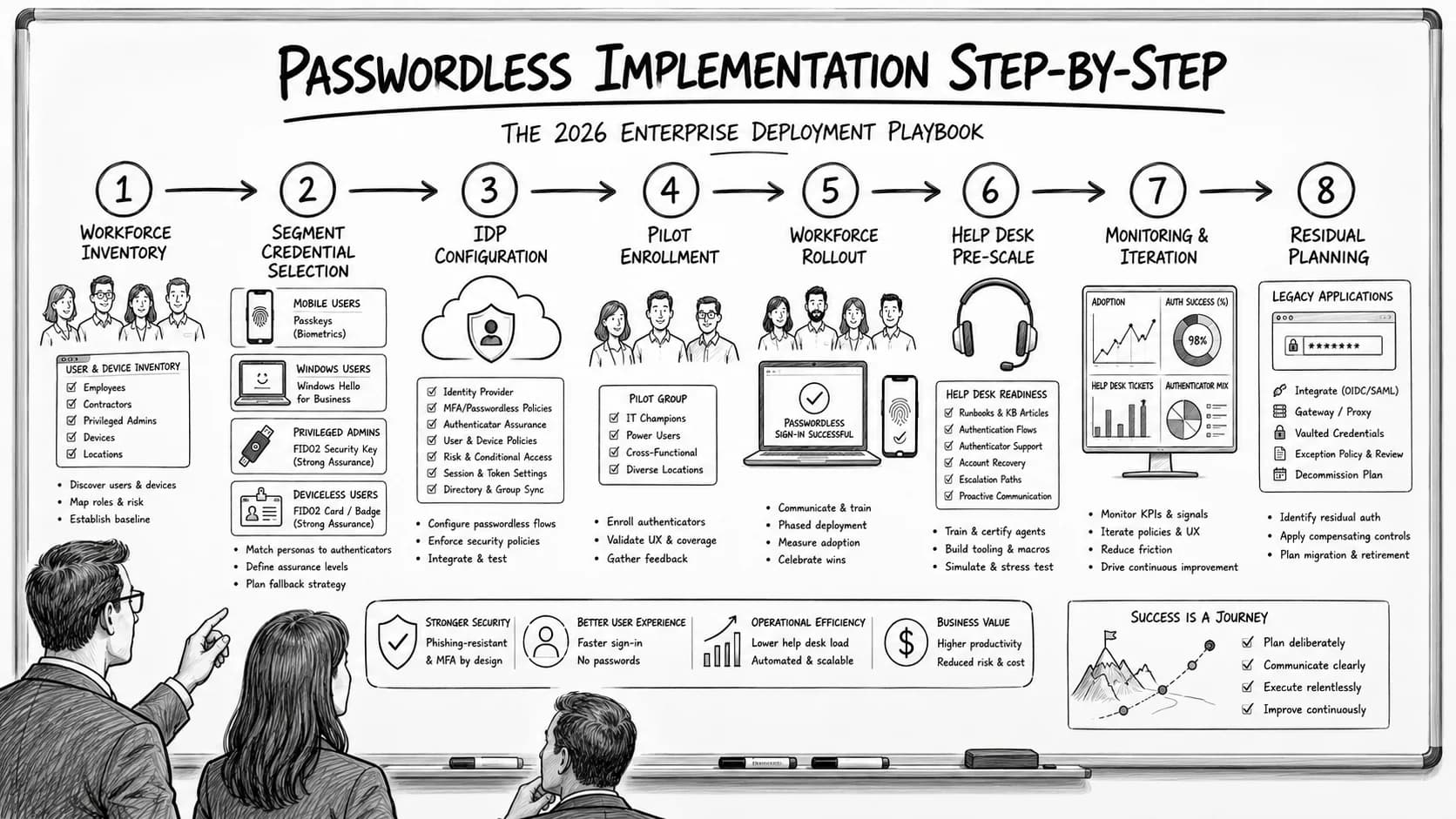
Enterprise passwordless implementation runs on a specific eight-step deployment sequence — workforce inventory, credential-class selection per segment, IdP configuration, pilot enrollment, workforce rollout with change management, help desk pre-scaling, monitoring and iteration, and passwordless-fallback residual planning. The 2026 enterprise reference on the step-by-step deployment playbook, the go/no-go criteria at each phase gate, and the discipline that produces successful passwordless rollout at workforce scale.