Windows Hello Limitations 2026: Where It Works and Where It Stops
Windows Hello does one thing extremely well — it produces a strong, TPM-bound, biometric or PIN sign-in on the specific Windows device a user enrolled on. The limitations show up the moment authentication needs to leave that device: shared and kiosk workstations, roaming across machines, cross-platform access, and the per-device enrollment burden. The 2026 practitioner reference on how Windows Hello actually works, exactly where its device-bound model falls short, and the FIDO2 and passkey patterns that extend it to the endpoints Hello was never designed to cover.
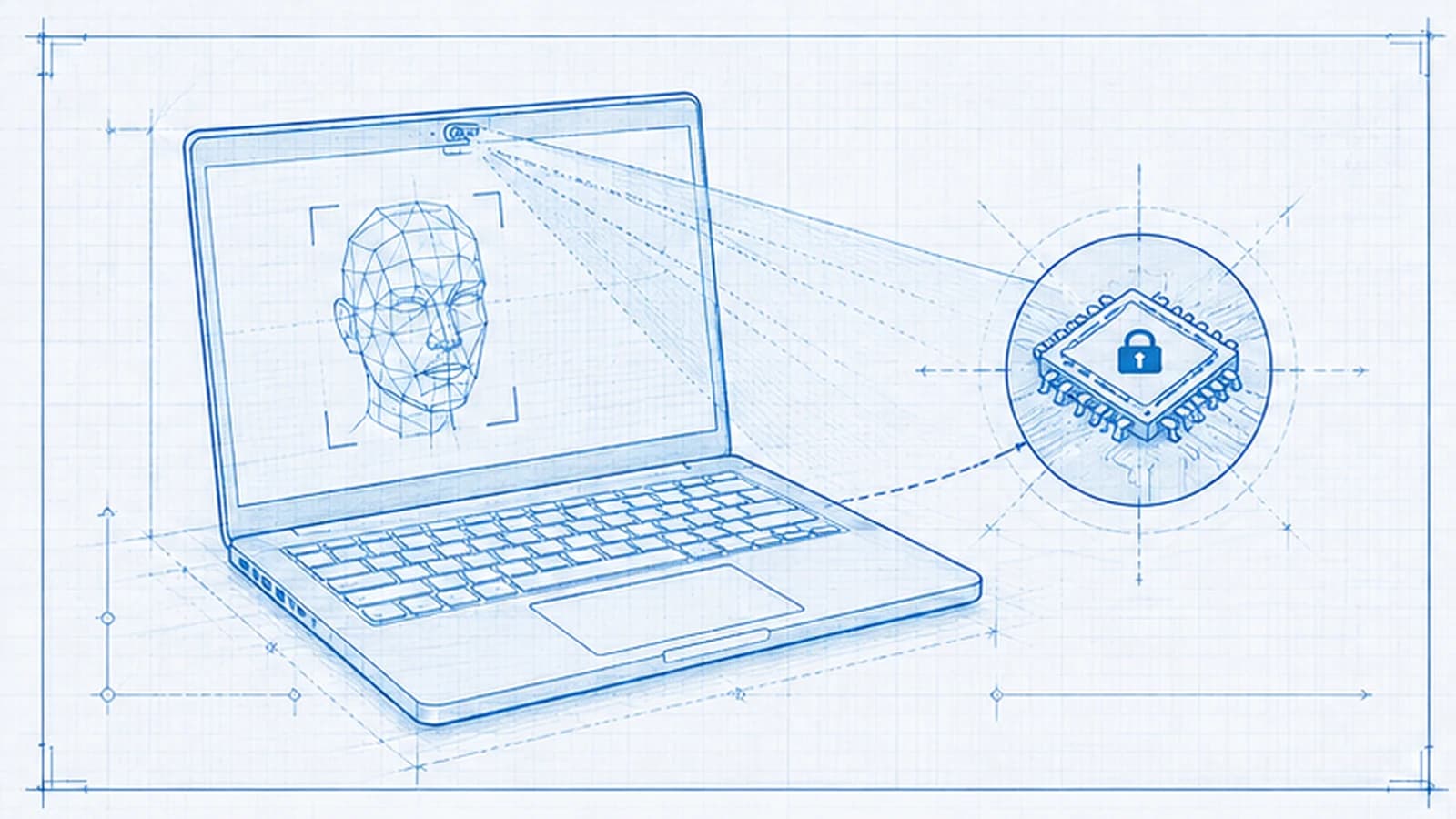
Windows Hello does one thing extremely well — it produces a strong, TPM-bound, biometric or PIN sign-in on the specific Windows device a user enrolled on. The limitations show up the moment authentication needs to leave that device: shared and kiosk workstations, roaming across machines, cross-platform access, and the per-device enrollment burden. The 2026 practitioner reference on how Windows Hello actually works, exactly where its device-bound model falls short, and the FIDO2 and passkey patterns that extend it to the endpoints Hello was never designed to cover.
- Windows Hello works by unlocking a private key held in the device's TPM with a local biometric match or PIN; that key signs a sign-in assertion. The biometric never leaves the device and the credential is bound to that one machine — which is exactly why it is strong on the device and limited off it.
- The core limitation is device-binding. A Windows Hello credential enrolled on one workstation cannot roam to another. Every device a user touches needs its own enrollment, and shared or kiosk machines — where many users pass through one endpoint — fit the model poorly.
- Windows Hello for Business narrows some gaps (enterprise policy, TPM attestation, IAM integration) but does not remove the device-bound constraint. Roaming, shared endpoints, and cross-platform access from macOS, Linux, iOS, and Android remain outside what Hello alone covers.
- The fix is not to replace Windows Hello — it is strong where it fits — but to extend it. Portable FIDO2 security keys, synced passkeys, and deviceless printed cards cover the shared, roaming, and cross-platform endpoints so authentication becomes identity-centric rather than tied to a single machine.
- The 2026 pattern: Windows Hello for Business as the primary factor on assigned managed Windows workstations; FIDO2 keys and passkeys for roaming and cross-platform; a deviceless card for shared and frontline endpoints — all governed through one identity platform so enrollment, revocation, and audit stay unified.
Windows Hello works by turning a local gesture into a cryptographic sign-in. When a user enrolls, the Windows device generates a key pair and stores the private key inside the device's TPM — a tamper-resistant hardware chip. The user's face, fingerprint, or PIN never leaves the machine and is never the credential itself; it is the local unlock that lets the TPM sign an authentication assertion with the stored private key. That design makes Windows Hello genuinely strong and phishing-resistant on the device where it is enrolled. It also defines exactly where it stops: the credential is bound to that one device's TPM and cannot roam, so the moment authentication needs to happen on a shared workstation, on a second machine, or on a non-Windows endpoint, Windows Hello alone no longer covers it. This is a device-bound authenticator doing device-bound work well — and an enterprise identity problem that is broader than a single device.
This is the 2026 practitioner reference on Windows Hello's limitations. It is a refresh and correction of an earlier Avatier post (windows-hello-limitations), rewritten to describe the mechanism accurately and to strip unsourced third-party figures. Below: how Windows Hello actually works, what Windows Hello for Business changes and what it does not, the four places the device-bound model falls short (shared endpoints, roaming, cross-platform, enrollment and recovery), and the FIDO2 and passkey patterns that extend authentication to the endpoints Windows Hello was never built to reach. Companion references cover adjacent layers — the Passwordless for Microsoft Enterprise reference on the WHfB deployment architecture, the Hardware FIDO2 Keys vs Passkeys reference on the portable credential classes, and the Best Passwordless Solutions buyer guide on the broader landscape.
How Windows Hello actually works
Understanding the limitations starts with understanding the mechanism, because the limitations are a direct consequence of how the mechanism is built — not bugs to be patched.
The flow has four stages. First, the local gesture. The user presents a biometric — facial recognition through an infrared camera, or a fingerprint through a capacitive sensor — or enters a PIN. Second, the local match. That biometric or PIN is verified locally, on the device, against a template that also lives only on the device. Nothing is sent to a server for matching; there is no central biometric database to breach. Third, the TPM-bound key. A successful local match unlocks a private key held in the device's Trusted Platform Module. The private key was generated on the device at enrollment and is designed never to leave the hardware — it cannot be exported or copied. Fourth, the sign-in assertion. The TPM uses that private key to sign an authentication assertion (a WebAuthn/FIDO2-style cryptographic challenge response), and the signed assertion is what authenticates the user to Windows and to integrated applications.
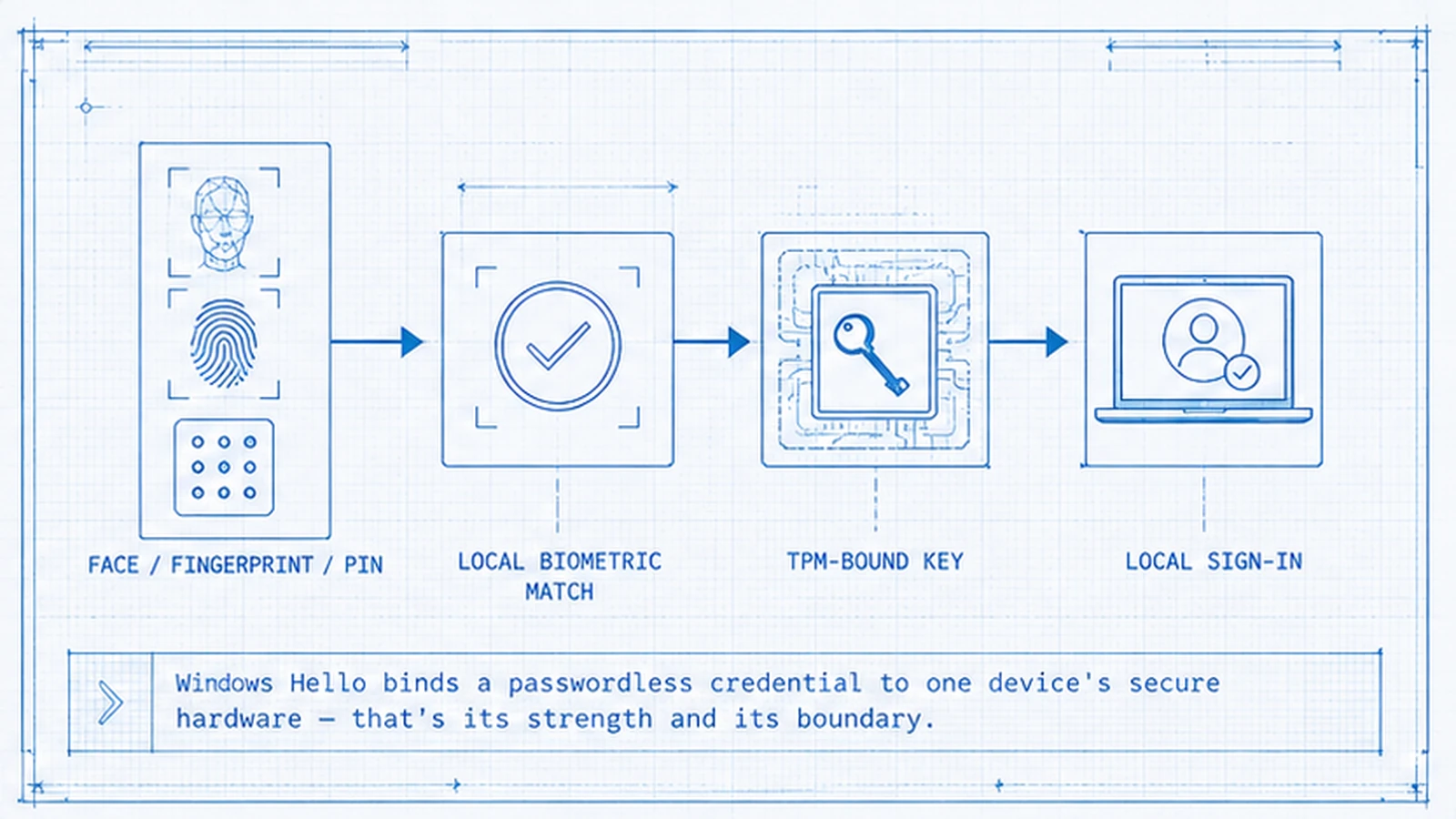 Windows Hello turns a local biometric or PIN gesture into a TPM-signed assertion. The private key never leaves the device — the source of both its strength and its device-bound limits.
Two properties fall out of this design, and both matter for the rest of the article. The credential is phishing-resistant: there is no shared secret to steal, replay, or trick a user into surrendering, because authentication is a cryptographic signature from hardware the attacker does not possess. And the credential is device-bound: because the private key lives in one specific TPM and cannot move, the credential exists only on the device where it was enrolled. The same property that makes Windows Hello hard to phish is the property that keeps it from following the user anywhere else.
What "strong on the device" actually buys you
It is worth being clear that Windows Hello's strengths are real, because the argument here is not that Windows Hello is weak. On an assigned, managed Windows workstation, Windows Hello is one of the better authentication experiences an enterprise can deploy.
The password is gone from the sign-in path, which removes the entire class of attacks that target passwords — credential phishing, password reuse, credential stuffing, and shoulder-surfing a typed secret. The authentication factor is bound to hardware the user already carries as part of their assigned workstation, so there is nothing extra to hand out for that primary device. The biometric never leaves the machine, so there is no central biometric store to become a breach target. And the sign-in is fast — a glance or a touch — which means users actually adopt it rather than routing around it.
For a one-user, one-assigned-device relationship, this is close to ideal. The trouble is that enterprise workforces are not uniformly one-user-one-device. A large share of real authentication events happen on machines that are shared, on second and third devices, and on platforms that are not Windows at all. That is the territory where the device-bound model's limits begin.
Limitation 1: shared and kiosk workstations
Windows Hello assumes a durable relationship between one user and one device. Shared and kiosk endpoints break that assumption structurally.
Consider the endpoints where this matters most: a nursing station used by everyone on a ward, a manufacturing-floor terminal touched by three shifts of operators, a retail point-of-sale, a contact-center desk in a hot-desking pool. On these machines, dozens of different people authenticate in a day, and the whole point is speed — a clinician needs the workstation now, not after an enrollment ceremony. Windows Hello can technically register multiple users on one device, but that means every user who might ever touch that endpoint has to enroll on it, the machine accumulates per-user enrollments, and rapid switching between many people mid-shift is simply not the workflow the model was designed around.
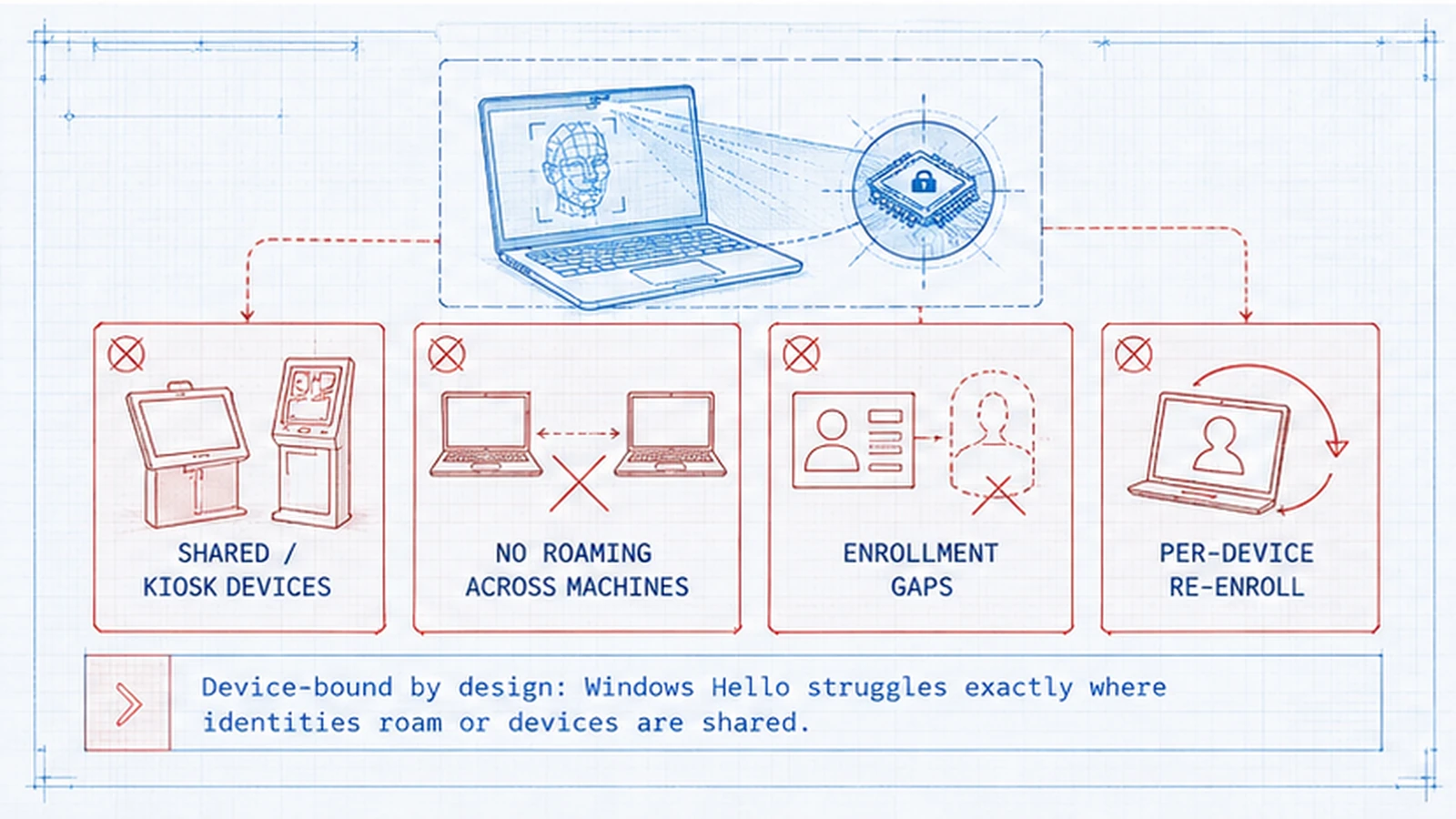 The four places the device-bound model falls short. Each is a direct consequence of binding the credential to one device's TPM.
The mismatch is not a security weakness — it is an ergonomics-and-model weakness. What shared endpoints actually need is a credential that travels with the person and authenticates them to whichever machine they walk up to, rather than a credential that binds each person to each machine. That is precisely what a portable FIDO2 security key or a deviceless printed card provides, and it is why shared-endpoint environments are the clearest case for extending beyond Windows Hello rather than stretching it.
Limitation 2: no credential roaming across devices
A Windows Hello credential cannot roam. The private key is bound to one device's TPM and cannot be exported, copied, or moved to another device — by design.
For a user with more than one device — a desktop and a laptop, a laptop and a tablet, an office machine and a home machine — this means Windows Hello is enrolled separately and independently on each one. There is no single Windows Hello credential that follows the user; there are N per-device credentials, each managed on its own device, each requiring its own enrollment and its own recovery if the device is lost. As the device count per user grows, so does the enrollment and lifecycle overhead.
This is the roaming gap, and it is where synced passkeys and portable hardware keys are complementary rather than competitive. A synced passkey lives in a cloud-replicated credential store and propagates across the user's device ecosystem, so one credential follows the user. A portable FIDO2 key travels in the user's pocket and plugs into whichever host they are using. Windows Hello deliberately does not do this — the non-roaming property is part of what makes it phishing-resistant — so the roaming need is met by adding a portable credential class alongside it, not by trying to make Windows Hello roam. The Hardware FIDO2 Keys vs Passkeys reference covers how those portable classes differ and where each fits.
Limitation 3: cross-platform access
Windows Hello is a Windows platform authenticator. It signs users into Windows and into applications through the Windows credential path, and it does not exist on macOS, Linux, iOS, or Android.
For a Windows-only fleet this is a non-issue. For the realistic modern enterprise — a mix of Windows laptops, Mac laptops, Linux workstations for engineering, and iOS and Android phones for everyone — it means Windows Hello cannot be the single workforce authentication method. A user on a MacBook is not presenting Windows Hello; a user approving access from a personal Android phone is not presenting Windows Hello. Each of those endpoints has its own platform authenticator (Touch ID and Face ID on Apple, biometric authenticators on Android), and those are FIDO2/WebAuthn authenticators, not Windows Hello.
The resolution is to standardize on the layer underneath. Windows Hello, Apple's platform authenticators, Android's biometric authenticators, portable FIDO2 keys, and synced passkeys all produce the same kind of phishing-resistant WebAuthn assertion. If the enterprise brokers all of them through one identity provider, then Windows Hello becomes the Windows-platform instance of a consistent cross-platform pattern rather than an island that only covers part of the fleet. The Biometric Authentication for Workforce MFA reference covers how these platform biometrics map to a single assurance model.
Limitation 4: enrollment and recovery at scale
The last limitation is operational rather than architectural, and it is the one that quietly consumes service-desk time. Because Windows Hello is per-device, every managed workstation carries an enrollment obligation and a recovery obligation.
Enrollment. The credential Windows Hello produces is only as trustworthy as the ceremony that created it. Enrollment that runs without strong secondary-factor verification, on an unattested or missing TPM, or with no audit trail, produces credentials that do not survive a review. Done well — Windows Autopilot provisioning during device setup, or supervised self-service enrollment with a strong secondary factor and an integrated audit log — enrollment is clean but still has to happen on every device, for every user, which is real fleet-scale work.
Recovery. When a device is lost, damaged, wiped, or reset, its Windows Hello credential is gone with it. The user cannot "restore" it — the private key was non-exportable — so they must re-enroll. If that re-enrollment runs as an ad-hoc help-desk reset, it becomes the soft spot an attacker targets, because the recovery path is often weaker than the credential it restores. The disciplined answer is a workflow-verified recovery process governed by identity lifecycle rather than a phone call to the help desk. The Passwordless Implementation reference walks the enrollment and recovery sequence step by step, and the temporary-credential recovery discipline is covered in our Temporary Password Best Practices piece on the credential-governance subdomain.
Extending Windows Hello: the FIDO2 and passkey patterns
None of the four limitations calls for replacing Windows Hello. Each calls for adding a credential class that covers the endpoint Windows Hello does not. The unifying idea is to move from device-centric authentication to identity-centric authentication, where the person is authenticated to whatever endpoint they are using.
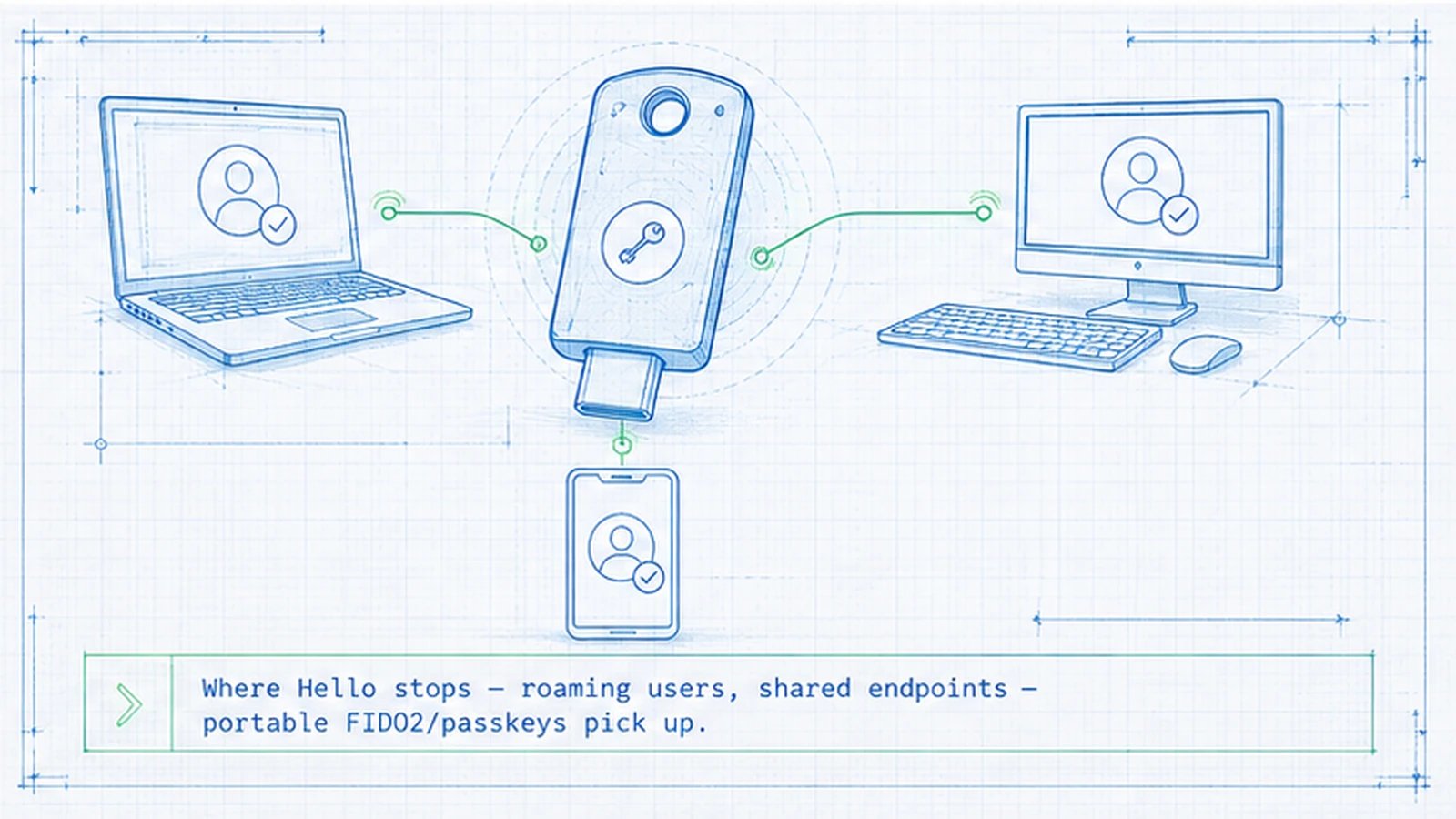 Windows Hello stays the primary factor on assigned Windows workstations. Portable and deviceless credential classes cover the roaming, cross-platform, and shared endpoints beyond it.
The three extending patterns map cleanly onto the limitations. Portable FIDO2 security keys — dedicated hardware tokens the user carries — solve roaming and cross-platform in one move: the key plugs into any host, Windows or not, and authenticates the user there. They are the natural fit for privileged operators and anyone who moves between machines. Synced passkeys live in a cloud-replicated credential manager and propagate across the user's device ecosystem, so one credential follows a multi-device user across their laptop, tablet, and phone — directly addressing the roaming gap for the broad distributed workforce. Deviceless printed cards cover the endpoints where neither Windows Hello nor a personal device fits: shared and kiosk workstations where the user needs to authenticate to a machine they do not own and may never enroll on. The card travels with the person and authenticates them at a reader, which is exactly the shared-endpoint pattern Windows Hello cannot serve.
All three are WebAuthn/FIDO2 authenticators, the same standard underneath Windows Hello. That is what makes them additive rather than a parallel system: brokered through one identity provider, Windows Hello and its three extensions all produce the same phishing-resistant assertion, and the enterprise ends up with one authentication model that happens to use the right credential class per endpoint. The Best Passwordless Solutions buyer guide surveys these classes across vendors.
What Avatier ships toward this pattern
Avatier Identity Anywhere treats Windows Hello for Business as one credential class inside a unified identity envelope rather than the entire authentication strategy — which is the correct altitude, because the enterprise authentication problem is broader than any single device authenticator.
In practice that means Windows Hello for Business serves as the primary factor on assigned, managed Windows workstations, where its strengths are real and its limitations do not bite. FIDO2-compatible hardware keys and synced passkeys cover the roaming and cross-platform segments — users with multiple devices, Mac and Linux endpoints, and personal phones. And the Identity Challenge Card provides deviceless authentication for the shared, kiosk, and frontline endpoints that are the clearest gap in the Windows Hello model — healthcare bedside, manufacturing floor, contact-center desks, and defense environments where a per-device biometric enrollment simply is not operationally available.
The point of putting these under one platform is not the credential mix itself but the governance around it. Enrollment ceremonies, revocation on departure, recovery workflow, and audit trail are handled once, across every credential class, through identity lifecycle — so extending beyond Windows Hello does not fragment into four disconnected enrollment systems. The Avatier Trust Center publishes our compliance posture: SOC 2 Type II with zero exceptions, ISO/IEC 27001:2022, PCI DSS v4.0.1, CSA STAR Level 1, NIST 800-53 Rev. 5 aligned, FedRAMP-aligned, and CISA Secure-by-Design Pledge signatory. Avatier Identity Anywhere is FIDO2-aligned; it composes Windows Hello with the portable and deviceless classes rather than replacing any of them.
The honest bottom line
Windows Hello is strong. On the specific Windows device where it is enrolled, it delivers phishing-resistant, passwordless, hardware-bound authentication with an experience users adopt willingly — and Windows Hello for Business adds the enterprise management, attestation, and audit that make it deployable at scale. If your entire authentication surface were one user on one assigned Windows machine, Windows Hello alone would be close to a complete answer.
It is not a complete answer because real workforces authenticate on shared machines, on multiple devices, and on non-Windows platforms — and the device-bound design that makes Windows Hello strong is exactly what keeps it from reaching those endpoints. The mature 2026 posture is not "Windows Hello versus FIDO2" but Windows Hello plus the credential classes that cover where it stops: portable FIDO2 keys and synced passkeys for roaming and cross-platform, a deviceless card for shared and frontline endpoints, all governed as one identity model. Keep Windows Hello where it is strong. Extend deliberately where it stops. That is how device-bound authentication becomes enterprise-wide identity-centric authentication without giving up anything Windows Hello does well.
About the author

More from Passwordless

Magic Link Authentication: How Passwordless Email Sign-In Works in 2026
A magic link replaces the password with a one-time link emailed to the user — click it and you are signed in. The 2026 reference on how the flow works, its real strengths and its structural limits, why the inbox becomes the key, and how magic links compare with passkeys.
Passwordless Authentication in Healthcare: The HIPAA Case (2026)
Passwordless authentication doesn't earn HIPAA certification — HIPAA doesn't certify vendors — but it directly strengthens the §164.312 access-control safeguards clinical IT teams are graded on.
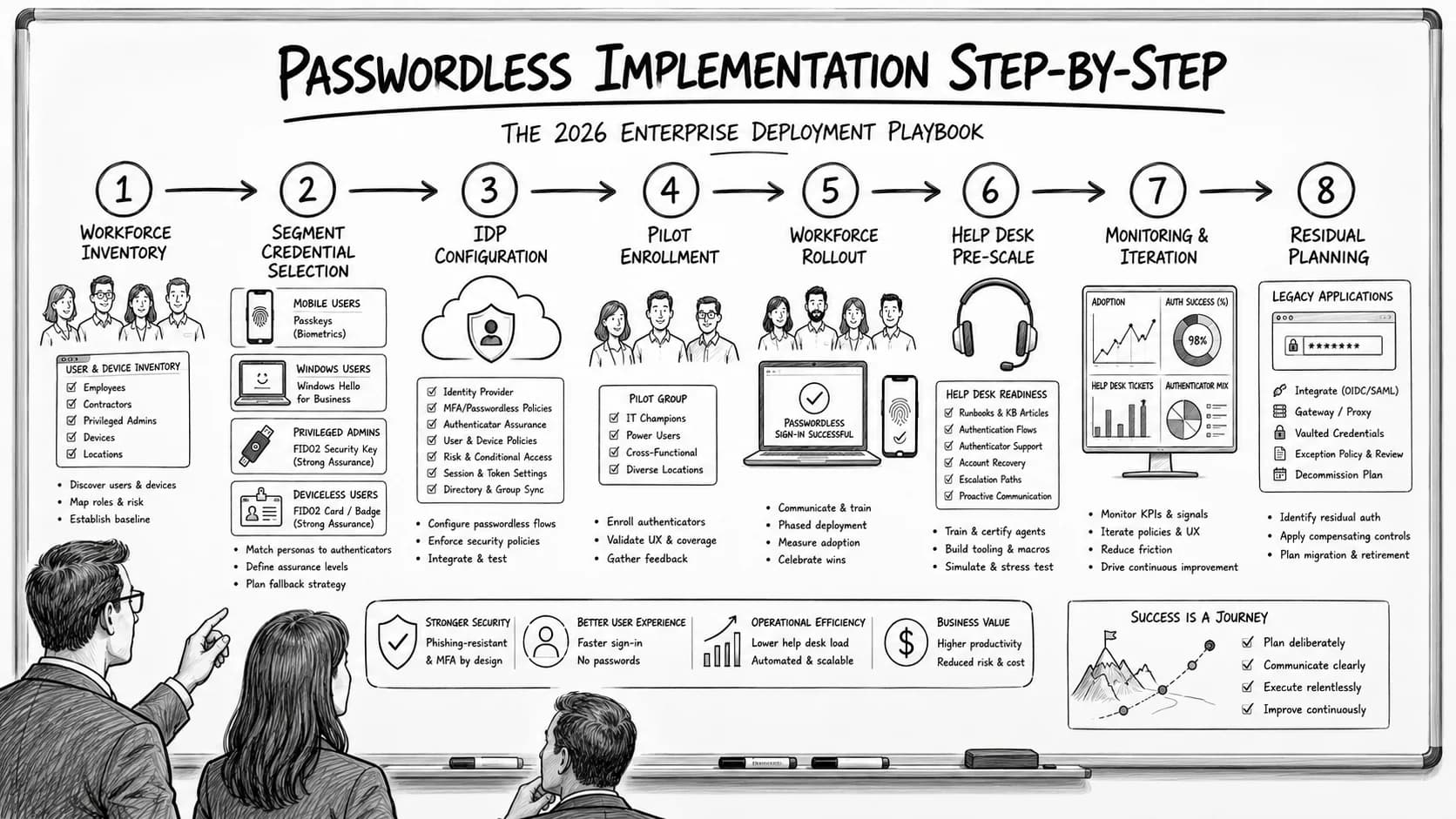
Passwordless Implementation Step-by-Step: The 2026 Enterprise Deployment Playbook
Enterprise passwordless implementation runs on a specific eight-step deployment sequence — workforce inventory, credential-class selection per segment, IdP configuration, pilot enrollment, workforce rollout with change management, help desk pre-scaling, monitoring and iteration, and passwordless-fallback residual planning. The 2026 enterprise reference on the step-by-step deployment playbook, the go/no-go criteria at each phase gate, and the discipline that produces successful passwordless rollout at workforce scale.