Air-Gapped MFA for Phone-Free Sites: Avatier's Identity Challenge Card
Air-gapped MFA for sites where phones are banned or networks don't reach. How Avatier's printed Identity Challenge Card verifies a worker locally, with no phone, no app and no network.

Air-gapped MFA for sites where phones are banned or networks don't reach. How Avatier's printed Identity Challenge Card verifies a worker locally, with no phone, no app and no network.
- Air-gapped MFA verifies a person with no phone, no app and no network. Avatier's Identity Challenge Card does it with a printed grid of word pairs.
- Avatier positions the card for defense, healthcare and manufacturing sites where mobile phones are banned or impractical.
- A challenge resolves locally: a coordinate is named, the worker reads the word off the card, adds a private PIN, and their directory identity ties it to them.
- Each coordinate value is one-time, and there is no push prompt or TOTP shared secret to steal.
- A wallet version exists for Apple, Google and Samsung Wallet, but it needs a phone, so the printed card is the one for phone-banned areas.
Air-gapped MFA is a second factor that verifies a person without a phone, an app or a network connection. Avatier's Identity Challenge Card™ does it with a printed grid of word pairs: no phone, no app, no network. The worker reads back a one-time coordinate, and their identity resolves locally.
Avatier puts it plainly on its Strong MFA Login page: the card "delivers air-gapped MFA in defense, healthcare, and manufacturing sites where mobile phones are banned or impractical." That is the angle here. If your concern is workers who simply don't carry a work phone, see MFA for frontline workers without phones. This post is about places where the phone isn't allowed in, and places where the network doesn't reach.
Where phone-based MFA can't go
Phone-based MFA assumes a phone in the worker's hand at the moment of sign-in, and push and SMS methods also assume a network path to that phone. Restricted sites break one or both. Avatier's comparison of device-dependent MFA says it "Fails when devices, networks, or IdPs are down," while the card "Resolves locally during the outage."
| Condition | What device MFA needs | What the printed card needs |
|---|---|---|
| Phone-banned areas | A phone inside the area | A card and a PIN the worker already carries |
| No network reach | A signal, if the factor is push or SMS | No network call; the answer resolves locally |
| Shared stations | A factor tied to one person's device | A factor in the worker's pocket, not in the machine |
The first row is the hardest, because policy, not convenience, keeps the phone out. When a phone stays in a locker at the door, any factor that lives on that phone stays there too. Avatier notes that organizations write MFA exceptions for the workers they can't reach, and it calls those exceptions "the attack surface cyber adversaries map first."
The third row matters inside restricted areas as well. Avatier notes that on shared workstations and virtual desktops "the factor isn't provisioned into the machine. It's in the worker's pocket." Strong MFA Login covers "physical servers, shared workstations, VDI, and Citrix."
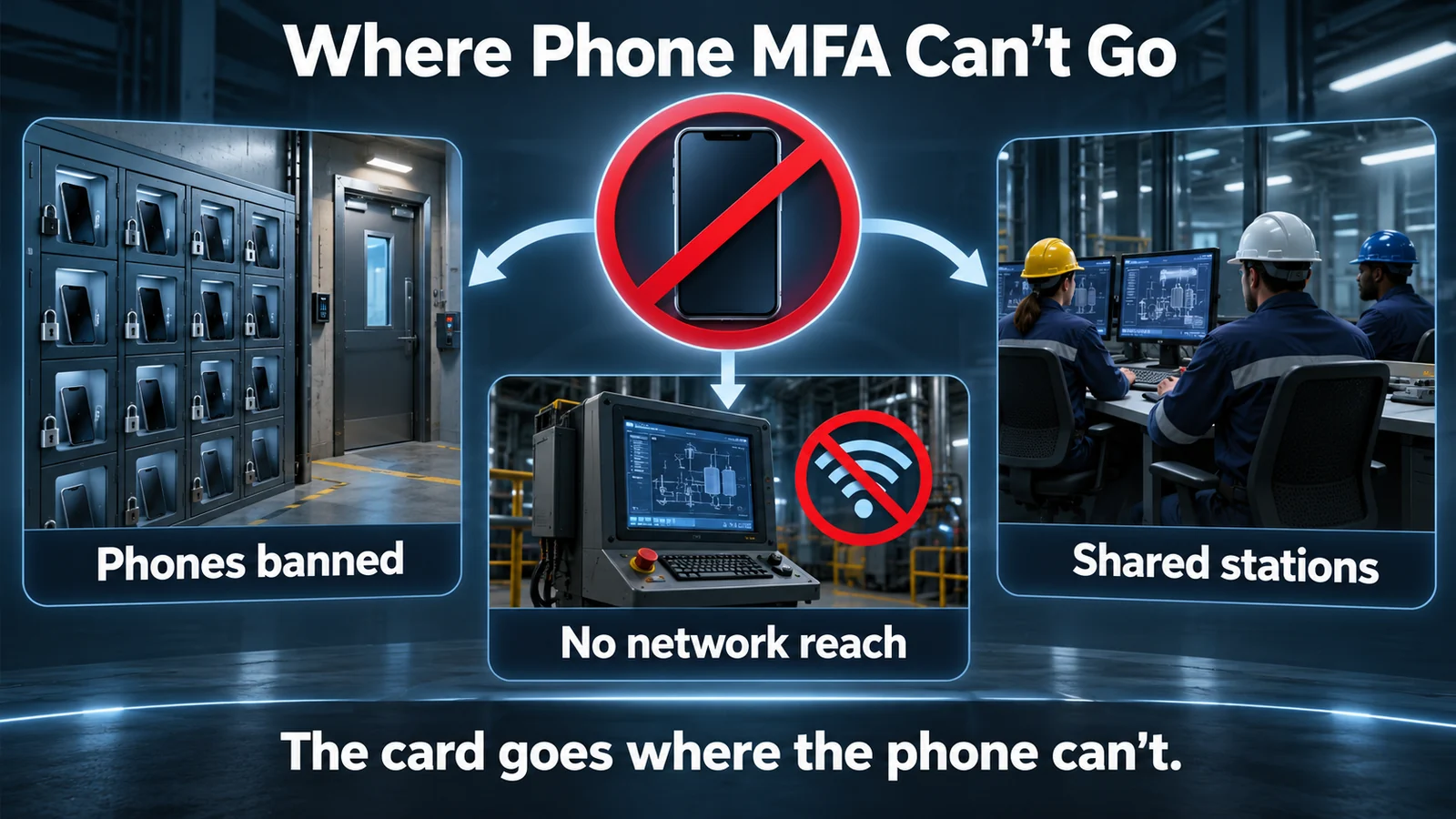 Three restricted-site conditions where a phone-based factor isn't available at the moment a worker has to sign in.
What "air-gapped" means for the card
On a printed card, air-gapped means the factor itself has no connection to anything. Avatier describes the Identity Challenge Card as three factors "on one air-gapped credential": the card, which "can't be cloned remotely," a PIN that is "never stored on a device," and an identity factor "verified at the point of use."
Avatier says the three factors resolve "all locally, all without a device, and all in under 10 seconds":
- The card. A printed grid organized by coordinates such as A1 or B3, with a top and a bottom word at each. The system asks for a coordinate, and the worker reads the answer off the card. Avatier's words: "No network call. No device."
- A private PIN. A short PIN only the worker knows, bound to the card through policy and verified in memory.
- The worker's directory identity. An Employee ID, a badge or a SCIM-provisioned principal, which ties the challenge to a specific person.
All three are required. Each coordinate value is one-time, and Avatier says used values "are permanently burned and never reused." There are no push notifications, so push fatigue has no surface, and there is "No TOTP shared secret to exfiltrate." Avatier sums up the design as "Air-gapped verification — no network attack surface."
The card also has no device to maintain. Avatier lists "No network dependency. No battery. No software patches," and says the card works through "outages, disasters, and offline deployments." No phone number, biometric or personal data touches it.
How a challenge resolves without a network
At a terminal on a restricted floor, the flow runs in four steps. At login, once the password is accepted, the screen types out a coordinate, and the worker enters the matching word and their PIN.
- Coordinate asked. The screen names a coordinate on the card. On a service desk call, the agent names it instead.
- Word read from card. The worker finds the coordinate and reads the matching word off the printed grid.
- PIN entered. The worker adds their private PIN.
- Resolved locally. The directory identity resolves automatically, with nothing to approve. On a call, the caller reads the word back, and Avatier says the desk resolves that answer against the grid locally, with "no IdP call, no network dependency."
The card works with or without a password. Some sites keep the password and let the card answer the MFA challenge, and some sign in without a password on shared workstations and virtual desktops. The same card handles a locked-out worker too: the new password field waits while a coordinate appears, the worker reads the word and adds the PIN, and only then does the password change. Avatier says that still works when the phone is "dead, out of signal, or in a locker."
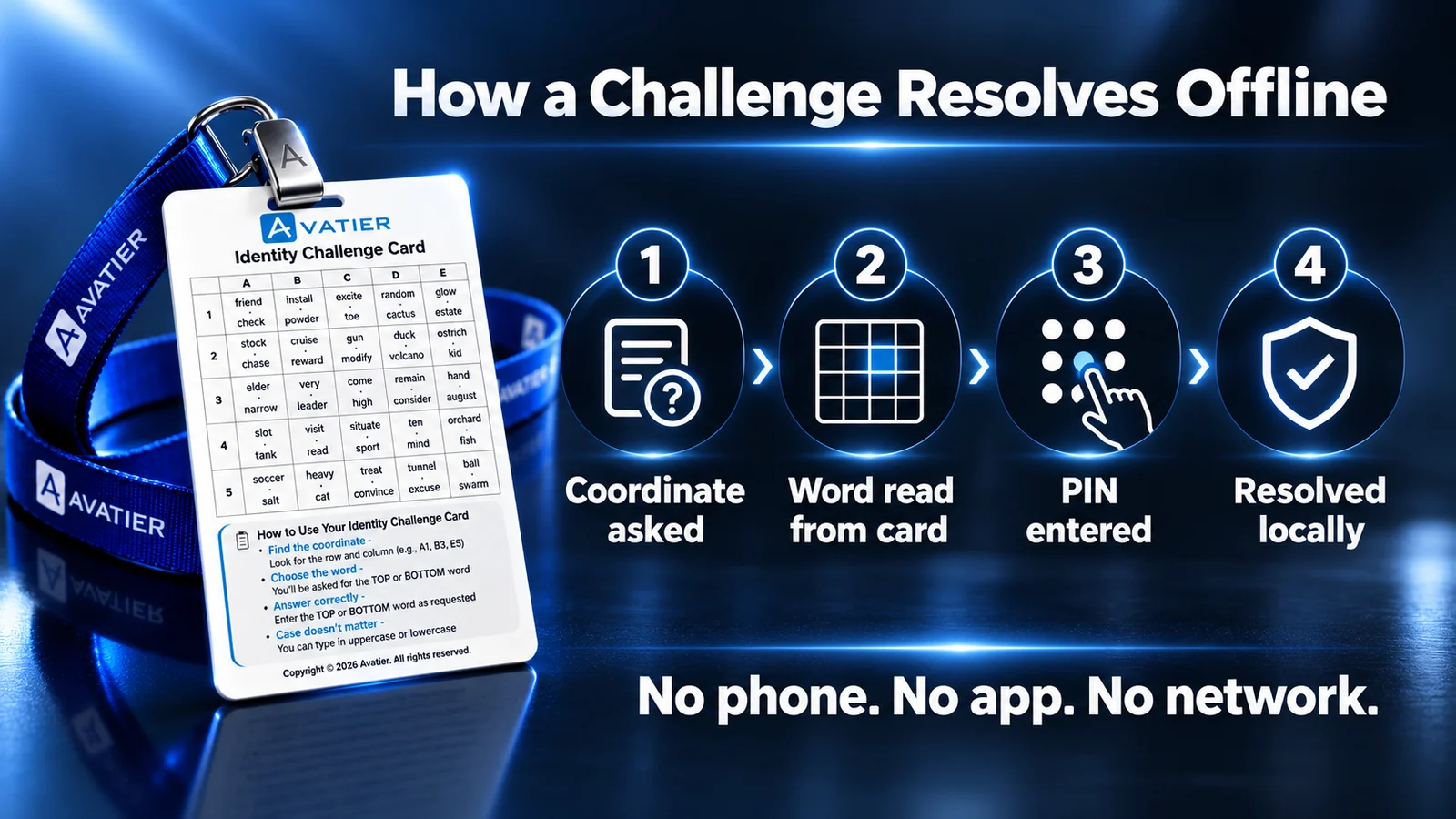 Four steps from coordinate to verified identity, with no phone, no push prompt and no network call at any point.
Printed card or wallet card in a phone-free area
Avatier also offers the card for mobile wallets. It can be added to Apple Wallet, Google Wallet or Samsung Wallet as a secure backup identity, "alongside the printed card, not instead of it."
That last phrase matters on a restricted site. A wallet card lives on a phone, so it goes wherever the phone goes, and in a phone-banned area that means the locker. The printed card is the one that crosses the door. A practical split, as a general pattern: the printed card is the factor inside restricted areas, and the wallet card is a backup for the same worker outside them.
For rollout, Avatier describes deployment in under an hour, with no MDM, no app and no hardware. Cards are issued through the existing IGA workflow, and issuance, expiration, re-enrollment and revocation are logged and policy-enforced. A lost card is useless without the PIN, revoked in seconds and replaced the same day. The card ships in 34 languages, including right-to-left and CJK scripts.
What Avatier ships toward this pattern
- Identity Challenge Card™. The printed, three-factor card for login, password reset and the service desk, plus the wallet version. In Avatier's framing, the card defines the Identity Continuity Layer, an infrastructure layer that ensures authentication persists when device-dependent systems fail; see What Is an Identity Continuity Layer? For the product and a live demo, see the Identity Challenge Card.
- Credential Governance™ pillars. Strong MFA Login, Pillar 5, binds a second factor, including the card, to every password authentication event and lists "Deviceless MFA for phone-restricted areas." For details, see Strong MFA Login. Assisted Reset, Pillar 3, supports "deviceless verification for air-gapped and restricted environments." For the service-desk side, see Assisted Reset.
- The wider platform. For Avatier's AI-native identity platform, see the Avatier Identity Anywhere 2027™ preview.
- Security posture. Avatier is SOC 2 Type II audited with no exceptions noted and ISO/IEC 27001:2022 certified. For details, see the Avatier Trust Center.
About the author
More from MFA & Authentication
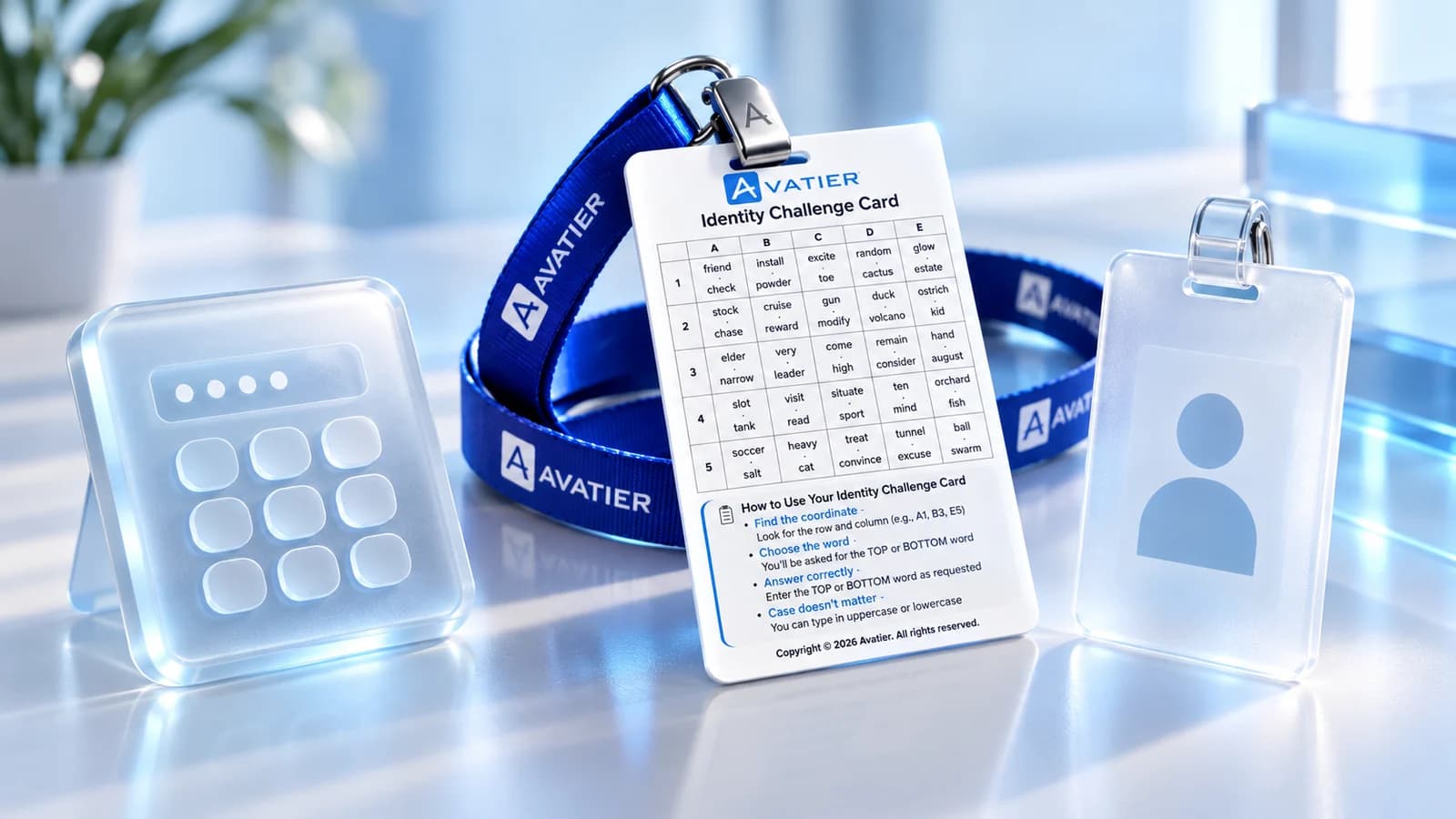
Three-Factor Authentication Explained: The Identity Challenge Card
What three-factor authentication is, how 3FA differs from 2FA, and how Avatier's Identity Challenge Card checks three factors: a printed grid card, a private PIN and a directory identity.
When Your IdP or MFA Goes Down: Avatier's Identity Challenge Card
When the identity provider, MFA service or devices go down, people still have to prove who they are. A runbook for verifying, restoring and recording access with Avatier's printed card.

AI Call Center Authentication: A Caller Verification Guide by Avatier
AI call center authentication means proving a caller is who they claim before any reset or unlock runs, whether a human agent or AI voice answers. What strong caller verification looks like.