AI Assistant Access Control for Copilot and Claude, with Avatier
When an employee asks Copilot, Claude, or Avabot to unlock an account or change access, Avatier runs it through approved capabilities and the customer's existing policies, approvals, and roles, with evidence.

When an employee asks Copilot, Claude, or Avabot to unlock an account or change access, Avatier runs it through approved capabilities and the customer's existing policies, approvals, and roles, with evidence.
- AI assistant access control means the assistant can ask for an identity action but never decides whether it is allowed; with Avatier, the assistant is the interface, never the authority.
- Copilot access control hides two questions: what the assistant can read, and what it can change. Identity actions are the second kind.
- Four controls belong on every assistant-initiated identity action: verify the user, call only an approved capability, apply existing policy and approvals, and record the evidence.
- Avoid giving an assistant its own broad admin account, which lets anyone who can talk to it borrow that account's reach.
- Avatier Actions works inside Claude, Claude Code, Microsoft Copilot, Avabot, and any MCP-compatible assistant, with permissions inherited from Entra ID, Active Directory, Okta, and Ping.
Access control for an AI assistant means the assistant can ask for an identity action but is never the one that allows it. When an employee asks Microsoft Copilot, Claude, or Avabot to unlock an account, grant access, or remove a role, the request should run only through an approved capability, within the organization's existing permissions and approvals, after the person is verified, with evidence recorded. With Avatier, the assistant is the interface, never the authority.
"Copilot access control" hides two questions. The first is what the assistant can read. Microsoft's documentation says Microsoft Copilot "only surfaces organizational data to which individual users have at least view permissions" (Microsoft Learn). The second is what the assistant can change, and that is where identity lives. Unlocking an account or granting a role changes who can get in, and to what. The conversational identity hub covers why this work is moving into chat; here are the controls behind it.
Interface versus authority
An assistant is good at the conversation: working out what the person wants, asking for missing details, and reporting what happened. It should not decide whether the request is allowed. That decision belongs to the identity system, which knows the person, their roles, the policy, and the approval chain.
| The assistant (interface) | The identity system (authority) | |
|---|---|---|
| Job | Understands the request in plain language | Decides whether the action is permitted |
| Knows | The conversation | The person, their roles, and the policy |
| Can do | Call an approved, named capability | Run the action, or refuse it |
| Leaves behind | A reply in the chat | A record of who asked, what ran, and why it was allowed |
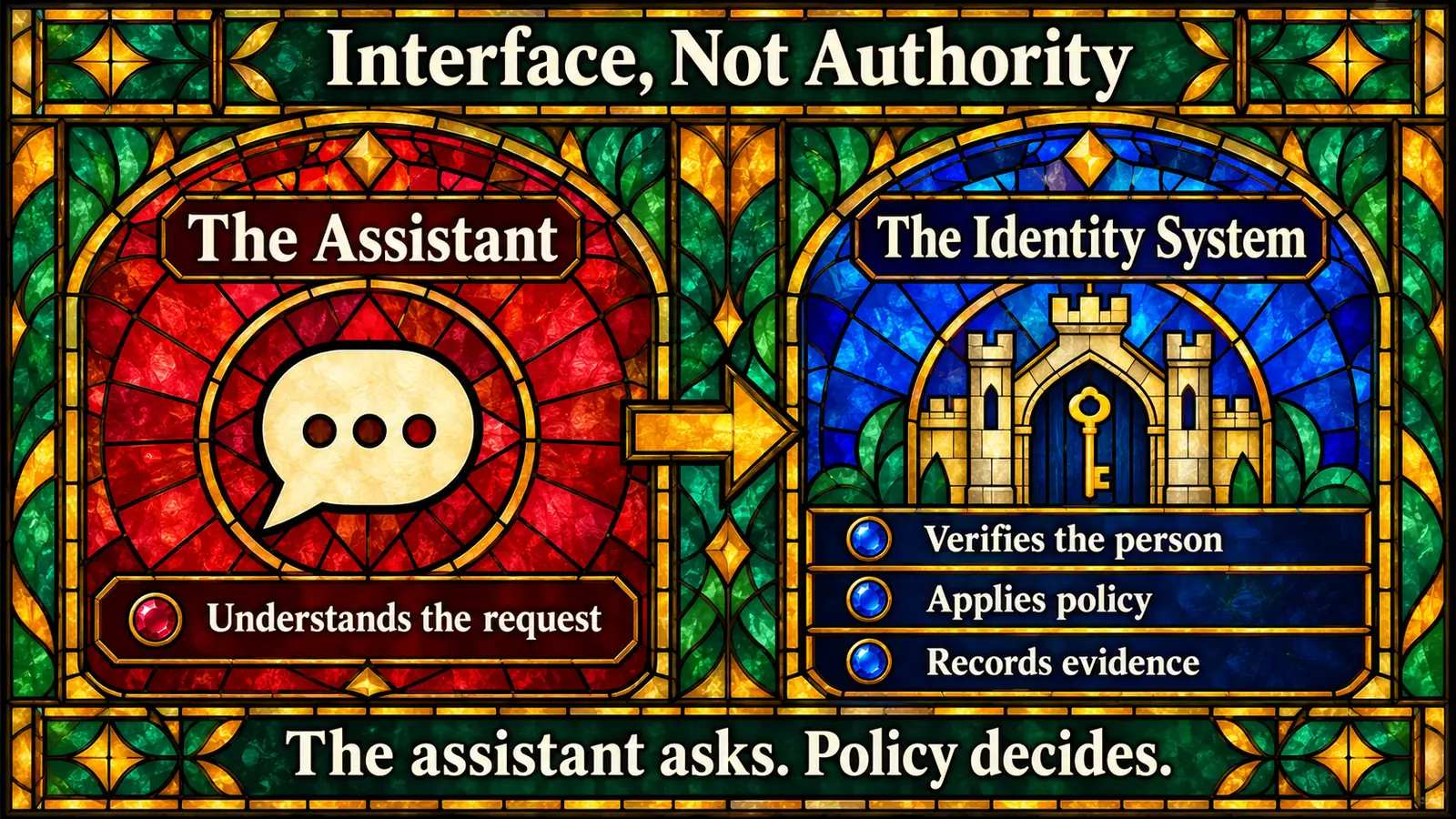 The assistant handles the conversation; the identity system decides, enforces policy, and keeps the record of what happened.
A practical test: if you removed the assistant tomorrow, would every rule still hold? A rule that lives only in the assistant's instructions is a suggestion, not a control.
The four controls on every assistant-initiated identity action
Whichever assistant sits in front, four controls should run on every identity request it passes along. This is general guidance for any vendor.
- Verify the user. The chat session is not proof of identity. Before an action that changes credentials or access, confirm that the person asking is the account holder, and step up verification for sensitive actions. The conversational password reset guide shows what this looks like for resets and unlocks.
- Call only an approved capability. The assistant should be able to invoke a short list of named actions, such as "unlock account" or "request access," each with defined inputs. It should not hold an admin console, a raw API, or a directory credential it can use however it likes.
- Apply existing policy and approvals. The action should run with the requesting person's permissions, not the assistant's. A manager may be allowed to remove access for a direct report; an employee should not be able to remove access for a colleague. Anything that needs approval goes through the approval process the organization already has.
- Record the evidence. Each action should leave a record of who asked, through which assistant, under what authority, which policy applied, what ran, and the result.
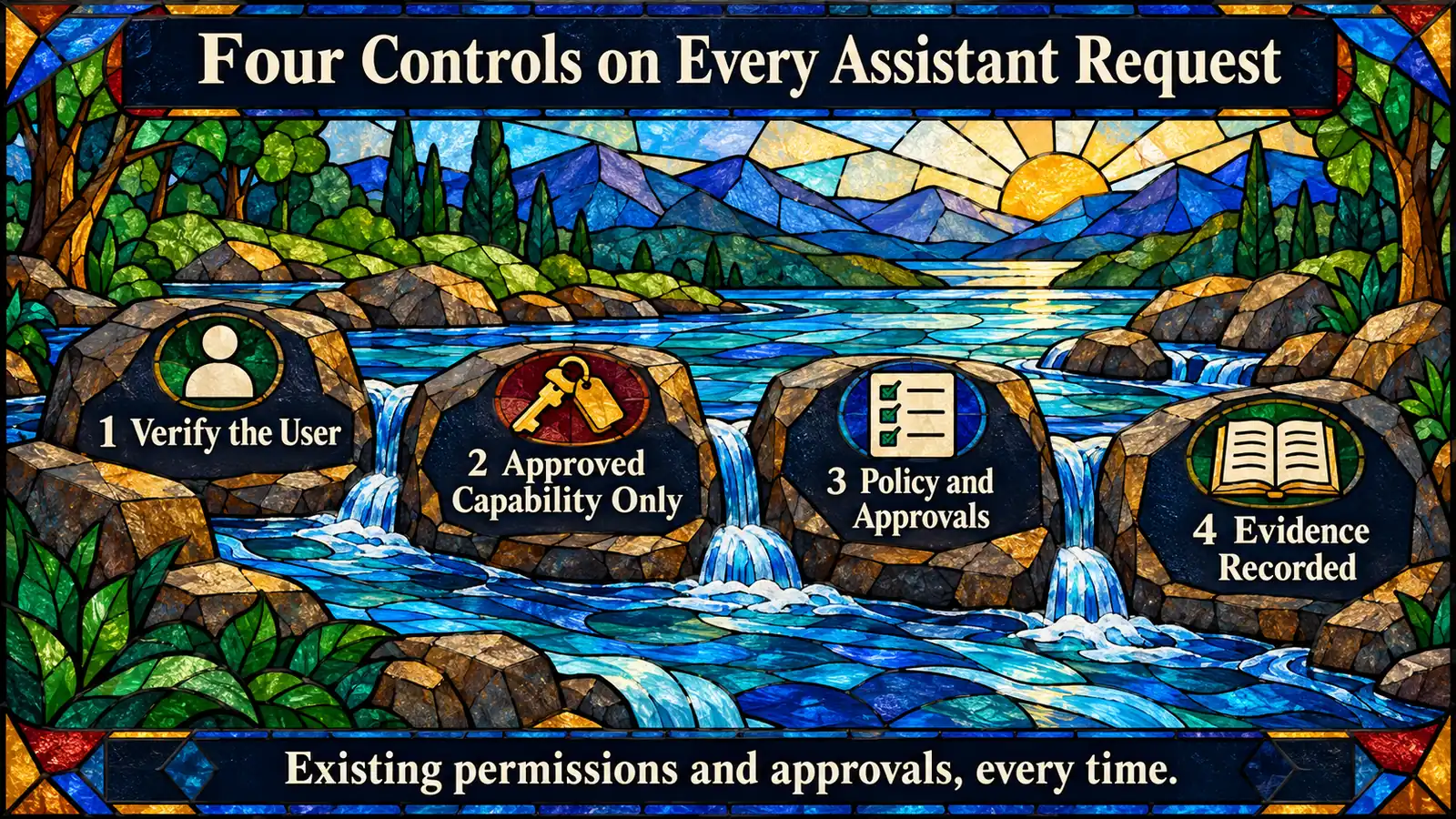 Four controls run on every identity request an assistant passes along, whichever assistant the employee happens to use.
One request, four controls
Here is how the four controls play out on one request (an illustration, not a product transcript).
A manager types in Copilot: "Dana moved to the marketing team today. Remove her finance access and add her to the marketing group."
- The assistant maps the request to named capabilities: remove access, and add a group membership.
- The identity system confirms that the manager is verified and that Dana is in the manager's reporting line.
- Policy runs. The removal completes; the new membership goes to its approver if policy requires one.
- The assistant reports back what completed, what is pending, and who it is waiting on.
- Each completed step is recorded with the manager as the requester and the assistant as the channel.
The assistant never holds rights of its own. It carries the request; the identity system carries the decision.
The shortcut to avoid: an assistant with its own admin account
The tempting design is to give the assistant a service account with broad directory rights and let it do what people ask. That turns the assistant into a proxy for anyone who can talk to it. Whoever reaches the chat borrows the service account's reach, and the log shows the service account instead of the person. Security engineers call this a confused deputy. The Model Context Protocol's authorization specification lists "mix-up and confused deputy attacks" among the security considerations that implementations of that specification must follow.
Do not assume the protocol handles this for you. The MCP authorization specification says "Authorization is OPTIONAL for MCP implementations," and it defines the authorization flow for HTTP-based transports. Ask any vendor how its connector authenticates, whose authority each action runs under, and what it records. For the wider governance picture across MCP tools, see the Credential Governance™ guide to MCP identity governance.
A second reason to keep authority out of the assistant: design as though the assistant can be talked into asking for the wrong thing, whether by a confused user or by instructions hidden in content it reads. If the identity system enforces verification and policy regardless of what the assistant asks, a bad request fails safely.
What Avatier ships toward this pattern
Avatier Actions and Avatier Ledger are two Model Context Protocol connectors, available through Avatier Identity Anywhere 2027™.
- Approved capabilities. Avatier Actions exposes more than 50 identity outcomes across eight modules as MCP tools, including Password Management, Help Desk, Lifecycle Management, Group Management, and Workflow Approval. It works inside Claude, Claude Code, Microsoft Copilot, Avabot, and any MCP-compatible assistant.
- No unrestricted access. Avatier states that every request must invoke an approved Avatier capability and remains subject to authentication, authorization, delegated authority, policy enforcement, and audit controls. Avatier determines whether an identity action is permitted and records what occurred.
- Existing permissions and approvals. Setup is one administrator connection. Permissions are inherited from Microsoft Entra ID, Active Directory, Okta, and Ping, with no per-user setup and no new permissions model. When an employee or manager asks, the outcome runs through the customer's existing policies, approvals, and roles.
- Evidence. Secure Outcomes are Avatier's term for completed, verified, policy-compliant identity actions. Each one records the identity involved, the initiating agent or experience, the authorization context, the policy applied, the action taken, and the final result. Avatier Ledger turns outcomes into evidence and, through Persona Briefings, reports tailored to the CISO, the CFO, and the security team.
- Pricing. Under Pay Per Identity Action™, customers pay only for completed, verified, policy-compliant outcomes. Getting started is free, deployment services are included, and a 45-day money-back guarantee applies.
For the platform overview, see Avatier Identity Anywhere 2027. For the credential controls behind resets and unlocks, see Credential Governance, and for service desk calls, see Assisted Reset. For the company and full product line, see avatier.com. For security documentation, see the Avatier Trust Center: Avatier is SOC 2 Type II audited with no exceptions noted and ISO/IEC 27001:2022 certified.
About the author

More from Identity & Access Trends

Conversational Password Reset in Teams, Copilot and Chat, with Avatier
With Avatier, employees reset or unlock their password by asking in Teams, Outlook, Copilot, chat, or voice: MFA-verified, checked by Password Firewall, synchronized, and logged.

Access Requests in Microsoft Teams: Governed Self-Service with Avatier
With Avatier, employees request access to business apps from a Microsoft Teams chat: verified, checked against policy, routed to the right approver, provisioned, and recorded as evidence.

Conversational Identity: Access, Resets & Verification by Chat & Voice
Conversational identity means unlocks, resets, and access requests completed by conversation in Teams, chat, and voice, under the same policy, approvals, and evidence as the portal.