MFA for Contractors Without Company Phones, with Avatier
Contractors and field staff may have no company phone and no wish to put an authenticator on a personal one. How Avatier's Identity Challenge Card gives them MFA without a device.

Contractors and field staff may have no company phone and no wish to put an authenticator on a personal one. How Avatier's Identity Challenge Card gives them MFA without a device.
- Device-based MFA needs a phone, app, token or hardware key, which a contractor may not have or may not want to use.
- Avatier says device-based solutions exclude field staff and contractors; its Identity Challenge Card needs no phone, no app and no network.
- A contractor reads the word for a one-time coordinate off the printed card and adds a private PIN; directory identity resolves automatically.
- Every card is issued through the existing IGA workflow, and admins set policy-enforced expiry windows.
- Revocation is immediate, with no upstream device cleanup when a contract ends.
MFA for contractors means giving people outside your payroll a second factor they can actually use, even when they carry no company phone and won't install an authenticator on their own. Avatier's Identity Challenge Card™ is built for that case: a printed grid of word pairs, issued through your existing IGA workflow, with "no phone, no app, no network."
How long a contractor's access should last is a governance question, covered in Contractor and Third-Party Access Governance with Avatier. Sign-in is the part that breaks first when the contractor has no work phone.
Why device-based MFA leaves contractors out
Device-based MFA needs a device. In Avatier's comparison, device-dependent MFA "Requires a phone, app, token, or hardware key." For a contractor, each option has a catch. A company phone is an asset to buy, ship and get back. A personal phone belongs to someone who may decline to put your authenticator on it. A hardware token is one more item to procure, track and recover when the engagement ends.
Avatier names the gap directly: "device-based solutions exclude factory floors, shared workstations, field staff, and contractors." Field staff land in the same place as contractors, for the same reason: no work phone in hand at sign-in. For frontline teams, see MFA for Frontline Workers Without Phones.
The usual workaround is an exception. Avatier's view: "Organizations write MFA exceptions for the workers they can't reach. Those exceptions are the attack surface cyber adversaries map first." An MFA exception for a contractor group leaves those accounts behind a password alone.
The breach letters show why that matters. Avatier's Identity Attack Ledger reads 2,242 California breach-notification filings from 1 Jan 2023 to 30 Sep 2026. Of the 53 incidents whose letters name a vector, 30 name phished or stolen credentials, and 10 name third-party or contractor access, where "The path in belonged to a vendor, contractor, or service provider rather than to the filing organization." Those counts describe the California filings that name a vector, not a national rate.
| Device-based MFA | Identity Challenge Card | |
|---|---|---|
| What the contractor needs | "Requires a phone, app, token, or hardware key" | "Works with a printed card — no device ever" |
| Cost of issuing | "Per-seat app licenses and hardware procurement" | "Printed once, reissued in seconds at cents per worker" |
| Rollout | "Deployment measured in months per workforce segment" | "One IGA workflow — full deployment in under an hour" |
| When the contract ends | General guidance: remove the enrollment and recover any company device | "Revocation is immediate — no upstream device cleanup" |
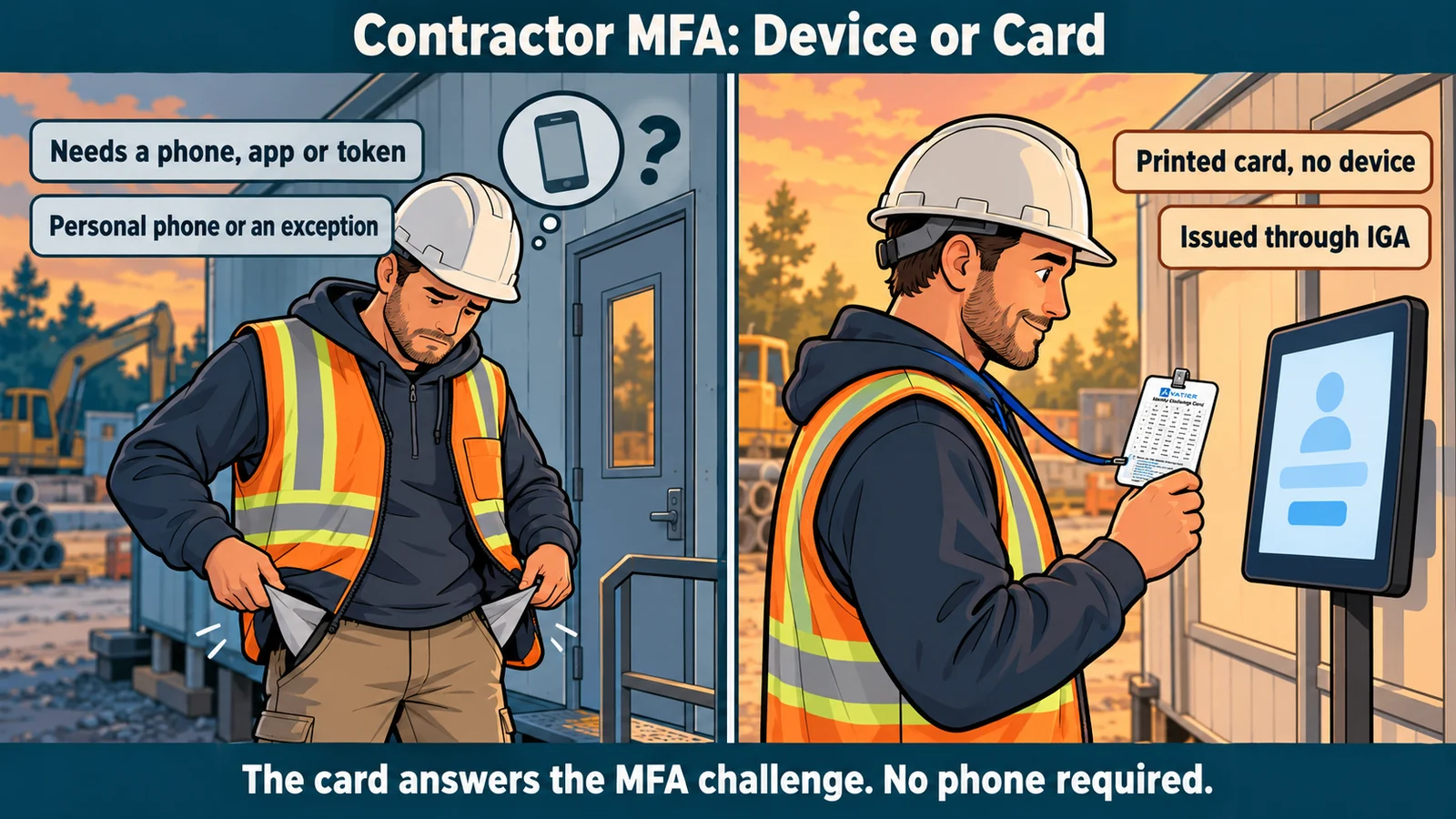 Device-based MFA asks a contractor for a phone, app or token; the printed card asks for nothing but the card and a PIN.
How a contractor signs in with the card
The card is one of three factors. Avatier lists them as the card, "A printed grid of word pairs"; a PIN, "A short PIN that only the user knows"; and an identity anchor, "The user's directory identity — Employee ID, badge, or SCIM-provisioned principal." For how the three factors work together, see Three-Factor Authentication Explained.
A contractor meets the card at three moments:
- Login. Avatier's login explainer runs: "Password accepted. The screen types out a coordinate. The worker reads the matching word off the printed grid, then adds the private PIN. Directory Identity resolves automatically, nothing to approve." Sites that drop the password can use the card passwordless "on shared workstations and virtual desktops," which helps where a crew shares one sign-in machine.
- Password reset. A locked-out contractor resets on their own. Avatier says "The card proves who they are before the password changes, so the reset needs no help desk call."
- Service desk call. "The agent names a coordinate, the caller reads the answer off their printed card, and that value is spent." For a desk fielding calls from people it may never have met, that replaces what Avatier calls "a list of questions an attacker can research."
Every answer is single-use. Avatier says "Each coordinate value is one-time," and used values "are permanently burned and never reused."
In Avatier's words, "The card sits alongside the MFA you already run, and policy routes each worker to the right method, even where device MFA can't reach." Staff can keep their current authenticator while contractors and field staff are routed to the card.
Issue, expire, revoke: the card follows the contract
Avatier states that "Card issuance, expiration, re-enrollment, and revocation are all logged and policy-enforced." Mapped to a contractor engagement, the card's life looks like this:
| Engagement moment | What happens to the card | In Avatier's words |
|---|---|---|
| Onboarding | Issued through the IGA workflow you already run | "Every card is issued through the existing IGA workflow" |
| Day one | The contractor enrolls, or everyone is enrolled at once | "users are live within minutes of receiving their card" |
| Daily work | One-time coordinates at login, reset and the desk | "Each coordinate value is one-time" |
| Contract term | Expires on a policy window | "Admins set expiry windows; users receive automated reminders." |
| Exit | Revoked, with nothing to collect from a phone | "Revocation is immediate — no upstream device cleanup" |
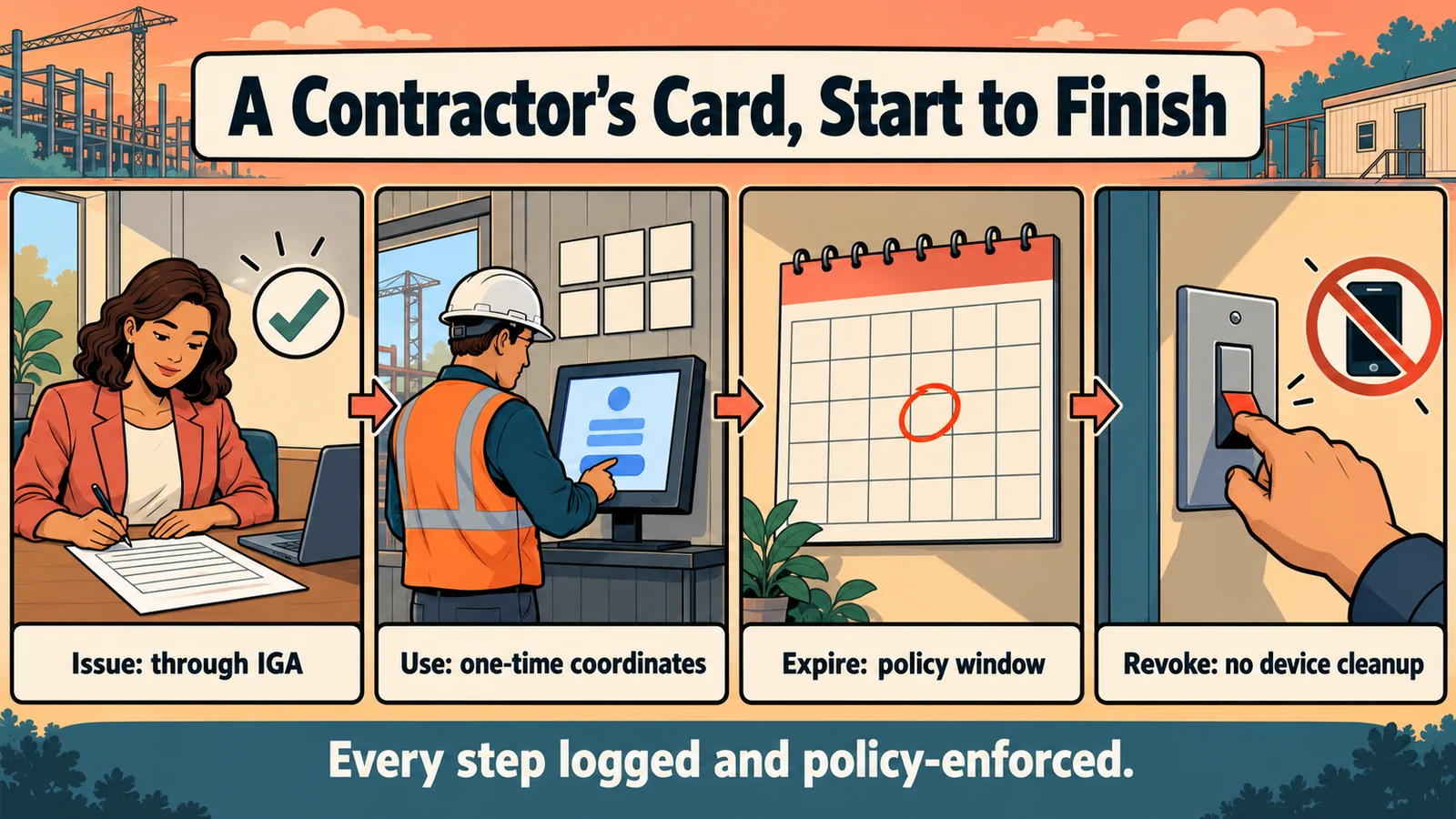 From onboarding to exit, the contractor's card is issued, used, expired and revoked by policy, with every step logged.
As general guidance for a contractor population:
- Match the expiry window to the engagement. Admins set the window, so a card for a contract that isn't renewed expires on schedule rather than when someone remembers.
- Revoke on early exit. When a contract ends early, revoke the card in the same offboarding step that removes access. Avatier says the card "is revoked in seconds."
- Verify before re-issuing. For a renewal or a lost card, Avatier lists "Identity-verified re-issuance closes the social-engineering path." For the full lost-card runbook, see Issuing, Revoking and Replacing Avatier's Identity Challenge Card.
- Split the roles. Avatier lists "Separation of duties between issuer, approver, and auditor," so whoever issues a contractor's card isn't also the one who approves or audits it.
What Avatier ships toward this pattern
- Identity Challenge Card™. Deviceless MFA for login, password reset and the service desk, "Deployed in under an hour" with "No MDM, no app, no hardware." It ships in 34 languages, including right-to-left and CJK scripts. For the product and a live three-factor demo, see the Identity Challenge Card.
- Governed card lifecycle. Issuance through the existing IGA workflow, "Policy-enforced expiration and re-enrollment windows," identity-verified re-issuance and separation of duties, with issuance, expiration, re-enrollment and revocation all logged.
- Strong MFA Login. Pillar 5 of Credential Governance™ binds a strong second factor, which can be the Identity Challenge Card, to every password authentication event. For details, see Strong MFA Login.
- Security posture. Avatier is SOC 2 Type II audited with no exceptions noted and ISO/IEC 27001:2022 certified. For details, see the Avatier Trust Center.
Getting started
Avatier Identity Anywhere 2027™ is priced under Pay Per Identity Action™: customers pay only for completed, verified, policy-compliant outcomes. Getting started is free, deployment services are included, and a 45-day money-back guarantee applies. Pricing is shared with qualified organizations during the invitation-only preview. For the platform, see the Avatier Identity Anywhere 2027™ preview. For Avatier's full product line, see avatier.com.
About the author

More from MFA & Authentication

New-Hire MFA on Day One: Closing the Enrollment Gap with Avatier
A new hire needs MFA before a phone, authenticator or device is enrolled. How Avatier's Identity Challenge Card closes the first-day enrollment gap through one IGA workflow.

How to Verify Help Desk Callers with the Identity Challenge Card
Help desk caller verification confirms an employee is who they claim before a reset, unlock or MFA change. How to run it without relying on agent judgment, with Avatier's Identity Challenge Card.

Retiring MFA Exceptions: Full-Workforce MFA with Avatier
An MFA exception register lists the workers device MFA can't reach. How Avatier's Identity Challenge Card lets policy route each of them to a method, so exceptions can be retired.