MFA for Plant Floors Without Phones: Shared Terminals, with Avatier
How to run MFA on a manufacturing plant floor where phones are banned or not issued: Avatier's printed Identity Challenge Card at shared terminals, plus outages, lockouts and role churn.
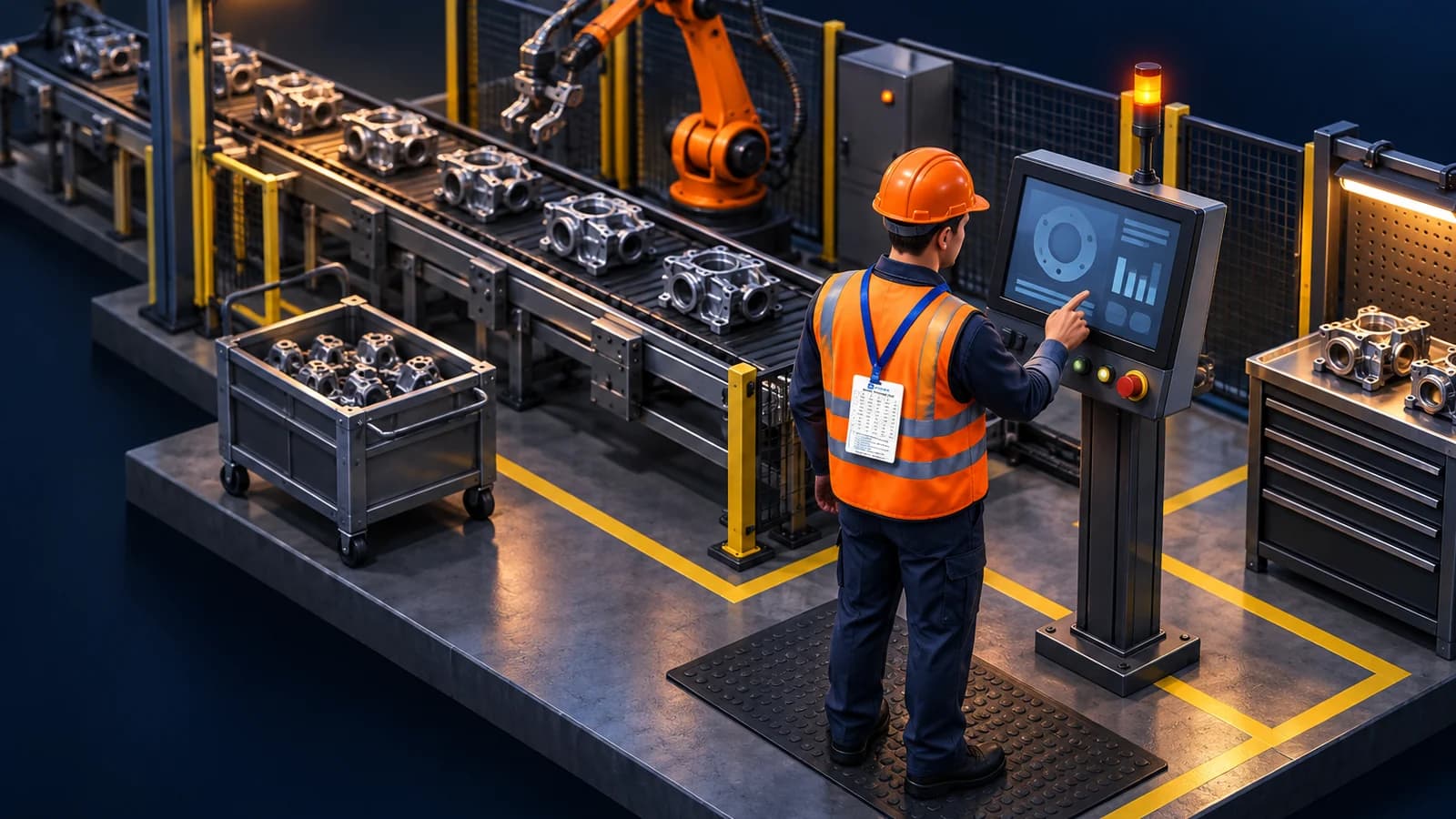
How to run MFA on a manufacturing plant floor where phones are banned or not issued: Avatier's printed Identity Challenge Card at shared terminals, plus outages, lockouts and role churn.
- Plant-floor MFA without phones needs a factor tied to the person, not to a phone they don't have or to the shared terminal.
- Avatier's Identity Challenge Card is a printed grid of word pairs plus a private PIN: no phone, no app, no network.
- NIST SP 800-82 Rev. 3 leaves MFA placement in OT to the organization; no MFA rule is written for manufacturing as a sector.
- Avatier says the card resolves locally when networks or the identity provider are down, and Login Reset handles lockouts at the login screen.
- HR User Provisioning and Group Automation keep line roles current through reorgs, M&A and seasonal hiring.
Plant-floor MFA without phones means giving every line worker a second factor that doesn't depend on a phone they aren't issued or aren't allowed to carry, and tying each sign-in at a shared terminal to a person rather than to the machine. Avatier's Identity Challenge Card™ does that with a printed card and a private PIN: no phone, no app, no network. For how manufacturing compares with other industries, see Industries That Need Identity Management Most in 2026.
The card in one paragraph: "The Identity Challenge Card is a printed grid of word pairs." At sign-in, the system asks for a coordinate, the worker reads the matching word off the card and adds a private PIN, and their directory identity is checked automatically. Each value works only once, so it can't be replayed. For the full frontline walkthrough, see MFA for Frontline Workers Without Phones. The rest of this post stays on the plant floor: shared terminals, shift starts, outages, and the role churn that follows reorgs and seasonal hiring.
Why phone-based MFA stalls on the plant floor
Device MFA assumes a device in the worker's hand at sign-in. On production lines where phones are banned or not issued, that assumption fails. Avatier describes the frontline this way: "the workers running the operation rarely carry a work phone, and the ones who do can't use it on the shop floor." Its Strong MFA Login page positions the card for "defense, healthcare, and manufacturing sites where mobile phones are banned or impractical."
Shared terminals add a second problem. Avatier's login explainer opens on it: "This workstation had a different worker an hour ago. The question isn't the password, it's which one of you this is." A factor tied to the machine or a shared account proves which machine signed in, not which operator.
When there's neither a phone nor a per-person factor, the fallback is an MFA exception. Avatier names the groups that end up there: "device-based solutions exclude factory floors, shared workstations, field staff, and contractors." Avatier also states the cost: "Organizations write MFA exceptions for the workers they can't reach. Those exceptions are the attack surface cyber adversaries map first."
What NIST and ISA/IEC 62443 say about MFA in OT
No MFA rule is written for manufacturing as a sector. NIST's OT guide leaves MFA placement to the organization, and the CSF does not prescribe how its outcomes are achieved. Some plants carry contract, customer or cross-sector legal requirements of their own, so check those separately.
- NIST SP 800-82 Rev. 3, the Guide to Operational Technology (OT) Security, says "Organizations need to consider whether MFA is required for protecting OT environments in whole or in part." It calls MFA "an accepted best practice for remote access to OT applications" and warns that "some OT components support only a single factor or no authentication." It also notes that "Shared credentials are often used on OT systems," and that, for certain OT, "Local emergency actions for OT are not hampered by identification or authentication requirements."
- NIST CSF 2.0 covers this under PR.AA. Subcategory PR.AA-03 reads "Users, services, and hardware are authenticated," and the framework "does not prescribe how outcomes should be achieved."
- ISA/IEC 62443. ISA says the series defines "requirements and processes for implementing and maintaining electronically secure industrial automation and control systems (IACS)."
As general guidance, that points to a placement decision per terminal. Where SP 800-82 calls for it, keep emergency operator actions free of sign-in friction. Where a sign-in already exists, use a per-person factor, so the log names a worker instead of a shared account. Avatier helps support NIST evidence needs; the placement decision stays with the plant.
A shift start at a shared terminal
Start by mapping each operator terminal: Windows or Mac workstation, virtual desktop, or embedded panel. Avatier names shared workstations and virtual desktops for the card, and the Windows and Mac login screen for Login Reset, so start with those. Then walk through three moments:
- Sign-in. Avatier's login use case covers both setups: "Use it passwordless on shared workstations and virtual desktops, or keep the password and let the card answer the MFA challenge." The factor "isn't provisioned into the machine. It's in the worker's pocket." Policy decides who uses it: "The card sits alongside the MFA you already run, and policy routes each worker to the right method, even where device MFA can't reach."
- An outage. Avatier says the check "all resolves locally, even when devices, networks or the identity provider are down."
- A lockout at shift start. With the card, "a locked-out worker proves who they are and resets it themselves, with no help desk call." On Windows and Mac terminals, Avatier Login Reset "embeds secure, MFA-verified recovery directly into the Windows and Mac login screen," so users can unlock accounts, reset passwords and update cached credentials before they sign in. It works on "Active Directory–joined, Entra ID–joined, and hybrid workstations, plus Citrix and VDI environments." For details, see Avatier Login Reset.
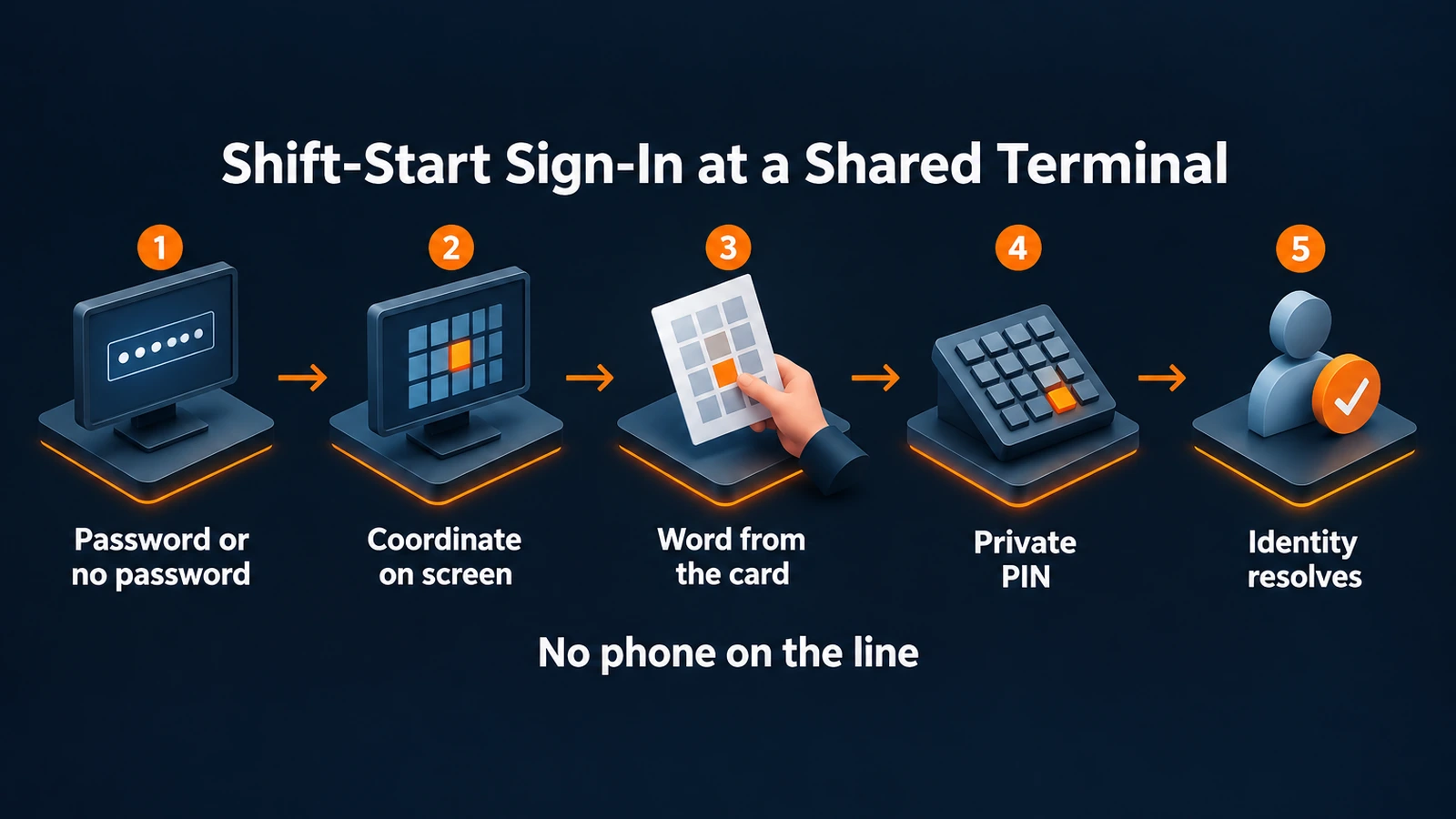 Five steps at a shared plant-floor terminal, with or without a password, and no phone needed anywhere on the line.
Keeping line roles current through reorgs, M&A and temp waves
Avatier's manufacturing page names the churn: "Employee onboarding and offboarding, departmental reorganizations, mergers and acquisitions all represent changes that affect role definitions and role membership." For role design itself, see the Role-Based Access Control 2026 guide. The plant-floor question is how membership keeps up:
- HR User Provisioning connects to "70+ HR and payroll systems through a single unified integration." On a transfer or promotion, "it applies the new role's access and removes what no longer fits," and "Access is suspended during a leave and restored on return." The page lists "Seasonal Workers" and "M&A or Reorganization" among its scenarios.
- Group Automation drives membership "straight from authoritative HR attributes: title, department, location, and manager." Before a rule goes live, "you test it against live data and see exactly who will be added or removed." For contractor, supplier and partner groups, "Non-employee populations are governed by the same attribute-based rules."
- Cards are issued through governance. Avatier says "Cards are issued through the identity governance workflow you already run. Every challenge and re-issue is logged." For temps and contractors, see Issuing, Revoking and Replacing Avatier's Identity Challenge Card.
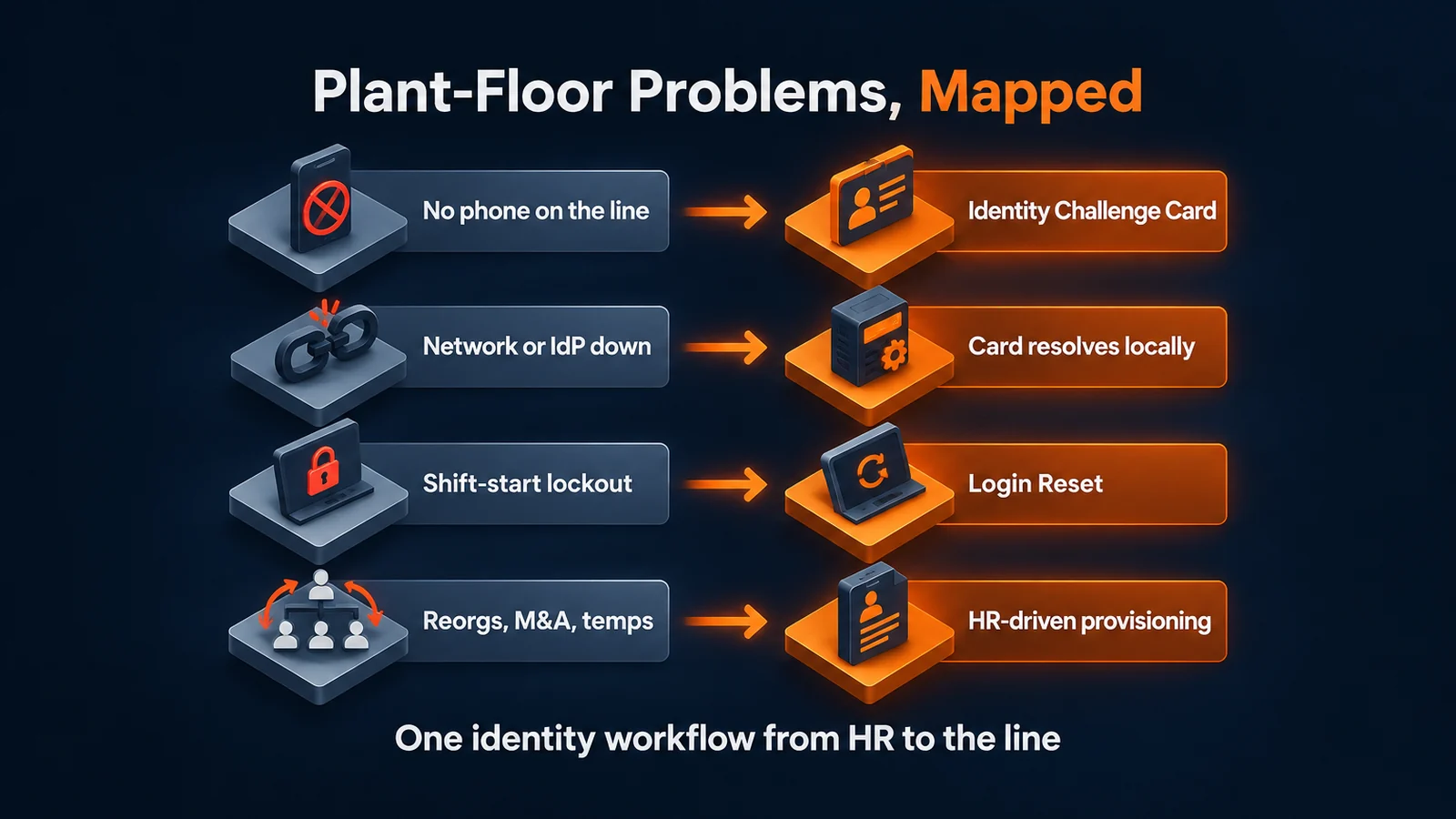 Each plant-floor identity problem mapped to the Avatier capability that addresses it, from the line back to HR data.
What Avatier ships toward this pattern
- Identity Challenge Card. Deviceless MFA for sign-in, password reset and the service desk. Avatier says the whole workforce "can be up and running in under an hour." The card ships in 34 languages, and it can also live in Apple Wallet, Google Wallet or Samsung Wallet "as a backup alongside the printed card." For the product, see the Identity Challenge Card.
- Login Reset. MFA-verified unlock and reset at the Windows and Mac login screen, with cached-credential updates.
- HR User Provisioning and Group Automation. Two of the five Lifecycle & Access Governance pillars, which run on the Avatier Identity Anywhere platform. Avatier says "Most customers go live in days to weeks." For the HR-driven side, see HR User Provisioning.
- Security posture. Avatier is SOC 2 Type II audited with no exceptions noted and ISO/IEC 27001:2022 certified.
Getting started
Pricing for Avatier Identity Anywhere 2027™ is Pay Per Identity Action™: customers pay only for completed, verified, policy-compliant outcomes. Getting started is free, deployment services are included, and a 45-day money-back guarantee applies. Full terms are available in the invitation-only preview. For the platform, see the Avatier Identity Anywhere 2027™ preview. For Avatier's full product line, see avatier.com.
About the author

More from Frontline & Shared Devices
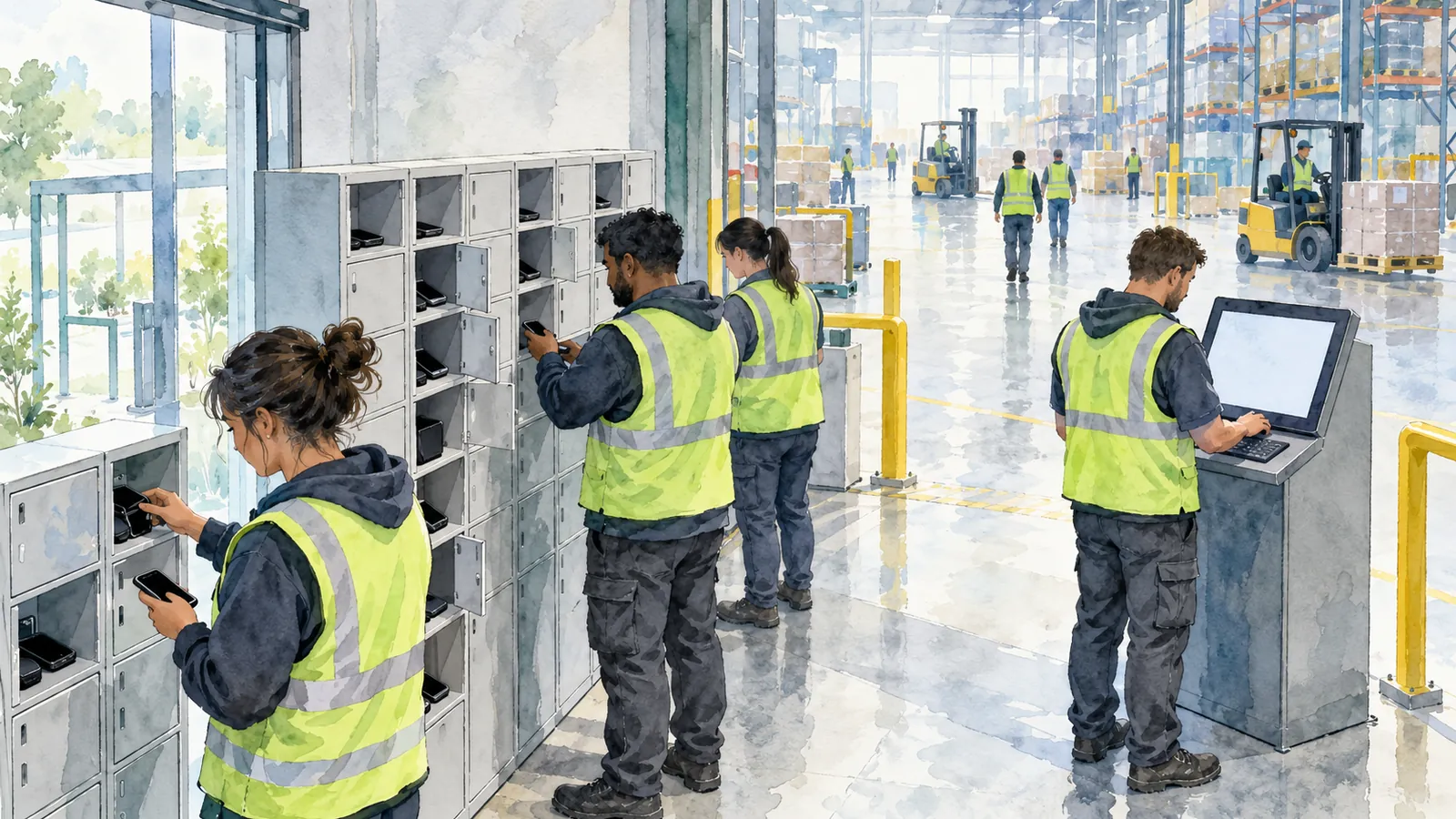
MFA for Frontline Workers Without Phones: The Identity Challenge Card
Frontline and shared-device workers can't always use a phone for MFA. How Avatier's Identity Challenge Card gives them a printed factor for login, password reset, and the service desk.

How to Verify Help Desk Callers with the Identity Challenge Card
Help desk caller verification confirms an employee is who they claim before a reset, unlock or MFA change. How to run it without relying on agent judgment, with Avatier's Identity Challenge Card.
Retiring MFA Exceptions: Full-Workforce MFA with Avatier
An MFA exception register lists the workers device MFA can't reach. How Avatier's Identity Challenge Card lets policy route each of them to a method, so exceptions can be retired.