New-Hire MFA on Day One: Closing the Enrollment Gap with Avatier
A new hire needs MFA before a phone, authenticator or device is enrolled. How Avatier's Identity Challenge Card closes the first-day enrollment gap through one IGA workflow.

A new hire needs MFA before a phone, authenticator or device is enrolled. How Avatier's Identity Challenge Card closes the first-day enrollment gap through one IGA workflow.
- A new hire needs MFA at the first sign-in, which can come before a phone, authenticator app or company device is enrolled.
- That first-day enrollment gap is where shortcuts happen: an MFA exception, a shared code or an unverified call to the service desk.
- Avatier's Identity Challenge Card works without a phone, an app or a network, and each card is issued through the existing IGA workflow.
- Enrollment comes in two forms, Self Enrollment or Auto Enroll Everyone at Once, and in Avatier's account users go live within minutes of receiving their card.
- The identity anchor links each challenge to the new hire's directory identity (a badge, Employee ID or SCIM-provisioned principal), and card issuance is logged and policy-enforced.
New-hire MFA on day one means a new employee can pass a second factor at their very first sign-in, before they have a phone enrolled, an authenticator app set up or a company device issued. Avatier's Identity Challenge Card™ is designed for that first morning. In Avatier's words, "The Identity Challenge Card is a printed grid of word pairs — no phone, no app, no network." Each card is issued through the IGA workflow you already run.
Creating the new hire's accounts and starting access is the joiner half of lifecycle work, covered in Joiner-Mover-Leaver Automation: Governed Changes with Avatier. This post covers the factor that has to work on the first morning.
Why day one is an MFA gap
Device-based MFA needs a device that is already set up. Avatier's comparison table lists a phone, app, token or hardware key as what device-dependent MFA requires. On a first morning, a new hire may have a laptop and a password but nothing enrolled yet: the authenticator isn't installed, the company phone hasn't arrived, or the new hire hasn't agreed to put an app on a personal phone.
NIST's authentication guidance, SP 800-63B, names the two ways an authenticator gets attached to an account: "Authenticators SHALL be bound to subscriber accounts by either: Being issued by the CSP as part of enrollment or Using a subscriber-provided authenticator that is acceptable to the CSP." An authenticator app on a personal phone takes the second path, which works only once the new hire has the device in hand and set up. Issuing the factor as part of enrollment removes that wait.
Until then, the gap gets filled somehow. As general examples, the shortcuts look like this:
- An MFA exception "until the phone is set up," which leaves the account behind a password alone.
- A shared or read-out code from a manager or colleague, just to get the new hire signed in.
- A call to the service desk from a voice nobody on the desk has heard before.
The third shortcut has a counterpart in breach letters. Avatier's Identity Attack Ledger covers 2,242 data breach notifications filed with the California Attorney General between 1 Jan 2023 and 30 Sep 2026. Among those filings, 53 incidents name a vector, and 12 of them name social engineering of a person, where "A human was deceived into granting access, resetting a credential, or approving a request." Those figures apply to the named subset of California filings in that window, not to breaches nationally.
Two ways to enroll: Self Enrollment or Auto Enroll Everyone at Once
Avatier's featured demo for the card is titled "Self Enrollment or Auto Enroll Everyone at Once." Behind both options sits one model: "One IGA workflow provisions cards for every worker. No device procurement, no per-seat app install, no re-enrollment campaign." Avatier says each card is issued through the existing IGA workflow and that "users are live within minutes of receiving their card, not weeks of IT onboarding cycles."
| Self Enrollment | Auto Enroll Everyone at Once | |
|---|---|---|
| Who enrolls | Each new hire enrolls their own card | The organization enrolls everyone together |
| Where it fits | A steady flow of individual start dates | A cohort start or a first rollout to a whole population |
| How cards are issued | Through the existing IGA workflow | "One IGA workflow provisions cards for every worker" |
| Time to first sign-in | "users are live within minutes of receiving their card" | "users are live within minutes of receiving their card" |
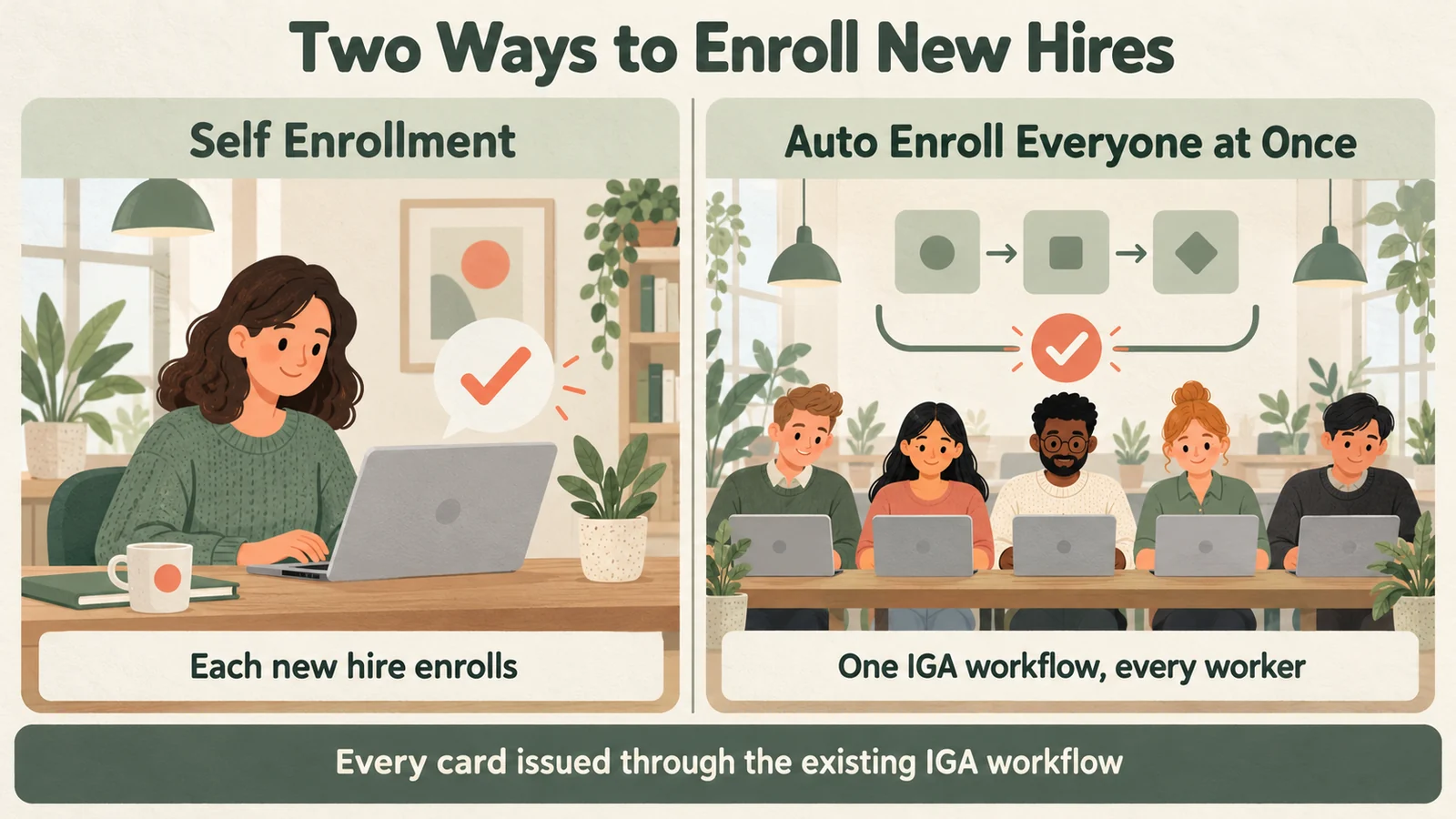 Self Enrollment suits a steady flow of start dates; Auto Enroll Everyone at Once suits a cohort. Both run through one IGA workflow.
Separately from the card, Avatier Actions in Avatier Identity Anywhere 2027™ lists enrollment among its Password Management outcomes, and an enrollment email and un-enrollment among its Help Desk outcomes. Those requests can come from an employee or manager in Teams, Outlook, Claude or Copilot, and each outcome still runs through the customer's existing policies, approvals and roles, because "the assistant is the interface, never the authority."
The identity anchor: proving the card belongs to the new hire
The card is one of three factors. Avatier names them as the Challenge Card Factor, "A printed grid of word pairs"; the Private Knowledge Factor, "A short PIN that only the user knows"; and the Identity Anchor Factor: "The user's directory identity — Employee ID, badge, or SCIM-provisioned principal. Ties the challenge to a specific human, with full audit trail." For how the three work together, see Three-Factor Authentication Explained.
The anchor is what makes the card usable on day one. The joiner process creates the new hire's directory record, Employee ID or SCIM-provisioned account before the first morning, so the anchor exists before any phone does.
At login, once the password is accepted, the screen asks for a coordinate, the new hire reads that word from the card and adds the private PIN, and in Avatier's words "Directory Identity resolves automatically, nothing to approve." Per Avatier's FAQ, "used values are permanently burned and never reused," so a word a colleague overhears can't be used again.
The record starts the same day. Avatier's heading for it is "Audit-ready from day one," and under it each card's issuance, expiration, re-enrollment and revocation is logged and policy-enforced.
A new hire's first day with the card
Here is how the card covers the first day, step by step:
- Morning: enroll. The new hire self-enrolls, or is already enrolled with everyone else, and by Avatier's account is live within minutes of receiving the card.
- First login. The screen shows a coordinate. The new hire reads the matching word off the card, adds the private PIN, and directory identity resolves automatically.
- Forgot the new password. A brand-new password is easy to forget. In Avatier's reset explainer, "A locked-out worker resolves it themselves," because the card verifies the person before the password changes.
- Calling the desk. "The agent names a coordinate, the caller reads the answer off their printed card, and that value is spent." That gives the desk a live check on a voice it doesn't know, in place of the old script, described by Avatier as "a list of questions an attacker can research."
- Later: add the phone. When the new hire's authenticator is set up, keep the card. NIST says verifiers "SHOULD encourage subscribers to maintain at least two separate means of authentication," and Avatier positions the card as one that "sits alongside the MFA you already run."
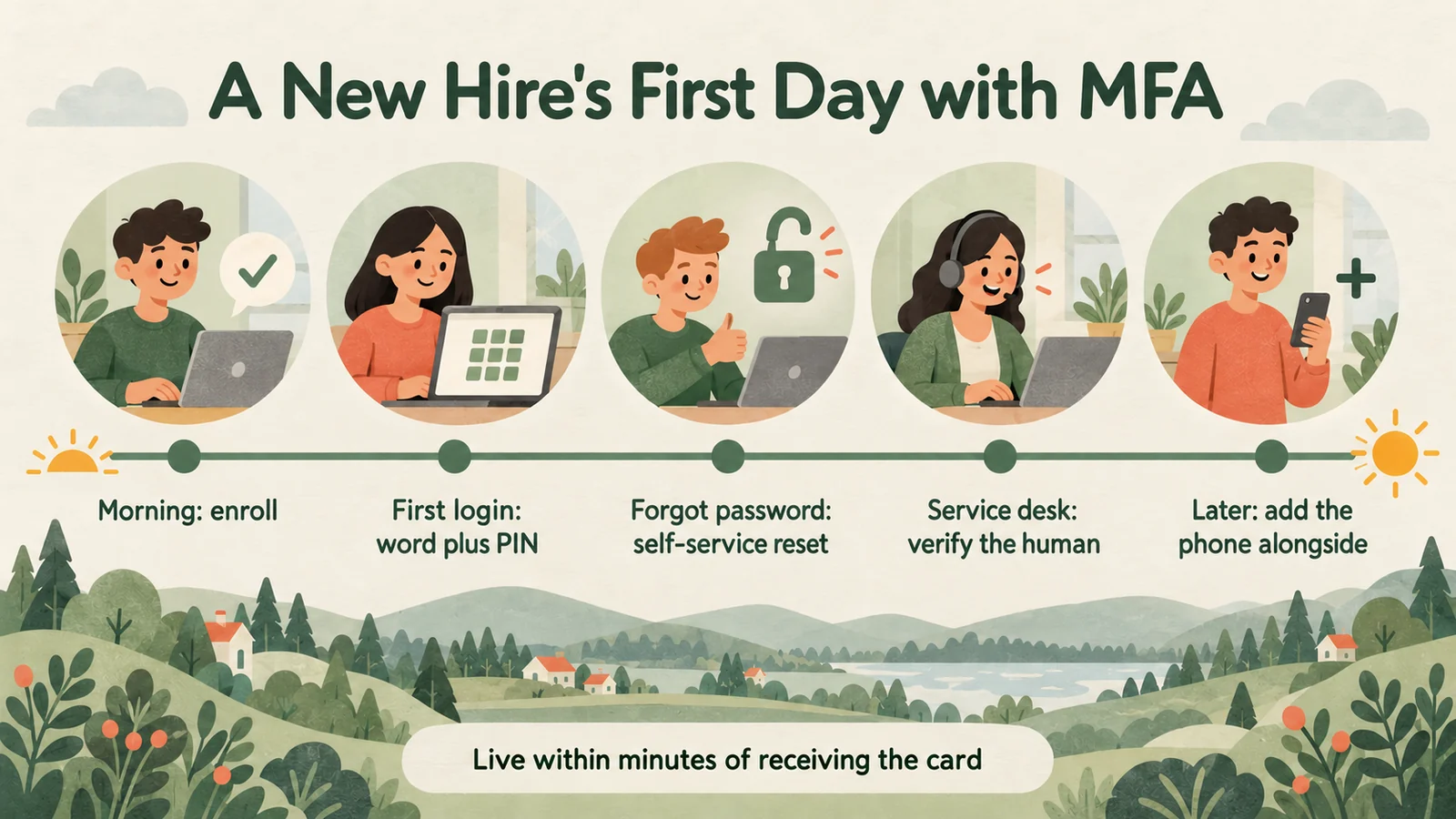 From enrollment in the morning to a service desk call in the afternoon, the card covers each first-day moment before a phone is set up.
For new hires who will never carry a work phone, such as frontline staff, see MFA for Frontline Workers Without Phones. For what happens when a card is lost or a worker leaves, see Issuing, Revoking and Replacing Avatier's Identity Challenge Card.
What Avatier ships for new-hire MFA
- Identity Challenge Card™. A deviceless factor for the service desk, login and password reset. Avatier says it is "Deployed in under an hour" and needs "No MDM, no app, no hardware," and the card is available in 34 languages, right-to-left and CJK scripts among them. To try the three-factor demo, see the Identity Challenge Card.
- Governed enrollment. Self Enrollment or Auto Enroll Everyone at Once, issuance through the existing IGA workflow, expiry and re-enrollment windows set by policy, and "Easy re-enrollment — no device pairing."
- Avatier Actions. Avatier Actions lists enrollment under Password Management, and an enrollment email and un-enrollment under Help Desk. They sit among more than 50 identity outcomes across eight modules, including Lifecycle Management for requesting and removing access and roles, rehire and transfer.
- Strong MFA Login. Pillar 5 of Credential Governance™ ties a strong second factor to every password authentication event, and the Identity Challenge Card is one of the factors it lists. For the pillar, see Strong MFA Login.
- Security posture. Avatier's SOC 2 Type II audit was completed with no exceptions noted, and Avatier is ISO/IEC 27001:2022 certified. For audit details, see the Avatier Trust Center.
Getting started
Under Pay Per Identity Action™, the pricing model for Avatier Identity Anywhere 2027™, customers pay only for completed, verified, policy-compliant outcomes. There is no charge to get started, deployment services come included, and a 45-day money-back guarantee applies. Qualified organizations receive pricing during the invitation-only preview. For the Identity Anywhere 2027 platform, see the Avatier Identity Anywhere 2027™ preview. For every Avatier product, see avatier.com.
About the author

More from MFA & Authentication

MFA for Contractors Without Company Phones, with Avatier
Contractors and field staff may have no company phone and no wish to put an authenticator on a personal one. How Avatier's Identity Challenge Card gives them MFA without a device.

How to Verify Help Desk Callers with the Identity Challenge Card
Help desk caller verification confirms an employee is who they claim before a reset, unlock or MFA change. How to run it without relying on agent judgment, with Avatier's Identity Challenge Card.

Retiring MFA Exceptions: Full-Workforce MFA with Avatier
An MFA exception register lists the workers device MFA can't reach. How Avatier's Identity Challenge Card lets policy route each of them to a method, so exceptions can be retired.